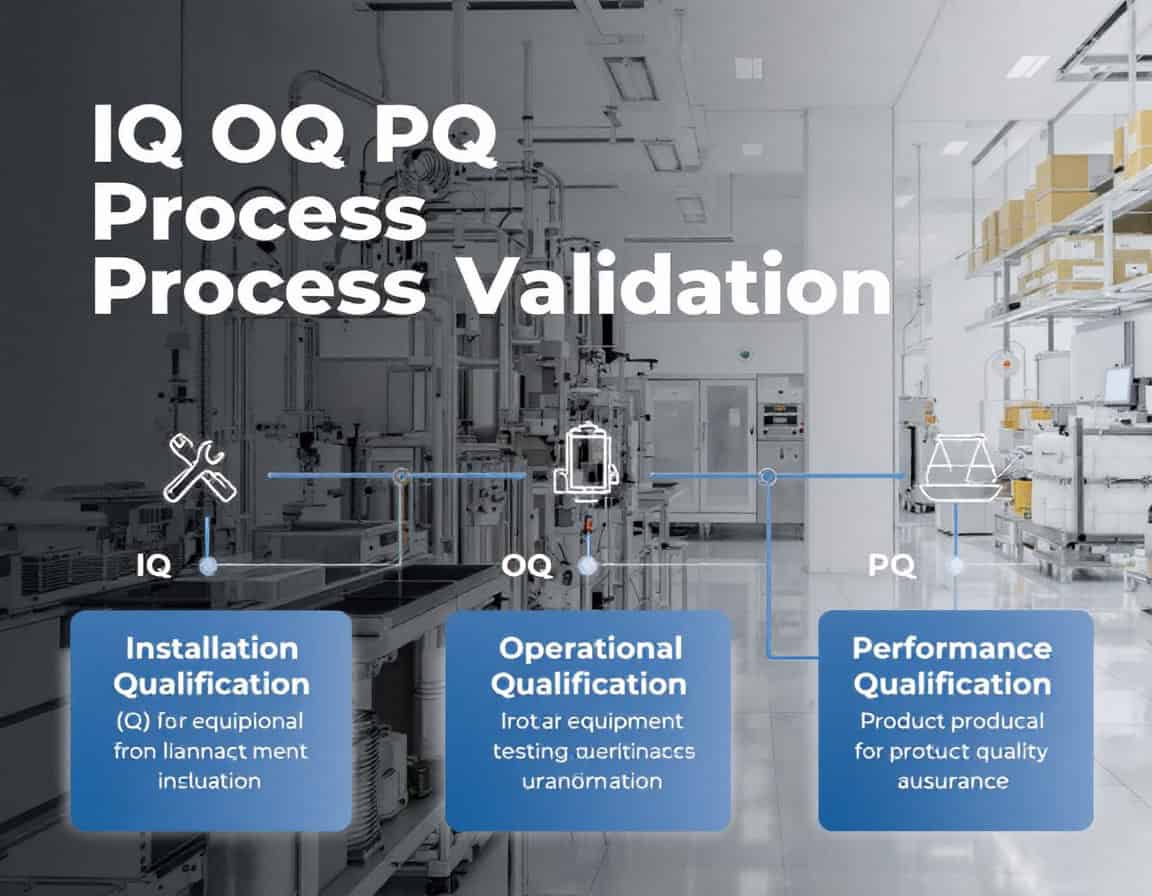
The IQ OQ PQ process validation methodology, standing for Installation Qualification (IQ), Operational Qualification (OQ), and Performance Qualification (PQ) sequence constitutes the established framework for process validation, serving as the systematic generation of documented evidence that a manufacturing process is in a state of control. This methodology follows a deliberate and logical progression, beginning with the static, documented verification that equipment is installed correctly (IQ), moving to the dynamic confirmation that the equipment operates reliably across its specified ranges (OQ), and culminating in the demonstration that the integrated process consistently produces product meeting all quality attributes (PQ).
The entire sequence is designed to provide objective, traceable proof that the process is robust, reproducible, and fit for its intended purpose before commercial use.
This methodology is a non-negotiable regulatory prerequisite in industries governed by cGMP, such as pharmaceuticals, biologics, and medical device manufacturing, where process consistency is directly linked to patient safety. Its application is not for initial research but is the critical validation stage conducted after process development is finalized and before the process is approved for routine commercial production.
Key Takeaways

- Validation’s output is evidence, not product.
- “Worst-Case” OQ testing involves combined stressors.
- PQ validates the integrated process, not just the equipment.
- The “Three Batch” rule demonstrates reproducibility.
- PQ success is defined by consistency, not just passing spec.
- The protocol is a contract; deviations must be justified and well-documented.
- Leverage supplier documentation (FAT/SAT), but do not replace your own OQ
- Validation defines the start of the lifecycle, not the end of a project.
- Any “like-for-like” change requires justification.
- Personnel training is a prerequisite for OQ and PQ
Installation Qualification (IQ)
Installation Qualification (IQ) is the initial and foundational phase of the IQ OQ PQ process validation methodology. It is a formal, documented process that verifies and confirms that equipment, systems, and ancillary components have been delivered, installed, and configured in complete accordance with the manufacturer’s recommendations and the user’s design specifications.
The core principle of IQ is to provide documented evidence that the installation is correct and creates a suitable and safe environment for the subsequent qualification phases.
The purpose and importance of IQ: the primary goal of IQ is to establish a baseline for the equipment’s validation. Before any operational testing can begin, it is crucial to ensure that the equipment is physically present, correctly assembled, and situated in an appropriate environment. This phase mitigates risks associated with improper installation, which could otherwise lead to equipment malfunction, product quality issues, and safety hazards.
Key Stages and Activities in Installation Qualification
The IQ process is systematic and involves several detailed stages, typically managed through a pre-approved protocol and checklist.
1. Pre-Installation and Planning
Before the equipment even arrives, or is even ordered, the IQ process begins with careful planning. This includes:
- Site readiness verification: ensuring the designated location is prepared for the new equipment. This involves checking for adequate floor space, structural support, and the availability of necessary utilities at the correct connection points.
- Environmental conditions: verifying that the installation environment meets the manufacturer’s specifications for temperature, humidity, and cleanliness.
- Gathering documentation: collecting all essential documents, such as the purchase order, manufacturer’s manuals, design specifications, engineering drawings, and calibration certificates for any integrated measurement instruments.
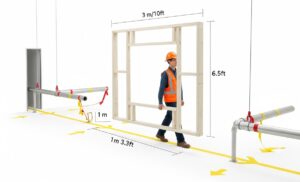
Tip: walk the path and model the volume. Don’t just look at a 2D floor plan. The most common and costly IQ failures happen here. Literally walk the planned route from the loading dock to the final installation point with your key stakeholders (Facilities, Engineering, and the vendor’s project manager). Use a simple wooden or PVC frame built to the machine’s maximum height, width, and length dimensions. Physically carry this “ghost” frame along the entire path. This will reveal clearance issues with doorways, low-hanging pipes, tight corners, and elevator capacities that drawings often miss. Also, verify the floor loading capacity not just at the final spot, but along the entire transit path.
2. Equipment Receipt and Verification
Once the equipment is delivered, a thorough inspection is conducted:
- Component verification: the delivered items are meticulously checked against the packing list and purchase order to confirm that all components, including software, have been received and are the correct model and version ordered.
- Inspection for damage: a visual inspection is performed to ensure that no damage occurred during shipping and handling.
Note: in most industries practicing the IQ OQ PQ methodology, the equipment should come with its certificates of conformance (CE FDA markings …), eventually other certificates, and possibly some manufacturing own tests results. These documents should be considered in the same way and importance as the physical goods themselves. In fact a delivery should be refused if these documents are not included or received in advance (in quarantine zone at least).
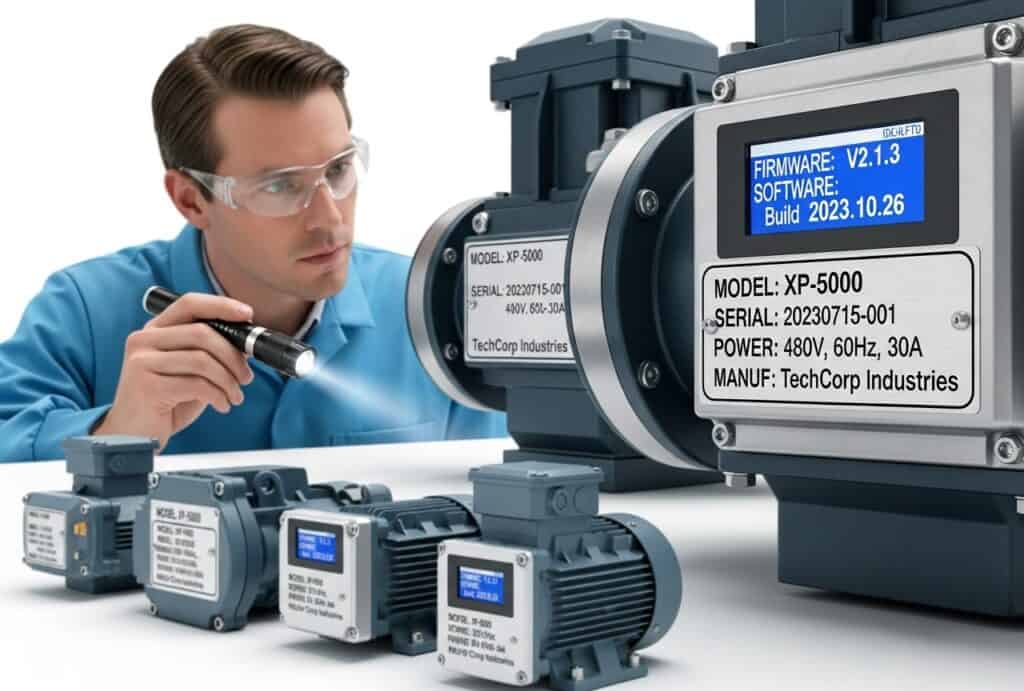
Related tip: trust, but verify the Firmware. The packing list is the bare minimum. Your real focus should be on the critical components and, most importantly, the software and firmware versions. A vendor might ship a newer, “better” version that hasn’t been validated for your process. Before the delivery driver leaves and before you sign any shipping documents, take high-resolution photos of the nameplates of all critical components (motors, pumps, controllers) and the main equipment plate. If possible, power on the controller unit only to verify the firmware/software version on the boot-up screen. Cross-reference this against the version specified in your User Requirement Specification (URS) or purchase order. Rejecting the shipment at the door is far easier than dealing with the discrepancy later.
3. Installation and Connection Verification
This is the core of the IQ process, where the physical installation is scrutinized:

- Correct assembly and placement: verifying that the equipment is assembled and positioned as per the manufacturer’s instructions and engineering drawings.
- Utility connections: this is a critical step that involves confirming all connections to essential services. This includes checking that:
- Electrical: the power supply matches the required voltage and phase, and that proper grounding and safety circuits are in place.
- Plumbing: connections for water, steam, or drainage are correctly installed, leak-free, and made of the appropriate materials.
- Gases and compressed air: all pneumatic and gas lines are correctly connected, and the pressure and quality meet specifications.
- Ancillary equipment: ensuring any supporting or peripheral equipment is also correctly installed and connected.
- Software installation: for computer-controlled systems, this involves verifying that the software is installed correctly, communication with the hardware is established, and access controls are in place.
Tip: redline the drawings in real-time. Never assume the P&ID (Piping and Instrumentation Diagram) or electrical drawings are 100% accurate representations of the final installation. The vendor’s installer will always make minor, practical adjustments on-site. Assign one of your own engineers or qualified technicians to shadow the vendor’s installer with a set of official drawings and a red pen. As the installer makes connections, your engineer should physically trace each line (pipe, conduit, cable) and mark any deviation from the drawing directly onto the print. This “as-built” red-lined drawing is a priceless document. At the end of the IQ, you scan this red-lined version as the official record of the true installation, which is invaluable for future troubleshooting, maintenance, and audits.
4. Documentation and Record Keeping

Throughout the IQ process, meticulous documentation is paramount. This includes:
- Recording serial numbers: documenting the serial numbers and model numbers of the main equipment and all critical components.
- Compiling a documentation package: creating a binder or electronic folder containing all relevant documents, such as manuals, drawings, calibration records, and the completed IQ protocol.
- Establishing maintenance and calibration schedules: setting up and documenting the schedules for routine maintenance and calibration as recommended by the manufacturer.
Tip: your primary goal is to establish the equipment’s permanent binder or digital record within your Product Lifecycle Management (PLM) or Quality Management System (QMS), making it the single source of truth. Before the IQ begins, create a unique asset record for the equipment in the system. As each document is generated—from vendor certificates to signed protocol pages—immediately scan and upload it, linking it directly to this central asset record. This practice moves beyond simple archiving, creating a controlled and authoritative digital twin of the equipment’s documentation from its inception. Route the final IQ package for review and approval using the system’s electronic signature workflows, which provides a secure and compliant audit trail. More importantly, build a relational model by linking the IQ documentation to other enterprise systems.
5. Final IQ Report and Approval

Nothing too fancy here for such industries: upon completion of all checks, a final IQ report is generated. This report summarizes the activities performed, presents the documented evidence, details any deviations or discrepancies found and how they were resolved, and concludes whether the equipment has passed the Installation Qualification. This report is then reviewed and formally approved by the relevant personnel, such as the quality assurance department, officially concluding the IQ phase and permitting the start of Operational Qualification (OQ).
Tip: treat deviations as evidence of a robust System, not as a failure. The goal of IQ is not to have a “perfect” run with no deviations. The goal is to truthfully document the as-installed state. A well-managed deviation is a sign of a healthy and transparent quality system. When a discrepancy is found, document it immediately as a planned deviation within the IQ protocol. Then, lead a formal risk assessment. Could it be creating a corrective action to replace the part before OQ begins or different approach? Documenting this entire process in the final IQ report shows auditors that your system is meticulous, risk-based, and in control.
The rest of this article is reserved for members
To limit scraping bots (currently 40,000 hits per day!),
we had to restrict access to full articles and tools to registered members only.
to access all the rest.