Product Design, Manufacturing & Innovation Resources
Home » Online Tools » GeoGebra Scientific Calculator

GeoGebra Scientific Calculator

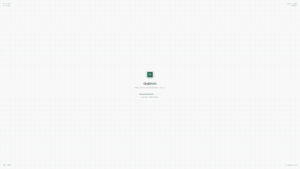
Basic but does it well, with history, fractions and all features you want from a scientific calculator: GeoGebra Scientific is a digital computation engine that facilitates high-precision arithmetic and statistical processing through a multi-line input interface. The service provides:

  • Trigonometric, logarithmic, and exponential operators for complex mathematical modeling.
  • Statistical functions including mean and standard deviation for data set characterization.
  • Exact value outputs for fractions and irrational numbers to ensure computational accuracy.
  • A persistent calculation history for auditing and iterative refinement of numerical sequences.

It operates as a browser-based and mobile application, offering a consistent environment for technical calculations across diverse hardware configurations. The platform’s support for exact values and complex functional syntax allows for the validation of technical documentation and the refinement of prototypes without the risk of cumulative rounding errors common in basic calculators.

Engineering and quality assurance professionals utilize this platform for rigorous field-based verification and technical auditing. In manufacturing and scientific research, the tool is applied to:

  • Execute statistical process control and variance analysis to monitor production tolerances.
  • Verify structural load-bearing calculations and material specifications during site inspections.
  • Perform rapid data reduction and error propagation analysis in laboratory environments.
Disciplines: Education, Mathematics, Physics, Engineering.
Free alternative to Casio fx-991, Texas Instruments TI-30.
GeoGebra Scientific Calculator compared with Casio fx-991 and Texas Instruments TI-30
GeoGebra Scientific CalculatorCasio fx-991 family (typical, fx-991EX checked)Texas Instruments TI-30 family (typical, TI-30XS MultiView checked)
Form factor and cost: GeoGebra Scientific runs in a web browser and is described as a free online scientific calculator. An iOS app exists for iPhone and iPad, and its developer states there is no Mac or Windows version of that app.Form factor and cost: Typically a handheld device with solar and battery power. The fx-991EX page lists solar plus battery with an approximate main battery life of 2 years and auto power off. Purchase price is not given on that page.Form factor and cost: Typically a handheld device. The TI-30XS MultiView page lists dual solar and battery power and gives no price, referring buyers to a Where to Buy link.
Functions and statistics: The keypad offers trigonometric functions and inverses, ln, log10, nth root, nPr, nCr, factorial, mean, stdev and stdevp, and variables a to z. Fractions and exponential functions are also covered.Functions and statistics: Typically broad. The fx-991EX lists 552 built-in functions, matrix (up to 4x4) and vector calculations, equation solving with 2 to 4 unknowns, polynomial equations up to quartic, and normal, binomial and Poisson distributions.Functions and statistics: Typically narrower than the Casio class. The TI-30XS MultiView offers fraction math, scientific notation, trigonometry, logarithms, combinations and permutations, a function table and three basic lists, with one- and two-variable statistics.
Data handling: The page documents statistical keys for mean, stdev and stdevp. No list editor or spreadsheet function is confirmed on that page.Data handling: Typically includes a list-based data editor. The fx-991EX adds a spreadsheet of up to 5 columns by 45 rows, holding a maximum of 170 data items.Data handling: Typically includes a basic list editor. The TI-30XS MultiView has three lists, which suits small data sets for statistics.
Display: Output depends on the screen of the device used. The keypad is on screen and the interface is a web page or an app.Display: Typically a natural textbook display. The fx-991EX uses a high-resolution LCD with 10+2 digits and an icon menu.Display: Typically a multi-line LCD. The TI-30XS MultiView has a four-line by 16-character screen with MathPrint formatting for textbook-style expressions and fractions.
Exams and status: The App Store listing describes an exam mode that turns a phone or tablet into a handheld calculator for tests. Acceptance depends on the exam board, so check its rules before use.Exams and status: Casio lists the fx-991EX as permitted for GCSE, AS and A Level exams. The same page states that this model has been discontinued and recommends the fx-991CW ClassWiz as replacement.Exams and status: The TI-30XS MultiView is listed as approved for the SAT, ACT and AP exams.

Topics covered: GeoGebra, scientific calculator, digital computation engine, high-precision arithmetic, statistical processing, trigonometric operators, logarithmic operators, exponential operators, statistical functions, exact value outputs, calculation history, browser-based application, mobile application, technical calculations, statistical process control, variance analysis, error propagation analysis, structural load-bearing calculations ISO 9001, ISO/IEC 27001, ISO 31000, ISO 10006, and ISO 14001..

More Calculation tools

Suggest your best online tool:

Do you know a better, a complementary or a replacement website to the one listed above ?

> Suggest it here <

10th year anniversary

Full size images and downloads are only available, 100% free, for registered members.

> Login <