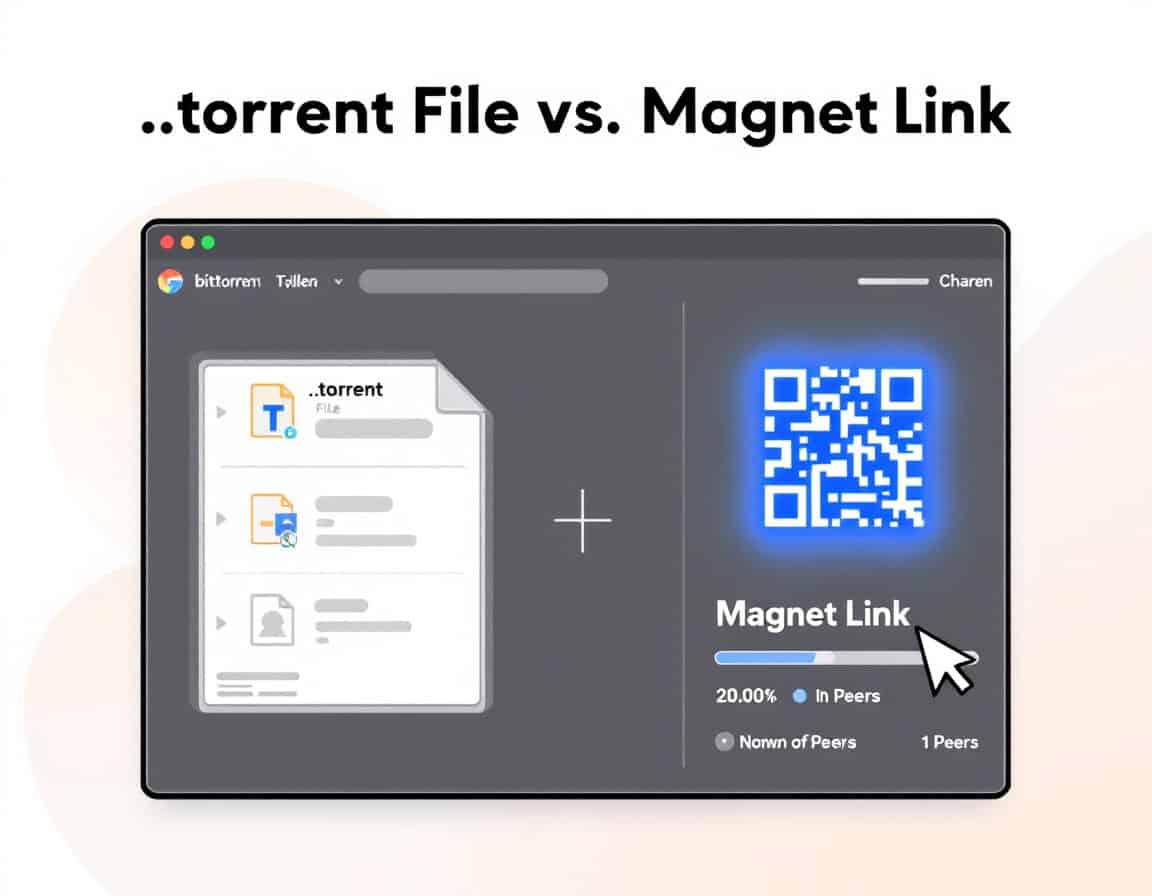

A .torrent file and a magnet link are two ways of giving a BitTorrent client the same thing: the identity of a torrent.
- A .torrent file is a “metainfo” file. Its info dictionary holds the piece length, the file name and length (or a list of files), and in v1 a concatenated list of 20-byte SHA-1 hashes, one per piece. The info-hash is the 20-byte SHA-1 of the bencoded info value, computed over the encoded form exactly as it appears in the .torrent file. Tracker URLs sit outside that dictionary, so they can be changed without altering the torrent’s identity. BitTorrent v2 (BEP 52) changes the hashing: it uses SHA-256 with a per-file Merkle tree and a hierarchical file tree. The per-file “piece layers” sit outside the info dictionary, and implementations must check them against the pieces root fields inside it. bep 0003 +2
- A magnet link contains no metadata, only that identity. Its format is magnet:?xt=urn:btih:<info-hash> for v1 or xt=urn:btmh:<tagged-info-hash> for v2, with optional display name (dn), tracker (tr) and peer-address (x.pe) parameters. A hybrid torrent may carry both btih and btmh topics in one link. To start, the client fetches the metadata from other peers using the BEP 9 extension. This extension transfers only the info-dictionary part of the .torrent file, in 16 KiB blocks. The client then checks it against the hash in the link. If the link names no tracker, the client should use the DHT to find peers. bep 0009 +2
So the two formats point at the same swarm and give the same download once it starts. They differ in where the metadata comes from:
A .torrent file is a static artifact: the file list is known immediately, the metadata survives a dead swarm, and the file has to be hosted somewhere.
A magnet link is a short string that can be pasted anywhere, but it only works while at least one reachable peer still has the metadata. Neither format authenticates the publisher or confirms the content matches its label. The hash only proves that the data matches the hash.
Tip: by popular demand, this post serves as a support for all our torrent and P2P for engineering posts.
History & Background
The .torrent format comes from the original BitTorrent design. Bram Cohen designed the protocol in April 2001 and released the first version on 2 July 2001, and he and Ashwin Navin founded BitTorrent, Inc. (later Rainberry, Inc.) in 2004. Cohen is also the listed author of BEP 3, the core specification that defines the metainfo file and the info-hash. Further development is coordinated through the BitTorrent Enhancement Proposal process, which was modelled on Python’s PEPs, and Cohen wanted the mainline client to stay open source.
The BEP 3 spec is the nearest thing to formal authority for the file format. The v2 format arrived much later: BitTorrent, Inc. released the v2 specification on 15 May 2017. Magnet links have a different lineage. The magnet: scheme was not invented for BitTorrent. It was designed as a project-neutral way to identify files by content hash across several P2P networks. IANA lists it only as a provisional scheme, registered in 2012 with the Magnet-URI Project as its creator. Secondary sources date its introduction to 2002, but I found no primary source for that date. BitTorrent’s use of magnet links rests on BEP 9, authored by Greg Hazel and Arvid Norberg (Norberg is also the original author of libtorrent). BEP 9 is still only “Accepted”, not Final, and it gained the x.pe peer-address parameter in 2016. That BEP defines both the metadata-exchange protocol and the BitTorrent magnet format, but one implementer’s notes describe magnet URIs as a de-facto convention, not a numbered BEP.
In practice, both formats rest on the BEP process and on what the major clients implement, not on a formal standards body.
1. Fundamentals
| Aspect | .torrent file | Magnet link |
|---|---|---|
| What it is | A small binary file (bencoded dictionary) | A text URI (magnet:?xt=urn:btih:…) |
| Contains the content? | No, only metadata | No, only an identifier |
| Core contents | Tracker URL(s), file names and sizes, piece length, hash of every piece, optional comment, creator and date | Info-hash (xt), optional display name (dn), trackers (tr), peer addresses (x.pe); web seeds (ws) only as a client-dependent extension, not defined in BEP 9 |
| Typical size | A few KB to several MB (grows with content size) | About 100-500 bytes |
| Identifier used | SHA-1 info-hash (v1), SHA-256 (v2), or both (hybrid) | The same info-hash: urn:btih (v1) or urn:btmh (v2) |
| Specification | BEP 3 (v1), BEP 52 (v2) | BEP 9 (metadata exchange and magnet URI format) |
| Protocol handler | Opened by file association (.torrent) | Opened by the OS or browser magnet: URI handler |
2. Metadata and File Information
| Aspect | .torrent file | Magnet link |
|---|---|---|
| File list visible before download starts | Yes, immediately | No, only after metadata is fetched from peers |
| Metadata source | Embedded in the file | Downloaded from peers (DHT, PEX, trackers) via ut_metadata |
| Metadata integrity | Verified by hashing | Verified against the info-hash in the link, so tampered metadata is rejected |
| Start delay | None | Seconds to minutes (or never, if no peer has the metadata) |
| Display name | Stored in the file (name) | dn is optional and unverified; it is only a label |
| Piece hashes | Included | Obtained later with the metadata |
| Editable | Trackers can be edited without changing the hash. Editing the info dictionary changes the info-hash, creating a different torrent | Trivial to edit as text (add or remove trackers). The info-hash cannot be changed without pointing to different content |
3. Author, Provenance and Authenticity
| Aspect | .torrent file | Magnet link |
|---|---|---|
| Author information | Optional fields: created by (client and version), creation date, comment | None; there is no standard author field |
| Metadata leakage about the creator | Possible (client version, timestamp, sometimes comments or URLs) | Minimal; the link contains only what the sharer included |
| Digital signature | A signing extension exists (BEP 35) but is rarely used | None |
| Proof the content is what the label says | None, and the name can be faked | None, and dn can be faked |
| Proof the content matches the hash | Yes, every piece is hash-verified | Yes, every piece is hash-verified after metadata verification |
| Trust model | You trust whoever supplied the file, then verify the data against the hashes | You trust whoever supplied the link, then verify the same way |
| Spoofing risk | Fake torrents with the same title are common | Same, and the link has even less context (no file list to inspect first) |
4. Hosting, Distribution and Availability
| Aspect | .torrent file | Magnet link |
|---|---|---|
| Needs hosting | Yes, a web server, index site or file share | No; it is just text and can be pasted anywhere |
| Sharing methods | Download, email attachment, file transfer (attachments are sometimes blocked) | Chat, email body, QR code, forum post, notes app |
| Takedown exposure | Hosted files can be removed or blocked | Harder to remove (pure text), but the sites that publish them can still be blocked |
| Link rot | The file survives as long as the host does | The text survives, but it is useless if no peer still has the metadata |
| Archiving value | High: it preserves complete metadata even when the swarm is dead | Low: it depends on a live swarm to retrieve metadata |
| Index and search sites | Must store a file per torrent (more storage) | Store only a short string (cheaper and easier to mirror) |
| Cross-device convenience | Needs a file transfer | Easy: copy and paste, or scan a QR code |
| Browser behavior | Downloads a file, then opens it in a client | Triggers a protocol handler prompt (needs a registered client) |
5. Network Behavior and Performance
| Aspect | .torrent file | Magnet link |
|---|---|---|
| Peer discovery | Trackers listed in the file, plus DHT, PEX and LSD (unless private) | DHT, PEX and LSD, plus any tr trackers in the link |
| Works without any tracker | Only if the DHT is allowed | Yes, with DHT (this is its usual mode) |
| Dependence on DHT | Optional | Often essential for metadata and peers |
| Web seeds (HTTP sources) | url-list / httpseeds fields (BEP 19) | ws= parameter, a client-dependent extension not defined in BEP 9 |
| Download speed once running | Identical | |
| Behavior with dead or rare torrents | Starts and waits for peers | May stall at “retrieving metadata” |
| Private trackers | Fully supported (private flag, passkey in announce URL) | Generally unusable. Private torrents disable DHT/PEX, and the tracker passkey is not exposed in a shareable link |
6. Security
| Aspect | .torrent file | Magnet link |
|---|---|---|
| Source of malware risk | The downloaded content, not the format | The downloaded content, not the format |
| Parser or handler risk | Malformed bencode can trigger bugs in a poorly written client (rare) | Malicious dn or URI parameters can cause injection or display bugs in poorly written clients or handlers (rare) |
| Ability to inspect before downloading | High: you can see the file list, extensions and sizes first | Low until metadata arrives; most clients then let you review the file list before downloading |
| Disguised executables | Detectable in the file list (.exe, .scr, .lnk and so on) | Same, but only after metadata is fetched |
| Phishing and ad risk | Torrent sites are often ad-heavy | Same, plus accidental clicks on lookalike magnet buttons |
| Hash strength | SHA-1 for v1 (collision-weak in theory, hard to exploit for torrents); SHA-256 for v2 | Same hash as the torrent it points to |
| Tampering in transit | Detected via piece hashes | Detected via the info-hash, though a swapped link points to different content entirely |
7. Privacy and Anonymity
| Aspect | .torrent file | Magnet link |
|---|---|---|
| Your IP visible to peers | Yes | |
| Your IP visible to trackers | Yes (embedded trackers) | Yes, if tr trackers are included |
| DHT exposure | Possible | Almost certain; your lookups go to the public DHT |
| Anonymity difference | None meaningful | |
| Metadata revealing the sharer | created by, comment and creation date can reveal details | Nothing beyond what the link text contains |
| Mitigations | VPN or proxy, client-side encryption, private trackers | |
8. Risks and Limitations
| Risk | .torrent file | Magnet link |
|---|---|---|
| Stalls with no peers | Waits for peers | May never get metadata |
| Fake or mislabeled content | Possible | |
| Legal exposure | Depends on the content and jurisdiction. Hosting the file can carry more exposure for site operators | Depends on the content and jurisdiction. Sharing links is sometimes treated differently from hosting files, but this varies and is not a safe harbor |
| Privacy exposure | Tracker and peer visibility | DHT and peer visibility |
| Tracker death | Reduces discovery, but the DHT may still work | Not a problem if the link relies on the DHT |
| Long-term durability | Better | Worse |
| Typos and truncation | A corrupted file is detected | A typo in the hash points to nothing, and a truncated link is silently broken |
9. Compatibility and Usability
| Aspect | .torrent file | Magnet link |
|---|---|---|
| Client support | Universal | Universal in modern clients (needs BEP 9) |
| Seedboxes and web services | Universally supported | Mostly supported, though some older services accept only files |
| Mobile friendliness | Moderate (handling downloaded files is clunky) | High |
| Automation (RSS, scripts, APIs) | Straightforward | Also straightforward, and simpler to store |
| Human readability | Not readable without a tool | The hash is opaque, but the structure is readable |
10. How to Create .torrent Files and Magnet Links
Items marked with a dagger are my own reasoning or general knowledge, not confirmed in a source.
| Aspect | .torrent file | Magnet link |
|---|---|---|
| Starting input | Your actual files or folder, plus a creator tool (for example mktorrent, or a client’s “create torrent” function) | An existing info-hash. In v1 that is the SHA-1 of the bencoded info dictionary, so a magnet link cannot exist before the .torrent metadata does |
| Order of steps | 1) Choose piece length. 2) Hash every piece. 3) Build the info dictionary. 4) Add outer fields such as trackers. 5) Bencode and save | 1) Have the torrent. 2) Take its info-hash. 3) Write the URI with xt. 4) Optionally add dn, tr and x.pe |
| Piece length | You choose it. It is almost always a power of two, most commonly 256 KiB. mktorrent defaults to 2^18 bytes and sets it with -l | None; it is inherited from the torrent |
| Hashing work | Every byte is hashed: SHA-1 pieces for v1, SHA-256 per-file Merkle trees for v2. Time grows with data size (dagger), and mktorrent can use several threads | Negligible: nothing beyond the existing hash |
| Trackers | announce, or announce-list. The list sits outside the info section; if present, compatible clients ignore announce, and tiers are tried in order, with URLs inside a tier shuffled | tr= parameters in the URI. If none are given, clients should use the DHT |
| Private flag | Set by putting private=1 in the info dict. Compliant clients then announce only to the private tracker and connect only to peers it returns. Because it is inside info, it affects the info-hash (dagger) | No field for it in the link. The flag lives in the metadata, which the client only sees after fetching it (dagger) |
| Web seeds | url-list, per BEP 19. mktorrent exposes it as -w. The HTTP/FTP server acts as a permanently unchoked seed | ws= is not part of BEP 9’s parameter list. Treat it as a client-dependent extension |
| Optional descriptive fields | Comment and creation date are optional. mktorrent offers -c for a comment and -d to omit the date | dn (display name) only. It is a label and unverified |
| Source tag | mktorrent’s -s embeds a source string in the info-hash, so the same files with a different tag get a different hash and a separate swarm | Not applicable |
| What changes identity | Anything inside info: name, piece length, private flag, source tag, file list (dagger) | Changing xt points to a different torrent. Changing dn, tr or x.pe does not |
| Hash version choice | v1 (SHA-1), v2 (SHA-256) or hybrid, chosen at creation | The link must carry btih, btmh, or both for a hybrid (BEP 9 allows both topics in one magnet if they describe the same hybrid torrent) |
| Signing | BEP 35 allows RSA signatures embedded in the file, optionally with an X.509 certificate, and several signatures per torrent. It is rarely used (dagger) | BEP 9 defines no signature field, so there is nothing to sign |
| Output | A binary file of KB to MB, which you must host or send | One text line of a few hundred bytes |
| Making it usable | Upload the file, and run a client with the original data in place so you can seed | Publish the line, and still keep seeding. The link does not help if no peer has the data and metadata |
| Typical mistakes | Wrong piece size for the content size (dagger); forgetting the private flag before publishing, since changing it later means a new hash (dagger); adding the wrong tracker | Typo or truncation in the hash, so the link silently points nowhere (dagger); wrong prefix (btih vs btmh); unescaped special characters in dn (dagger) |
11. Using each one
Items marked with a dagger are my own reasoning or general knowledge, not confirmed in a source.
| Aspect | .torrent file | Magnet link |
|---|---|---|
| How you open it | Double-click through file association, drag it into a client, or use “Add torrent file” | Click a magnet: link (needs a registered handler), paste it into a client, or scan a QR code (dagger) |
| What the client does first | Parses the bencoded metainfo | Parses the URI and extracts the info-hash |
| Where metadata comes from | Already in the file | Peers send the info dictionary (only that part of the .torrent) in 16 KiB blocks via the BEP 9 extension, and the client checks it against the hash |
| Finding peers | Trackers from the file, plus DHT/PEX/LSD unless the torrent is private. For private torrents, DHT and PEX are not to be used | Trackers in the link; if none, the DHT |
| Start delay | None | Waits until a peer with the metadata responds, so it can stall indefinitely |
| Choosing files before download | Immediately | After metadata arrives. Some clients can fetch metadata only, to preview the file list before downloading |
| Inspecting before committing | Full inspection with any parser tool, offline | Not possible until metadata is fetched |
| Converting between them | Compute the info-hash and write a magnet link (dagger) | Fetched metadata can be exported and cached as a torrent, so the same magnet never needs a second metadata download |
| Private-tracker use | Works, since the file carries the tracker URL, and clients must restrict themselves to it (BEP 27) | Likely impractical: the link has no flag, and a tracker URL may carry personal credentials (dagger). BEP 27 does not discuss magnets |
| Editing | Add or remove trackers without changing the hash, because they are outside the info section. Editing info creates a new torrent | Edit the text freely; altering xt changes which torrent it is |
| Checking authenticity | Verify a BEP 35 signature against a certificate you trust. One library notes that its check does not validate the certificate itself. Otherwise, inspect the file list | Compare the info-hash with one from a trusted source; nothing else is available |
| Automatic updates | BEP 39 lets a creator put an update-url in the info dict, and clients download newer torrents automatically only if signed by the originator | None |
| Sharing onward | Send or host the file | Copy and paste the line |
| When it fails | Tracker dead or no peers: the client waits. A corrupt file is rejected | Hash typo or no reachable peer: stuck on “retrieving metadata” |
| Web-seed rescue | A .torrent with a web seed still works with no peers. Magnet links have no equivalent, because neither BEP 9 nor the HTTP-seeding BEPs provide a way to fetch metadata from the HTTP seeds | |
| After download | Keep seeding from the same files | |

Summary
Torrent files (.torrent) are best for archiving, private trackers, reviewing the file list first, offline metadata, while magnets excel in quick sharing, QR codes, tracker-independent distribution, minimal hosting.
Neither format is inherently safer. Both verify data integrity cryptographically, and neither authenticates who published the content or what it actually is. The real security and legal risk comes from the content and the source, so check the file list for suspicious extensions and be careful about where you got the link.
FAQ
Is BitTorrent an IETF or ISO standard, and how formal is the status of .torrent files and magnet links?
No. The protocol is specified through BitTorrent Enhancement Proposals (BEPs), a process modelled on Python’s PEPs. BEP 3 defines the metainfo format and BEP 52 defines v2. BEP 9, which covers metadata exchange and the BitTorrent magnet format, carries the status “Accepted”, not “Final”. The magnet: scheme itself is only a provisional IANA registration, with the Magnet-URI Project as its creator. In practice, interoperability is defined by the major client libraries, so test against several implementations.
Does the info-hash cryptographically bind a torrent to its content?
Transitively, yes. The v1 info-hash is the SHA-1 of the bencoded info dictionary, and that dictionary contains the SHA-1 hash of every piece, so the hash commits to the data. The caveat is SHA-1’s weakened collision resistance: practical collisions exist, so a publisher who authors both variants of a torrent could craft two payloads with one hash. Second-preimage attacks against an existing torrent remain infeasible. v2 moves to SHA-256 and removes this concern.
Which edits change a torrent’s identity and which do not?
Anything inside the info dictionary changes the info-hash: name, file list, piece length, the private flag, and a source tag such as mktorrent’s -s option. Fields outside it, such as announce and announce-list (BEP 12), can be edited freely without creating a new torrent. In a magnet link, dn, tr and x.pe never affect identity; only xt does. Changing the info dictionary silently forks the swarm, so treat it as publishing a new torrent.
How does a client authenticate metadata received through a magnet link?
Peers send the info dictionary in 16 KiB blocks via the BEP 9 ut_metadata extension, and the client hashes the assembled result and compares it with the info-hash from the link. Forged metadata is rejected unless the attacker can break the hash. This proves integrity relative to the link, not truthfulness. The dn value is an unverified label, and the hash says nothing about who published the content or what it really contains.
What are the practical differences between v1, v2 and hybrid torrents?
v1 uses a flat list of SHA-1 piece hashes in the info dictionary. v2 (BEP 52) uses SHA-256 with a per-file Merkle tree and a hierarchical file tree. The piece layers sit outside the info dictionary, and implementations must check them against the pieces root fields inside it. A hybrid torrent carries both structures and therefore has two info-hashes, and a magnet link may carry both btih and btmh topics. Check that your client and tooling support v2 before publishing v2-only torrents.
Can a magnet link bootstrap a download when there are no peers but an HTTP web seed exists?
No. BEP 9 retrieves metadata only from peers, and neither BEP 9 nor the HTTP-seeding BEPs (17, 19) define a way to fetch metadata from an HTTP seed. A .torrent file with a web seed still works with zero peers, because the metadata is already in the file. If you rely on web seeds for availability, distribute the .torrent file, not only a magnet link.
What does each format expose about my privacy and network identity?
Both expose your IP address to peers and any trackers you announce to. Magnet links typically depend on the public DHT, which adds another lookup path where your IP and the info-hash appear. Protocol encryption obfuscates traffic but does not anonymize you. Private torrents (BEP 27) require clients to use only the private tracker, so DHT and PEX are not used. For anonymity requirements, use a threat model with proper network-level mitigation, not a format choice.
How do I verify authenticity, not just integrity, of data obtained via torrent?
Piece verification only proves the data matches the torrent. For authenticity, obtain a checksum or signature (for example a signed SHA-256 manifest) through an independent trusted channel and verify the finished files against it. BEP 35 defines RSA signatures embedded in .torrent files, with optional X.509 certificates and multiple signers, but it is rarely deployed, and a library implementing it notes that its verification does not validate the certificate itself. Magnet links have no signing mechanism at all.
How should I choose a piece length when creating a torrent?
It is a trade-off between metadata size and transfer granularity. BEP 3 says piece lengths are almost always powers of two, commonly 256 KiB, which is also mktorrent’s default. In v1, a 100 GiB payload at 256 KiB has 409,600 pieces, so the pieces string alone is about 8 MB. Magnet clients must pull that whole dictionary in roughly 500 blocks before starting, so oversized metadata slows magnet starts. Larger pieces shrink metadata but make repair after a failed piece coarser.
Why do two torrents of identical data end up in separate swarms, and how do I avoid it?
Because the info-hash covers the entire info dictionary. Different names, file ordering, piece lengths, private flags or source tags produce different hashes even for byte-identical payloads. To keep one swarm, standardize piece length, name, file order and flags in your release process, and publish the info-hash alongside the artifact. Source tags are an intentional way to separate swarms, and mktorrent’s -s option deliberately changes the hash.
What are the main security concerns when writing a client or parser for these formats?
Treat all input as untrusted. Validate bencode strictly, cap metadata size (one open-source client enforces a 32 MB limit), and sanitize file paths from the metadata to prevent directory traversal. Filter private and loopback addresses returned by trackers and the DHT to limit SSRF-style abuse, and check that tracker URLs are acceptable before connecting. Handle dn as untrusted text, and verify every piece hash before writing it to final storage.
How do I compute an info-hash correctly from a .torrent file?
Locate the exact byte span of the info value as it appears in the file, and hash those bytes: SHA-1 for v1, or SHA-256 for v2. BEP 3 stresses that the hash is over the encoding found in the file. Decoding and re-encoding the dictionary is only safe if the decoder fully validated the input, and a lenient decoder can silently normalize data and yield a different hash. For hybrid torrents, compute both hashes from the same span.
Can I use a magnet link for a private-tracker torrent?
Often not practically. BEP 27 requires clients to announce only to the private tracker and to connect only to peers it returns. A bare magnet link contains no private flag, since that lives in the metadata, and may not include a usable tracker URL. If a tracker URL with credentials is embedded, treat the link as a secret. This is my inference from the spec, because BEP 27 does not address magnet links directly, so test it with your tracker’s rules.
For distributing software, datasets or archives in a pipeline, should I publish a .torrent or a magnet link?
Publish both, with the .torrent file as the canonical artifact. It preserves complete metadata, lets users inspect the file list offline, and supports web seeds (BEP 19) for availability. Derive the magnet link from the same info-hash for convenience, and publish the info-hash plus a signed checksum on a trusted channel. This gives archival durability and easy sharing without making metadata retrieval depend on peers.
What determines how long a torrent stays retrievable, and how can I improve it?
Retrievability requires at least one reachable peer holding the data, and for magnet links one holding the metadata too. Improve it by keeping seeders running, adding multiple trackers in tiers (BEP 12) as backup, adding HTTP web seeds, and keeping the .torrent file archived or exportable from clients that cache fetched metadata. A magnet link alone does not preserve anything, so a dead swarm makes it useless.
Extended List of Related Readings & Topics
- Bencoding: the serialization format used by .torrent files, with sorted dictionary keys
- Info-hash: SHA-1 (v1) or SHA-256 (v2) digest of the bencoded info dictionary, the torrent’s identity
- Content-addressable storage: identifying data by its hash instead of its location
- Merkle trees: per-file hash trees in BitTorrent v2 (BEP 52) for piece-level verification
- Hybrid torrents: single torrents carrying both v1 and v2 structures and two info-hashes
- Piece length and piece layers: the trade-off between metadata size and verification granularity
- SHA-1 collision resistance: why v1 hashing is theoretically weakened and v2 moves to SHA-256
- Extension Protocol (BEP 10): the handshake mechanism that enables ut_metadata, PEX and other extensions
- Metadata exchange (BEP 9, ut_metadata): fetching the info dictionary from peers in 16 KiB blocks
- Magnet URI scheme: a project-neutral, hash-based identifier scheme with a provisional IANA registration
- MAGMA (magnet manifest): the manifest-topic concept from the magnet scheme’s multi-network origins
- Magnet file selection (BEP 53): choosing specific files inside a torrent from the link itself
- Multitracker metadata (BEP 12): announce-list tiers with shuffling and failover
- UDP tracker protocol (BEP 15): lightweight tracker announce over UDP
- Compact peer lists (BEP 23): the compact binary encoding of peers in tracker responses
- IPv6 tracker extension (BEP 7): peers6 support for IPv6 announces
- Tracker external IP reporting (BEP 24): trackers telling clients their observed address
- Mainline DHT (BEP 5): the Kademlia-based distributed hash table for trackerless peer discovery
- DHT security extension (BEP 42): restricting node IDs to resist Sybil and routing-table attacks
- DHT put/get and infohash indexing (BEP 44, BEP 51): storing data and sampling info-hashes in the DHT
- Peer exchange, PEX (BEP 11): swarm members sharing peer lists directly
- Local service discovery (BEP 14): finding peers on the same network segment
- Fast Extension (BEP 6): protocol shortcuts such as have-all, have-none and reject
- uTP (BEP 29): a UDP-based transport with delay-based congestion control
- Holepunch extension (BEP 55): NAT traversal coordinated through relaying peers
- Message Stream Encryption (MSE/PE): protocol obfuscation, not anonymity
- Private torrents (BEP 27): the private flag restricting peer discovery to the tracker
- Web seeding (BEP 17, BEP 19): HTTP or FTP servers acting as permanent seeds
- Padding files (BEP 47): aligning files to piece boundaries for deduplication and hybrid support
- Local data hints (BEP 38): reusing data from related torrents to avoid re-downloading
- Torrent signing (BEP 35): embedded RSA signatures with optional X.509 certificates
- Torrent update feeds (BEP 39): update-url for signed, automatic successor torrents
- Piece verification pipeline: hash check before commit, and recovery from failed pieces
- Parser and client hardening: strict bencode validation, size caps, path sanitization, SSRF filtering
- WebTorrent and WebRTC: browser-based peers using ws/wss trackers and ICE or TURN
- Seedboxes and long-term seeding: infrastructure for availability and archival persistence
- BEP process and governance: how specifications are proposed, indexed and promoted from Accepted to Final
- Alternative content-addressed systems: IPFS-style content identifiers as a comparable model
- Provenance versus integrity: why hashes verify data but never authenticate the publisher
External Links on Torrent
(hover the link to see our description of the content)