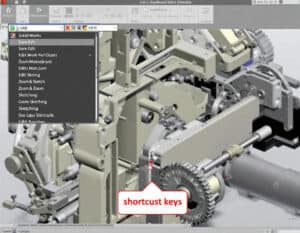
Because we use Soliworks 计算机辅助设计 for years (now decades in fact!), speeding through with SolidWorks shortcuts in SolidWorks means keeping your hands on the keyboard as much as on the mouse, and the shortcuts below cover the moves you’ll reach for most: saving and editing, spinning and zooming the view, jumping to a standard orientation, filtering what you can click, sketching lines and relations, rebuilding features, wrangling assembly components, and cleaning up drawing views.
它们按工作流程分组,而不是按字母顺序排列,并且在每个组中,快捷方式从您经常使用的快捷方式一直到您偶尔使用的快捷方式——因此,如果您只选择几个快捷方式,请先浏览每个列表的顶部。
提示: 默认键位映射 - 如果您的键盘已自定义,请检查“工具”→“自定义”→“键盘”。
笔记: 我们用红色粗体标出了我们自己最省时的 SolidWorks 快捷键。
额外内容:鼠标快捷键
| 鼠标左键 | 鼠标中键/滚轮 | 鼠标右键 |
|
|
|
SolidWorks快捷键
查看导航和缩放
标准视图方向
选择过滤器
| 素描
功能和零件建模
集会
图纸
|
显示、外观和可见性
帮助、搜索和界面
| 常见的 Windows 快捷键文件和文档管理
选择与编辑
|
SolidWorks 上的外部链接
(将鼠标悬停在链接上即可查看内容描述)