Product Design, Manufacturing & Innovation Resources
Home » Online Tools » JupyterLite Python Notebooks in Browser

JupyterLite Python Notebooks in Browser

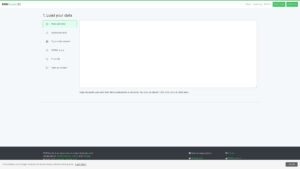
JupyterLite is a distribution of JupyterLab that runs entirely in the web browser. Python code executes through WebAssembly, so no server and no local Python installation are needed. Notebooks, files and settings are stored in the browser.

It starts in seconds and offers the familiar notebook interface with interactive widgets. The limits are real: it is not meant for large datasets or heavy computation, installing arbitrary packages is restricted, and stored data disappear if the browser data are cleared.

Insight

JupyterLab is a browser-based workspace for interactive computing, built around notebooks that mix code, results (tables, plots, widgets) and explanatory text. It needs a Jupyter server, local or remote, where a real kernel (usually Python, but also R, Julia and others) runs with full access to installed libraries, local files and GPUs, which makes it the right choice for serious analysis and large data. JupyterLite offers the same interface with no server: the Python kernel runs inside the browser through WebAssembly (mainly Pyodide), so a link to a static web page is enough to start working. The price of that convenience is a sandbox. Only packages supported by Pyodide are available, there is no system terminal or GPU, performance and memory are limited, and notebooks live in browser storage, so clearing browser data deletes them unless you download them. JupyterLab is for real work, and JupyterLite is for quick tests, teaching and sharing a runnable demo with someone who has nothing installed

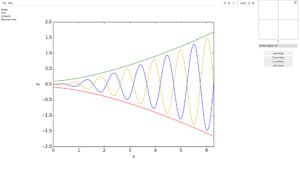
Scientists use it for quick data exploration, plotting and teaching examples. Engineers test a Python calculation without setting up an environment, and product developers share a runnable demo. Download any notebook you want to keep.
Disciplines: Data science, Education, Scientific computing, Machine learning, Software engineering.
Free alternative to Google Colab, Anaconda Jupyter, Kaggle Notebooks.
JupyterLite compared with Google Colab, Anaconda Jupyter and Kaggle Notebooks
JupyterLiteGoogle ColabAnaconda JupyterKaggle Notebooks
Execution model: JupyterLite is a JupyterLab distribution that runs entirely in the browser. Python kernels run in a Web Worker through Pyodide or Xeus Python, and an Xeus R kernel is also documented.Execution model: Colab is a hosted Jupyter service that needs no setup. Each runtime is a private virtual machine that is deleted when idle.Execution model: Anaconda Notebooks is a hosted JupyterLab service with persistent cloud storage and pre-installed data science packages. The page checked mentions ipykernel from the main channel.Execution model: Kaggle Notebooks is a cloud computational environment for exploring and running machine learning code, described as supporting reproducible and collaborative analysis.
Notebook storage: Saved work lives in the browser, in IndexedDB or localStorage. Notebooks can be edited, saved and downloaded, so export anything you want to keep.Notebook storage: Notebooks are saved to Google Drive or loaded from GitHub in the standard .ipynb format. Files in the runtime itself are not shared when a notebook is shared.Notebook storage: The service offers fast, backed-up SSD storage in the cloud. The amount available depends on the subscription plan.
Packages and environment: Package compatibility with WebAssembly kernels is a documented troubleshooting topic, and not all JupyterLab or Classic Notebook features work. Sites are static files and need no application server.Packages and environment: Colab recommends adding cells that install and load any custom libraries, so that others can rerun a shared notebook. Installed libraries do not travel with the notebook.Packages and environment: All packages in the Anaconda installer are pre-loaded. Users can create their own conda environments with packages available from repo.anaconda.com.
Resource limits and cost model: Sites are static files that can be served from most static web hosts, and only the last two core releases are actively supported.Resource limits and cost model: Colab publishes no exact limits. GPU and TPU types are not guaranteed, free notebooks run for at most about 12 hours, and idle runtimes time out. Paid plans (Pro, Pro+ and pay as you go) give more compute availability.Resource limits and cost model: Features are limited by subscription plan, and compute is metered in CPU seconds that refresh daily.
Data privacy: Notebooks and files are saved in the browser storage of the user, not on a server.Data privacy: Generative AI features in Colab collect prompts, related code and outputs, and human reviewers may read them. This data is retained for up to 18 months, so sensitive information should stay out of prompts.

More Coding, Data Analysis & Visualization tools

Suggest your best online tool:

Do you know a better, a complementary or a replacement website to the one listed above ?

> Suggest it here <

10th year anniversary

Full size images and downloads are only available, 100% free, for registered members.

> Login <