Python Tutor compared with Visual Studio Code debugger and PyCharm debugger| Python Tutor | Visual Studio Code debugger | PyCharm debugger |
|---|
| Languages covered: It supports Python, Java, C, C++ and JavaScript, each with its own tool page. Python 3.11 is the listed Python version, and JavaScript covers synchronous code only. | Languages covered: Debugging for JavaScript, TypeScript and Node.js is built in. Other languages and runtimes need a debugger extension from the Visual Studio Marketplace. | |
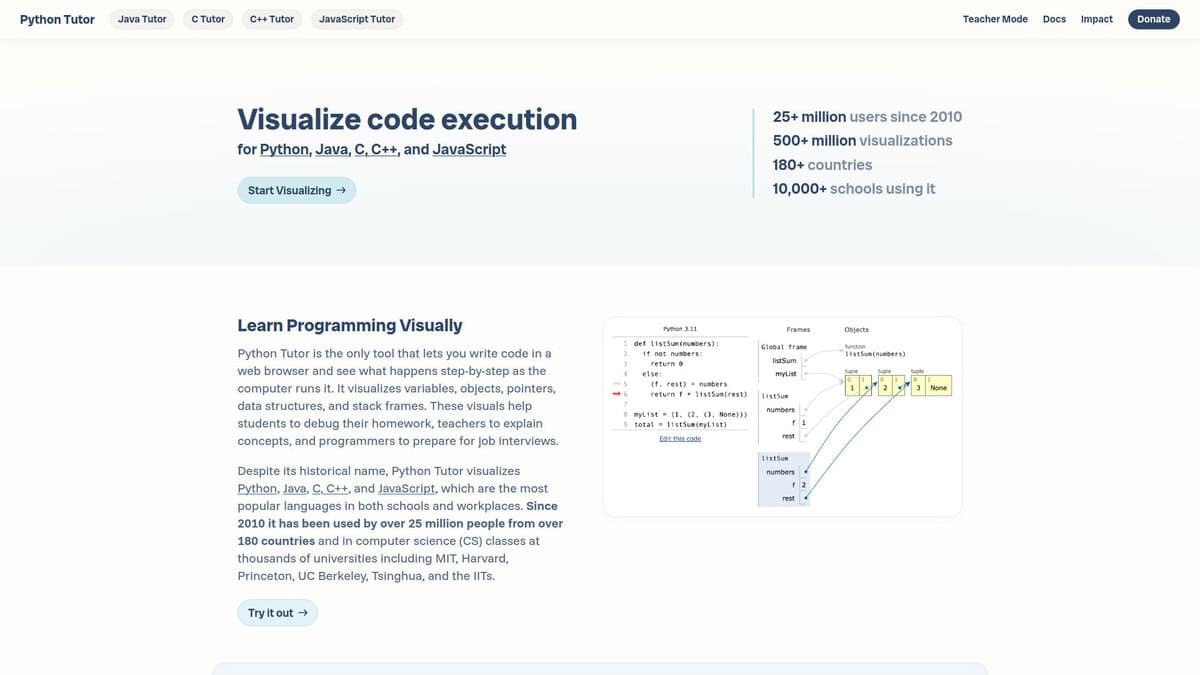
| Way of showing execution: It draws the call stack, local variables, objects on the heap and pointers as a diagram, and lets you step forward and backward through the trace. This makes references and mutable objects visible without setting breakpoints. | Way of showing execution: It shows values in Variables and Watch sections and lists active calls in a Call Stack section. Values can be changed during a session and expressions evaluated in the Debug Console. | Way of showing execution: It lists the variables of the selected frame, supports watches evaluated at each step, inline values next to the code and an evaluate dialog for multiline expressions. Evaluation works only when the program is suspended at a breakpoint. |
| Breakpoints and control: Execution is stepped through the recorded trace, so there are no breakpoint types to configure. It is built for short programs rather than for locating faults in a large code base. | Breakpoints and control: Breakpoints can be conditional, based on a hit count or on another breakpoint, and logpoints write messages without pausing. Function, data, inline and triggered breakpoints also exist. | |
| Size limits and sandbox: Execution is capped at 1000 steps for Python, Java and JavaScript and about 300 steps for C and C++. Code size is limited to a few thousand characters, and programs run in a sandbox without file or network access. | Size limits and sandbox: Remote debugging support depends on the debugger extension in use. | |
| Installation, licence and cost: It runs in the browser on the vendor servers, needs no account and is free, with donations supporting the site. Your code is sent to the server to be executed. | Installation, licence and cost: The source is MIT licensed as the Code - OSS repository, while the Visual Studio Code product is a Microsoft distribution under a product licence. Builds exist for Windows, macOS and Linux. | Installation, licence and cost: PyCharm is installed locally. The unified edition keeps core features free and adds Pro features through a paid subscription, with a free Pro trial with each major release. |