MakerCase Box Generator compared with Autodesk Fusion, Inkscape and Adobe Illustrator| MakerCase Box Generator | Autodesk Fusion (formerly Autodesk Fusion) | Inkscape | Adobe Illustrator |
|---|
| Approach: It is a dedicated box designer: the user enters dimensions, material and joint style and receives cut files for laser cutters, CNC routers and 3D printers. | Approach: It is a general CAD, CAM and CAE platform with parametric modeling. A box is modeled by the user, and 2D files are exported from sketches or drawings. | Approach: It is an SVG-based vector graphics editor aimed at drawing. Boxes would be drawn by hand or with extensions. | Approach: It is vector graphics software for logos, icons, packaging and similar artwork. Boxes would be drawn by hand. |
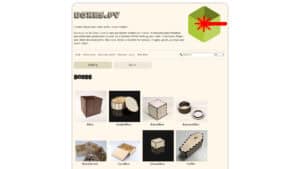
| Box types and settings: Laser and CNC types include basic, hinged, grid divider, custom divider, drawers, sliding lid, stackable parts bin, polygon and curved boxes. Settings cover joint types, material, kerf compensation, units, cost estimates and a 3D preview. | Box types and settings: Joints come from modeling or from add-ins, for example the free Box Joint add-in for finger joints. Kerf handling depends on the add-in or the CAM setup. | | |
| Output formats: SVG, DXF and PDF are listed, and 3MF is mentioned for 3D printed boxes. | Output formats: DXF can be exported from a sketch, a simple part file or a 2D drawing. The sketch method is the most direct, while a drawing export also carries annotation lines. | Output formats: SVG is the working format, and SVG to PNG export is available. | |
| Platform: It runs online in the browser, and accounts are available. | Platform: It is a desktop application for Windows and macOS, with cloud services and browser access to designs. | | Platform: It runs on Windows, macOS and iPadOS, and an internet connection is needed for activation and validation. |
| Licence and cost model: Free to use. | Licence and cost model: Paid subscription with a free trial. | Licence and cost model: Free and open source under the GNU GPL. | Licence and cost model: Paid subscription as part of Creative Cloud. |