Excalidraw compared with Miro, Lucidchart and Microsoft Whiteboard| Excalidraw | Miro | Lucidchart | Microsoft Whiteboard |
|---|
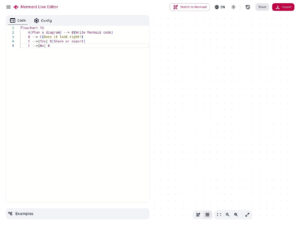
| Drawing and diagram features: An infinite canvas with a hand drawn look, arrow binding, shape libraries and the usual drawing tools. Flowcharts can be generated from Mermaid text or from an AI prompt, and a laser pointer lets you point without drawing. | Drawing and diagram features: An infinite multiplayer canvas with flowcharts, Mermaid diagrams, more than 6,000 templates and AI assisted generators for diagrams and wireframes. | Drawing and diagram features: Structured diagramming: UML and ERD can be generated from text markup, templates cover BPMN, org charts and sequence diagrams, and data from Google Sheets, Excel or CSV files can be linked to produce visuals. | Drawing and diagram features: Inking with pencils, ruler, highlighter and shape recognition that straightens hand drawn shapes, plus sticky notes, text boxes, stickers, images and templates. Custom templates cannot be created. |
| Openness and extension: The code is released under the MIT license and also ships as the @excalidraw/excalidraw npm package for React. The .excalidraw file is an open JSON format, and the repository contains a Dockerfile for self hosting. | Openness and extension: The product is a hosted service with a developer platform and more than 250 integrations. | Openness and extension: The product is a hosted service with more than 100 integrations, including Jira, Confluence and Microsoft Teams. | Openness and extension: It is a Microsoft application that is also available as a feature inside Teams. |
| Saving, sharing and export: Files can be saved locally, shared through an encrypted link, or stored in a paid Excalidraw+ account. Export is to PNG, SVG or the clipboard. The sharing options behave differently, so test them before a session. | Saving, sharing and export: The free plan allows only low resolution board exports, and high resolution frame export to JPG or PDF starts with the Starter plan. | | Saving, sharing and export: Real time collaboration is supported, and boards can be made read only for meeting participants in Teams. The export options are not described by the sources consulted. |
| Account and cost: No account is needed for the free web app. Excalidraw+ is the paid option. | Account and cost: The free plan allows unlimited boards but keeps only the three most recent editable. Starter and Business are paid per-seat plans, billed yearly. | Account and cost: A free tier exists, with paid Individual, Team and Enterprise plans. Enterprise pricing is custom. | Account and cost: The app is free, but a Microsoft account is needed to view, edit and share boards. |
| Data protection: The excalidraw.com app is end to end encrypted according to the project description. | Data protection: The vendor lists ISO 27001, ISO 42001, SOC 2 and GDPR compliance, with an Enterprise Guard product. | Data protection: An Enterprise Shield add-on provides enhanced security and granular control. | |