FreeFEM online compared with COMSOL Multiphysics, ANSYS and Abaqus| FreeFEM online | COMSOL Multiphysics | ANSYS | Abaqus |
|---|
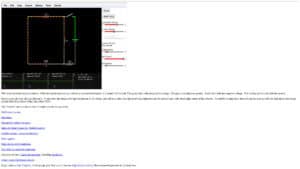
| Approach: The page has a code editor, a Result panel and a Console. You write a FreeFEM script, click RUN and see the output in the browser. Users must write the variational formulation themselves. | Approach: COMSOL Multiphysics uses a Model Builder for geometry, materials, solving and results. Physics are added through modules, and models can be turned into apps for non-experts. | Approach: Ansys Mechanical runs inside Workbench, with CAD connectivity, scripting and APDL access. | Approach: Abaqus is operated through Abaqus/CAE, and uses Abaqus/Standard and Abaqus/Explicit as solvers. |
| Physics and dimensions: The online version works in 2D only. The desktop FreeFEM supports 2D and 3D, with prebuilt modules for elasticity, thermal, Navier-Stokes, electrostatics and fluid-structure interaction. | Physics and dimensions: Coupled multiphysics across electromagnetics, structural mechanics, fluid flow, heat transfer and chemical engineering in add-on modules. | Physics and dimensions: Mostly structural, thermal and acoustic work, plus fatigue, fracture, optimisation and fluid-structure coupling. | Physics and dimensions: Nonlinear structural simulation with large deformation, contact, composites and multiphysics. |
| Openness: FreeFEM is open source under the LGPL 3.0 licence and its source code is on GitHub. Scripts can be saved as EDP files and reused locally. | Openness: Commercial and closed, extended through LiveLink interfaces for MATLAB, Excel and CAD tools. | Openness: Commercial and closed, with scripting. | Openness: Commercial and closed, with scripting and CAD association interfaces. |
| Licence and cost: The online version is free and requires a browser with canvas support. The desktop version is free too. | Licence and cost: Quote through sales, no public price. Licence options are given by a sales representative. | Licence and cost: Tiers Mechanical Pro, Premium and Enterprise. Free student software is available. | Licence and cost: Quote on request, with academic and student licence programmes. |
| Expertise required: High: you need to know weak formulations, meshing and boundary conditions, as the page states it is for experts. | Expertise required: Moderate: menu-driven, though physics knowledge is still needed. | Expertise required: Moderate to high: a wide scope of analysis types needs training. | Expertise required: High for nonlinear work, with training courses offered by the vendor. |
| When to choose it: Choose it to test a PDE model, teach finite elements or share a script without installing anything. | When to choose it: Choose it for coupled physics and polished simulation apps. | When to choose it: Choose it for structural and thermal verification in industry. | When to choose it: Choose it for highly nonlinear or crash-type problems. |