World Time Buddy compared with Time.is, Every Time Zone and Google Calendar| World Time Buddy | Time.is | Every Time Zone | Google Calendar |
|---|
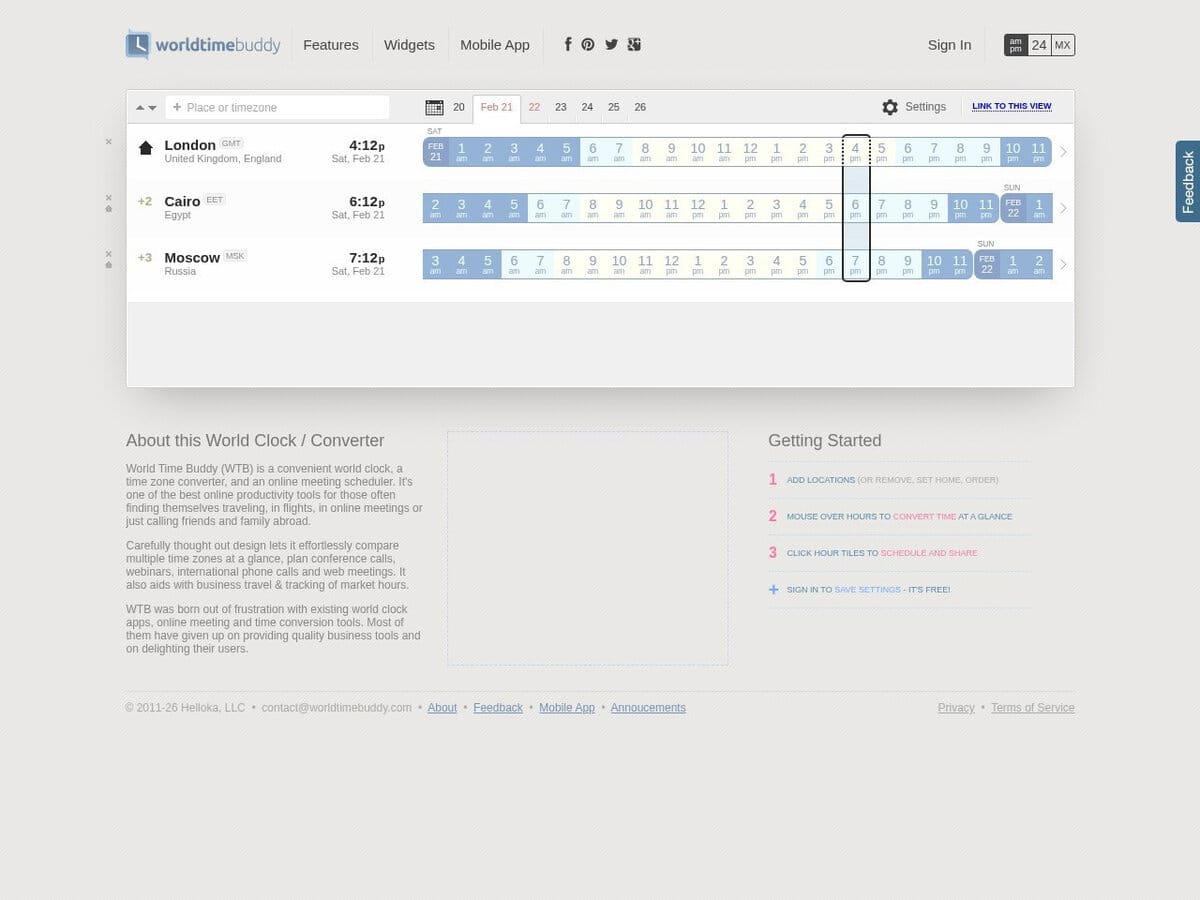
| Main function: A meeting planner that lines up several cities on one grid. Clicking hour tiles selects a slot, which can be shared as a link. It is built for scheduling conference calls, webinars and international phone calls. | Main function: A reference clock that shows the exact time for any place, with a Time here and there comparison page. It is aimed at checking the correct time rather than planning meetings across several parties. | Main function: A visual timeline converter that shows local times for many cities across several days. It is used to find a meeting slot, similar in concept to World Time Buddy but with a date range view. | Main function: A calendar application, not a converter. It can show a secondary and a tertiary time zone beside the grid and a world clock, and each invitee sees events in local time. |
| Scheduling and sharing: Supports a multi-location grid with a selectable time, a shareable view link, and an event widget that displays an event in each visitor local time. | Scheduling and sharing: Provides clocks, countdown, timer, calendar and a Unix time converter. A dedicated multi-party meeting planner is not described on the page. | Scheduling and sharing: Meeting scheduling is offered with paid Meetings Pro and People Pro plans. The page does not describe the free limits. | Scheduling and sharing: Event time zones can be set per event. The help page does not describe a tool to find a time that suits several time zones, so that part is manual. |
| Calendar integration: Exports the chosen slot to Outlook or iCal, Google Calendar and Gmail, and offers a copy to clipboard option. | Calendar integration: No calendar export is described on the page. Its own calendar and week number tools are informational. | Calendar integration: Lists Share iCal Pro as an option, which indicates that iCal sharing belongs to a paid plan. | Calendar integration: Native. Events live in the calendar itself, so no export step is needed. |
| Account and cost: Sign-in with Google, Facebook or email is free and saves settings. No paid tier is described on the page. | Account and cost: No price is listed. The site links to an ad-free option and to advertising, so the free version appears to be ad supported. | Account and cost: Free to view. Meetings Pro and People Pro are paid plans, and no prices are shown on the home page. | Account and cost: Included with a Google account. Organisation use depends on the Workspace plan chosen. |
| When to choose it: Choose it to compare several time zones visually and send the proposed slot to participants. | When to choose it: Choose it when the exact current time or a daylight saving time check is the question. | When to choose it: Choose it for a day-by-day view over a longer period, especially for a distributed team. | When to choose it: Choose it when scheduling stays inside one calendar and invitees accept local-time invitations. |