Product Design, Manufacturing & Innovation Resources
Home » Online Tools » Free Online OCR

Free Online OCR

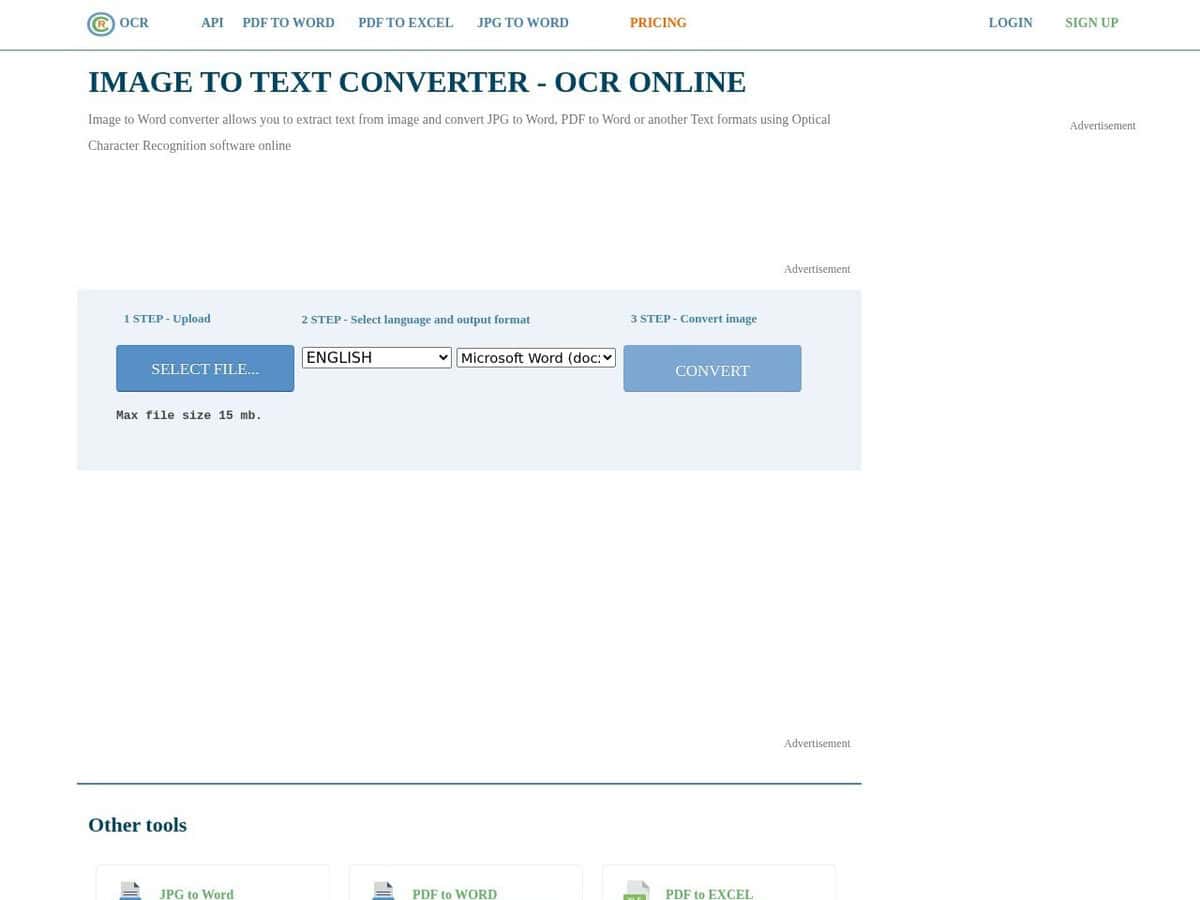
Just provide your scanned image or PDF (with images inside), select your language among 20+and desired output format and get within seconds your recognized text. From our tests, the service is very efficient providing you have at least a 200dpi source.

You can upload images and files up to 25Mo on the free version which is more than enough for casual users. Registered users will get more, while paid users will get more services, selection possibilities and options.

As always with all online services, be careful on the nature and confidentiality of documents you provide.

Disciplines: Administration, Law, Publishing, Library science, Accounting.
Free alternative to ABBYY FineReader, Adobe Acrobat OCR, Google Lens.
Free Online OCR compared with ABBYY FineReader, Adobe Acrobat OCR and Google Lens
Free Online OCRABBYY FineReaderAdobe Acrobat OCRGoogle Lens
Recognition languages: The site lists 46 recognition languages.Recognition languages: The vendor page cites 198 recognition languages.
Input and output: Accepts PDF, TIFF, JPEG, BMP, PCX, PNG and GIF, and ZIP archives for registered users. The converter dropdown offers TXT, DOCX and XLSX, and the features list also names PDF and RTF. Guests can upload 15 MB files, five per hour, while registered users can upload up to 200 MB. The site recommends at least 200 DPI.Input and output: Open a scanned PDF and use Edit PDF, and OCR is applied automatically. The result is an editable, searchable PDF, which can be exported to Word, PowerPoint, Excel or TXT.Input and output: Selects text in a photo on Android and iOS, then offers copy, listen and translate. On a computer, visual search runs in Chrome, Firefox, Safari and Edge.
Platform and data handling: Cloud service. It states that uploaded files are deleted after processing, that transfers use TLS and that registered users output files are kept for one month.Platform and data handling: Desktop versions exist for Windows and Mac, alongside FineReader iOS and a server edition. The vendor page does not say whether the desktop apps work offline.Platform and data handling: Acrobat for Mac or PC. Sold as a paid subscription, as listed on the Adobe page.Platform and data handling: Mobile apps on Android and iOS, plus browser search by image.
Cost model: Free for guests with limits. Registered users get 50 free pages on signup, and paid plans are available through a pricing page without prices on the home page.Cost model: Sold as a paid subscription in Standard and Pro editions. The page does not say which plan includes OCR.

Topics covered: OCR, scanned image, PDF, text recognition, efficiency, dpi, upload, file size, casual users, registered users, paid users, online services, confidentiality, document security, output format, language selection, service options ISO/IEC 30170, ISO 19005, ISO/IEC 24735, ISO 32000, and ISO 12651..

Privacy: we have no feedback of potential problem with this tool and author. But like many online services, you are here providing them with your own data. Depending of the criticity of your data, this is your responsibility to assess author's reputation and potential misusage, and to check and accept their terms and conditions, or not.

More Text Related tools

Suggest your best online tool:

Do you know a better, a complementary or a replacement website to the one listed above ?

> Suggest it here <

10th year anniversary

Full size images and downloads are only available, 100% free, for registered members.

> Login <