Online Javascript Minify compared with UglifyJS, Terser and Google Closure Compiler| Online Javascript Minify | UglifyJS | Terser | Google Closure Compiler |
|---|
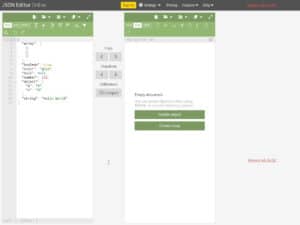
| Minification engine: The DigitalOcean page describes itself as an interactive web interface for Terser, so the output is what Terser produces and not a separate algorithm. | Minification engine: UglifyJS is a JavaScript parser, mangler and compressor. Terser was forked from its ES6+ variant (uglify-es), and the two keep mostly the same API and command line. | Minification engine: Terser is the engine that the DigitalOcean page wraps. Used directly, it exposes the compress, mangle, mangle-props, format and parse options. | Minification engine: Closure Compiler is a separate Java-based compiler. Beyond shortening code, it checks syntax, variable references and types, and warns about common JavaScript pitfalls. |
| Language support: Terser, the engine behind the page, is described as a toolkit for ES6+ code. | Language support: The project states that it supports JavaScript and most ECMAScript language features. For more exotic features it recommends transpiling first with a tool such as Babel. | Language support: Terser is described as a toolkit for ES6+. Its ecma option can be set to 2015 or higher to allow ES6+ output transforms. | Language support: Type information can be declared with annotations in comments, which the compiler uses in its checks. |
| Optimisation levels: The page text does not list individual settings. | Optimisation levels: Behaviour is tuned through compress and mangle options, on the command line or through the minify() API. | Optimisation levels: Behaviour is tuned through compress, mangle, mangle-props and format options. | Optimisation levels: The --compilation_level flag accepts BUNDLE, WHITESPACE_ONLY, SIMPLE (default) and ADVANCED. The project says the compiler gets most benefit from receiving all source code at once, which enables ADVANCED, and that modes other than ADVANCED are deprecated. |
| Installation and automation: No installation: code is entered in the browser. Nothing on the page describes use in a build pipeline. | Installation and automation: Installed with npm, globally for the command line or locally for programmatic use, with a recent Node.js. | Installation and automation: Installed with npm, globally or locally. The API offers an async minify() and a minify_sync() function. | Installation and automation: Available through npm (packages maintained by a third party, not Google), as a pre-compiled Maven release, or built from source, which needs Java 21 or later, Node.js, Git and Bazelisk. |
| Source maps: Source maps are enabled with --source-map on the command line or the sourceMap option in minify(), including composition with input source maps. | Source maps: Source maps are enabled with --source-map or sourceMap. Options include filename, url, root, content and includeSources, and the API returns the map in result.map. | |