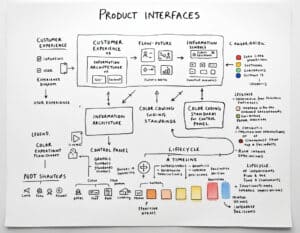
Interface design integrates customer experience, user experience, and information architecture for effective product interaction.
Every product presents an interface to the person using it, a software screen, a physical control panel or a printed instruction sheet, and this level builds the vocabulary and structural thinking behind all three. It starts by separating customer experience from user experience, then moves into information architecture, the graphical symbol and color coding standards that keep a control panel legible under stress, and the life cycle view that places interface decisions inside the broader development sequence rather than at its end.
Mechanical and electrical engineers rarely receive formal interface training, yet the interface is what a customer judges first and most harshly. This level gives an engineer building test equipment, industrial controls or consumer electronics the same baseline vocabulary a professional interaction designer uses, so a hardware team can brief a specialist correctly or, on a small team, defend an interface decision without one.
Manufacturers see lower warranty and support cost when operators read a panel correctly, and product developers avoid the rework that follows when interface choices are reviewed only at the end of a program.
The Concepts & Tools to Learn in this Course:
These are the bodies of knowledge that will be assessed in the test below:
Customer experience versus user experience distinction
GUI design fundamentals
Information architecture and content structuring
Graphical symbols and color coding standards
Color coding benefits and common misuse
Product life cycle design phases
Workstation ergonomic assessment as interface input
Interface form factor choices, humanoid and non-humanoid
File format literacy for design handoff
Common interface design pitfalls and their fixes
Nielsen’s ten usability heuristics
ISO 9241-210 human-centred design process
Fitts’s Law and target acquisition design
Jakob’s Law and interface convention reuse
Wireframing and low-fidelity prototyping methods
Accessibility basics and WCAG 2.2 conformance levels
Typography and readability under industrial lighting
Control panel layout and grouping conventions
Error message and warning design
Interface documentation and style guide construction
Our Suggested Readings
The list below is a special selection of our original articles, tools and methodologies available on this site.
Tip: the big dot at the start of each title indicates if that post/article has already been read ( ● ), or not ( ○ ). Refresh the page if necessary.
Tip: the reading progress is recorded either in a cookie (if you are not logged in or no account created), or in your site profile. Use the later to be sure not to loose your progression.
As soon as you start a given article, your progress will be indicated on top of each page to help you finish and move on to the next.
Note: for this particular course, articles can be read in any order.
After you are familiar with the lectures above, so as having done your own readings, we recommend attending the Exam below.
The test consists of 20 questions in random order, out of many more, to insure novelty each time. Each completely correct answer gets you 10 points. You get a full correction at the end of the test.
If the course has different levels, the current test does not include questions of lower levels, making it … hardthat level!
radio-buttons: only 1 correct answer must be selected
check-boxes: 1 or several answers must be checked (with strict all-good-or-nothing grading logic)
Tip: mouse over “Hint” to get an advise for the response.
Only innovation.world members can see it below and attend it.