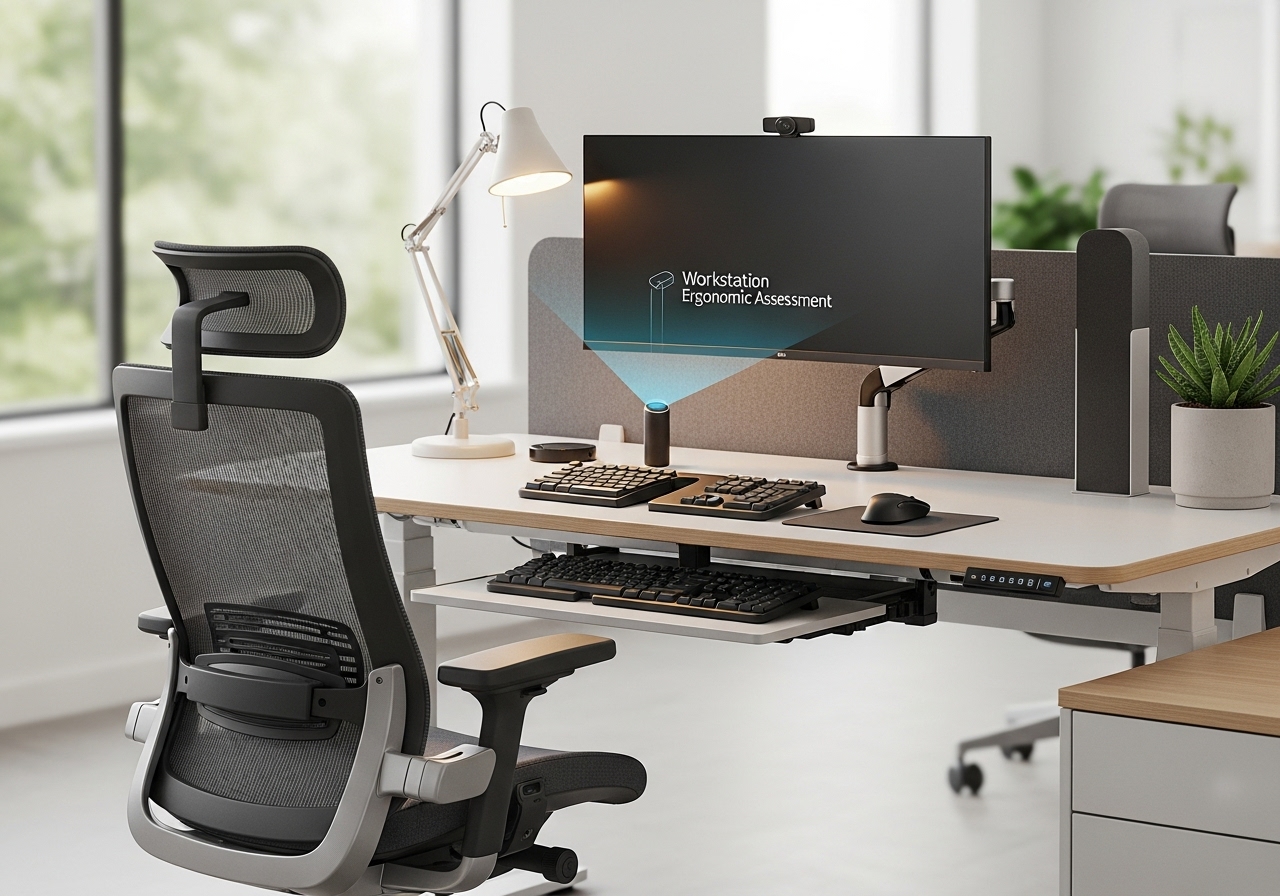
The optimization of workstation design is an important consideration in both office and manufacturing environments, with direct implications for employee well-being and productivity and identifying potential risks associated with workstation setups. Tailoring solutions to the specific demands of each workspace—be it a data entry hub, a production line, or a home office—enables organizations to promote a healthier, efficient, and more engaged workforce.
ワークステーション設計の基本的な要素としては、椅子の仕様、机の高さ、モニターの位置、キーボードの配置などが挙げられます。これらの要素はそれぞれ、作業中の姿勢や体の向きに大きな影響を与えます。しかし、照明や周囲の騒音レベルといった環境要因も全体的な影響を及ぼします。 人間工学に基づいた 経験に基づき、この文書は人間工学的評価に関する詳細なガイドとして機能し、作業固有の調整を行うためのベストプラクティス、一般的な人間工学的危険の認識、定期的な運動と休憩の必要性を強調しています。
主なポイント
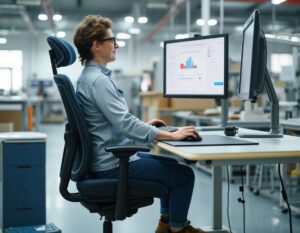
- ワークステーションが健康と生産性に与える影響を理解する。
- 椅子と机を調整して、最適な快適さとサポートが得られるようにしてください。
- 中立的な体勢を維持して strain.
- 特定のタスクやワークフローに合わせて設定をカスタマイズします。
- 環境要因も考慮に入れるべきだ。
- 集中力を高めるために、運動や休憩を取り入れましょう。
ワークステーションの範囲と、それを重視する理由
ワークステーションとは、個人が様々な作業を行うための指定されたエリアと定義でき、その作業内容は事務作業から製造作業まで多岐にわたる。これらのワークステーションの設計と配置は、生産性と従業員の幸福度の両方に大きな影響を与える。
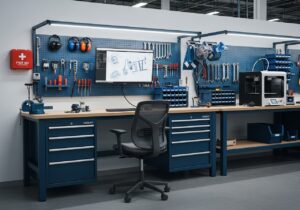
工場のような環境では、肉体的な作業が重視される一方、オフィスでは、認知的な作業が重視される。いずれの環境においても、パフォーマンスを最適化し、様々な作業に伴うリスクを軽減するためには、適切に設計されたワークステーションが不可欠である。
人事 人間工学に基づいたワークステーションの設計を確保する上で、重要な役割を担います。これには、従業員のニーズを評価し、快適性と効率性を向上させるソリューションを導入することが含まれます。
オフィスや製造現場でよく見られる反復作業は、適切な人間工学的対策が講じられていないと、様々な健康問題を引き起こす可能性があります。データ入力や組立ライン作業などは、類似した動作を繰り返すことが多く、筋骨格系疾患のリスクを高めます。
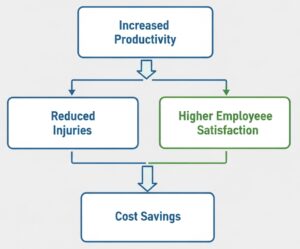
徹底的な作業環境の人間工学的評価を実施することのメリットは、個人の健康にとどまらない。
In addition to physical well-being, workplaces しなければならない consider the 心理的 aspects of workstation design.
快適で整理整頓されたワークステーションは集中力を高め、 ストレス レイアウト、アクセス性、人間工学に基づいたツールの利用可能性などの要素は、良好な作業環境に貢献し、最終的にはより高いレベルにつながります。 仕事 顧客満足度と顧客維持率。
工場環境においても、人間工学に基づいた設計が求められる。労働者はしばしば 従事する 適切な身体能力を必要とする肉体的に厳しい作業において 力学 そして、怪我を予防するためのツールも必要です。工場に人間工学に基づいたソリューションを導入することで、作業員の疲労を軽減し、全体的な安全性を向上させ、より効率的な生産プロセスを実現できます。
ヒント: 今日では、ワークステーションの人間工学的評価は、従来のオフィスや工場環境に限定されないことを認識することが不可欠である。 リモートワークや在宅勤務においても、人間工学に基づいた原則への配慮は、これまでと同様に重要視されるようになっている。 在宅勤務をする従業員が増えるにつれ、企業は不快感を最小限に抑え、生産性を向上させる効果的なワークステーションを設置するためのガイドラインとリソースを提供する必要がある。
最も一般的なリスク
- 反復性ストレス障害(RSI)は、様々な作業環境、特に長時間のコンピュータ使用や肉体労働を伴う環境で多く見られます。米国労働統計局によると、RSIは職場における全負傷の約33%を占めています。これらの負傷は、反復動作、不適切な姿勢、または不適切な作業環境設定に起因することが多く、効果的な人間工学的評価の必要性が強調されています。
- 筋骨格系疾患(MSD)の予防策には、適切な作業環境の設計とユーザー教育が含まれます。人間工学に基づいたトレーニングプログラムは、MSDの発生率を最大50%削減することができます。
定期的な人間工学的評価は、職場における潜在的なリスクを特定するのに役立ち、従業員と雇用主の両方がより安全で生産性の高い環境から恩恵を受けることを保証します。
Basics of a Desk Workstation
The 5 Posture and Body Positioning Principles
- Neutral spine alignment: it permits to minimize discomfort and preventing injuries in various workstation environments. This involves maintaining the natural curves of the spine, which can be supported by appropriate chair design and desk height.
- Shoulder and arm positioning: shoulders should remain relaxed and not elevated or hunched. Ideally, arms should rest comfortably at the sides, with elbows bent at about 90 degrees.
- Wrist and hand placement: these can significantly impact comfort during prolonged computer use. Wrists should be straight and not bent upwards or downwards, ideally resting on a soft surface or wrist rest.
- Leg and foot support: these participate to overall body alignment. Feet should rest flat on the floor or on a footrest, promoting stability and reducing プレッシャー on the lower back.
- Head and neck alignment: the top of the monitor should be at or slightly below eye level, allowing the neck to remain in a neutral position.
ヒント: when customizing workstations, it is important to consider individual body dimensions using 人体計測 dimensions. This ensures that adjustments are tailored to fit the unique measurements of each user, optimizing comfort and functionality. For example, a fixed workstation designed for a 95th percentile male will likely not be suitable for a 5th percentile female.
Related Equipment

A well-designed workstation shall follow the ergonomic principles from previous chapter to minimize physical strain over the day. Its key components include the chair, desk, monitor, keyboard, mouse, and various accessories. Each element plays a significant role, particularly in environments such as offices and educational institutions where sitting is the most frequent posture.
- The chair’s design and its adjustability: ergonomic chairs should offer lumbar support, adjustable seat height, and armrests to accommodate different body types. A study by the Occupational Safety and Health Administration (OSHA) found that properly designed chairs can reduce low back pain by up to 50%, enhancing employee well-being and productivity.
- Desk height and surface area directly influence user comfort and accessibility: the desk should allow for a height that enables elbows to remain at a 90-degree angle when typing. A surface area of at least 60 cm in depth is recommended to accommodate monitors and writing materials. Adjustable desks that allow for standing and sitting positions can further enhance comfort and reduce the risks associated with prolonged sitting (see dedicated chapter below).
- Monitor placement and screen size are essential for visual comfort: the ideal monitor height is at or slightly below eye level, with a distance of about an arm’s length from the user’s eyes. Larger screens (27 inches and above) can reduce eye strain by minimizing the need to squint or lean forward. Proper alignment helps maintain a neutral neck position, reducing the risk of strain injuries.
- Keyboard and mouse 人間工学 to prevent repetitive strain injuries: the keyboard should be positioned so that wrists remain straight, with hands slightly below elbow level. A mouse should be within easy reach to avoid overextension. Using an ergonomic keyboard with a split design can promote a more natural hand position.
Accessories such as footrests and document holders enhance workstation functionality. Footrests help maintain proper leg positioning and reduce pressure on the thighs. Document holders should be placed at the same height and distance as the monitor to minimize neck movement. These small adjustments can significantly improve overall comfort and efficiency.
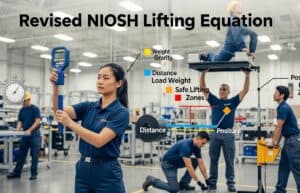
重要な注意事項: this article does not cover load-carrying tasks, more typical of a factory or logistic work. As a general rule, the National Institute for Occupational Safety and Health (NIOSH) provides equations to assess safe lifting limits. The recommended weight limit for lifting is 35 pounds, factoring in variables such as distance and frequency of lifting. More information in this related article:
Nor does it cover improving workflow efficiency such as the application of the 5S methodology (Sort, Set in order, Shine, Standardize, and Sustain).

Adjustments and Recommendations

- Users should be encouraged to take breaks every 30-60 minutes to alleviate physical strain. A study from the National Institute for Occupational Safety and Health (NIOSH) highlights that frequent micro-breaks can enhance focus and reduce fatigue, leading to improved overall performance.
- In コラボレーション workspaces, adjustments may be necessary to accommodate team interactions so as personal situations. Workstations should allow for easy reconfiguration; for example easily adjustable chairs or height-adjustable desks or white boards to facilitate short standing meetings.
- When using multiple monitors, it is vital to arrange them in a way that minimizes neck rotation and promotes a neutral posture. Ideally, the primary monitor should be directly in front of the user, with secondary monitors placed at a slight angle.
- Employers should conduct routine ergonomic self-assessments to identify specific workstation needs. Tools such as checklists and software applications can aid in evaluating setups and ensuring compliance with ergonomic standards.
- Employees should be encourage to customize their workstations based on personal comfort preferences.
- Strategies for reducing eye strain include optimizing screen placement and providing proper lighting. The 20-20-20 rule suggested in following chapter alleviate visual discomfort. Additionally, anti-glare screens and adjustable lighting can further enhance visual comfort.
Aiding tools such as document holders and footrests can contribute to a more ergonomic workstation. Document holders keep materials at eye level, reducing neck strain.
| Workstation Setup | 長所 | 短所 |
|---|---|---|
| Ergonomic Chair | Supports proper posture | Higher cost |
| Adjustable Desk | Encourages movement | Requires space |
| Multiple Monitors | Increases productivity | Can cause neck strain |
Environmental Factors

Effective lighting is a fundamental aspect of workstation ergonomic assessment. Poor lighting can lead to eye strain and decreased productivity. Strategies to mitigate glare include using adjustable blinds, anti-glare screens, and strategically positioning light sources to avoid direct reflection on monitors.

音響 considerations are equally significant in maintaining a productive work environment. Excessive noise can disrupt concentration and increase stress levels. Implementing sound-absorbing materials, such as carpets (mind the cleaning) and acoustic panels, can reduce noise levels effectively.
Temperature and air quality directly influence employee comfort and health. The American Society of Heating, Refrigerating and Air-Conditioning Engineers (ASHRAE) suggests maintaining indoor temperatures between 68°F and 74°F (20°C and 23°C). Proper ventilation systems and air purifiers can enhance air quality, significantly reducing fatigue and discomfort.

The layout of a workspace plays a crucial role in ergonomics. A well-organized space can promote efficiency and reduce unnecessary movements. For optimal layout, consider the following:
- Positioning frequently used items within easy reach
- Creating clear pathways to minimize clutter
- Designing collaborative areas that foster コミュニケーション while maintaining personal space
Colors and aesthetics can influence mood and productivity in a workspace. Research indicates that certain colors can affect emotions, ultimately impacting performance. For example, blue hues are known to enhance focus, while warmer tones can stimulate creativity. Integrating pleasing aesthetics, such as plants and artwork, can also improve the overall atmosphere.
| 環境 | Lighting Quality | Noise Level | Temperature Range | Air Quality |
|---|---|---|---|---|
| オフィス | Natural + artificial | 適度 | 68-74°F | 良い |
| Call Center | Artificial | 高い | 70-72°F | 適度 |
| Home Office | Natural | 低い | 68-75°F | 素晴らしい |
ヒント: integrating personal preferences into workspace design can enhance employee satisfaction. Allowing workers to personalize their areas with decor or adjustable features enhance their sense of ownership and well-being.
Importance of Movement and Breaks

Regular movement and stretching are important for maintaining physical and mental well-being in any workstation environment. This is particularly relevant in settings with high repetitive tasks, such as call centers and data processing centers, where prolonged sitting can lead to discomfort and decreased performance.
Establishing recommended break schedules is essential for optimal workstation ergonomic assessment. A common guideline is the 20-20-20 rule: every 20 minutes, take a 20-second break to look at something 20 feet away.

This not only reduces eye strain but also encourages individuals to stand and stretch, fostering better circulation and reducing fatigue.
Integrating movement into daily routines can be achieved through various strategies. Encouraging employees to take the stairs instead of the elevator or to walk during phone calls can significantly increase daily activity levels. Setting reminders to stand up or perform light exercises at regular intervals can also promote a more active work culture.
ヒント: encourage employees to take short breaks every hour to stretch and move around. This practice not only helps alleviate tension but also boosts overall productivity and focus. ボーナスヒント: this is one other benefit of short stand-up meetings.
| Break Type | Duration | 利点 |
|---|---|---|
| Micro-breaks | 1-2 minutes | Reduces eye strain and improves circulation |
| Short breaks | 5-10 minutes | Enhances focus and mental clarity |
| Long breaks | 15-30 minutes | Promotes relaxation and recovery from fatigue |
Self-Assessment Checklists & Tools
To facilitate workstation ergonomic assessment, various ergonomic assessment checklists are available. These checklists help individuals evaluate their workstation setup against established ergonomic guidelines. A typical checklist may include criteria such as chair adjustability, monitor height, and keyboard placement.
In addition to checklists, there are both free and commercial software options designed to assist in ergonomic evaluations. Free tools like Ergonomics Checkpoint and the コーネル大学 Ergonomics Web can provide substantial initial assessments. Commercial software solutions, such as Ergotron and Humantech, offer comprehensive features including 3D modeling and detailed reporting, suiting larger organizations.

The Anthropometric Dimensions database is an essential resource for ergonomic assessments: it provides the main measurements for workstation design, ensuring that workspaces accommodate a diverse workforce. For example, dimensions such as stature, reach, and hand size are vital for determining appropriate chair heights and desk dimensions, enhancing overall ergonomics.
Evaluation tools for posture and workstation setup also often include video analysis and motion capture technologies. These tools allow users to record their movements and analyze their posture in real-time. For instance, software like PostureMinder provides feedback on posture through visual cues, enabling users to make immediate adjustments to their setup.
結論
The findings demonstrate that a significant percentage of workers experience discomfort due to inadequate ergonomic practices, which can lead to health complications and decreased efficiency. Moreover, attention to environmental factors, including lighting and acoustics, can further improve the ergonomic experience. By integrating movement into daily routines and utilizing self-assessment tools, organizations can create an atmosphere that prioritizes health and efficiency.

よくある質問
人間工学に基づいたワークステーションの主要構成要素は何ですか?
主要な構成要素としては、高さ調節可能な椅子、適切なサイズの机、負担を軽減するモニターの配置、人間工学に基づいたキーボードとマウスのデザイン、そしてフットレストや書類ホルダーなどのアクセサリーが挙げられます。それぞれの要素は、個々のニーズや作業内容に合わせてカスタマイズできる必要があります。
作業台における適切な姿勢と体の位置とはどのようなものか?
正しい姿勢とは、背骨をまっすぐに保ち、肩の力を抜き、タイピング中は手首をまっすぐに保つことです。脚は地面またはフットレストに平らに置き、頭と首はモニターと一直線になるようにして、負担を軽減しましょう。
ワークステーションの人間工学に影響を与える環境要因は何ですか?
適切な照明、騒音対策、空気の質といった環境要因は、人間工学に大きな影響を与えます。明るい作業スペースは眩しさや目の疲れを軽減し、快適な温度とレイアウトは全体的な生産性向上に貢献します。
オフィス環境において、体を動かすことや休憩を取ることが重要なのはなぜですか?
定期的な運動と休憩は血行を促進し、筋肉の緊張を和らげ、集中力と生産性の向上に貢献します。ストレッチ運動や計画的な休憩を取り入れることで、仕事のパフォーマンスと健康状態を総合的に向上させることができます。
個人はどのようにして自分のワークステーションの人間工学的な適合性を評価できるのでしょうか?
自己評価チェックリストや様々な人間工学的評価ツールは、オンラインおよびソフトウェア形式で利用可能です。人体計測データとガイドラインを活用することで、個人の姿勢を把握し、作業環境に必要な調整を行うことができます。
関連トピック
- 調整可能な機器: 様々な体型に対応するために、高さ調節可能な机や椅子を使用することの重要性。
- タスクローテーション戦略: 反復動作による負担を最小限に抑え、従業員のエンゲージメントを高めるために、業務内容を交互に行う方法。
- 騒音管理技術: 職場における騒音レベルを制御し、集中力と快適性を向上させるための戦略。
- 温度調節: 生産性と快適性を確保するための最適な温熱環境を維持するためのアプローチ。
- ワークライフバランス推進のための取り組み: 従業員が仕事と私生活の健全なバランスを保つことを奨励するプログラム。
- リモートワークのためのトレーニング: 快適性と生産性を確保するための、人間工学に基づいたホームオフィスの設置ガイドライン。
- コラボレーション空間デザイン: 人間工学に基づいた設計を維持しながら、交流を促進する共有ワークスペースを構築するための考慮事項。
- Ergonomic Compliance Standards: regulations and guidelines that organizations must follow to ensure employee safety and comfort.
外部リンク
国際規格
興味深いリンク集
(リンクにカーソルを合わせると、コンテンツの説明が表示されます)