The optimization of workstation design is an important consideration in both office and manufacturing environments, with direct implications for employee well-being and productivity and identifying potential risks associated with workstation setups. Tailoring solutions to the specific demands of each workspace—be it a data entry hub, a production line, or a home office—enables organizations to promote a healthier, efficient, and more engaged workforce.
워크스테이션 디자인의 기본적인 요소로는 의자 사양, 책상 높이, 모니터 위치, 키보드 배치 등이 있습니다. 이러한 요소들은 각각 작업 중 자세와 신체 정렬에 상당한 영향을 미칩니다. 하지만 조명이나 주변 소음 수준과 같은 환경 변수 또한 전반적인 영향에 기여합니다. ergonomic 이 문서는 인체공학적 평가에 대한 자세한 지침서로서, 작업별 조정을 위한 모범 사례, 일반적인 인체공학적 위험 요소 파악, 그리고 규칙적인 움직임과 휴식의 필요성을 강조합니다.
핵심 요약
- 작업 환경이 건강과 생산성에 미치는 영향을 이해하십시오.
- 의자와 책상을 조절하여 최적의 편안함과 지지력을 확보하십시오.
- 몸의 중립적인 자세를 유지하여 예방하십시오 strain.
- 특정 작업 및 워크플로에 맞게 설정을 사용자 지정하세요.
- 환경적 요인도 고려해야 합니다.
- 집중력 향상을 위해 중간중간 움직임과 휴식을 취하세요.
워크스테이션 범위 및 관심 이유
작업대는 개인이 작업을 수행하는 지정된 공간으로, 사무 작업부터 제조 활동에 이르기까지 다양한 작업을 수행할 수 있습니다. 이러한 작업대의 설계와 배치는 생산성과 직원 복지에 큰 영향을 미칩니다.
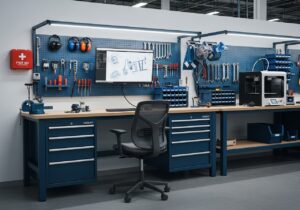
공장과 같은 환경에서는 육체적인 작업에 중점을 두는 반면, 사무실에서는 인지적인 작업에 중점을 둡니다. 어떤 환경이든, 잘 설계된 작업 공간은 최적의 성과를 내고 다양한 활동과 관련된 위험을 줄이는 데 매우 중요합니다.
인사부 작업 환경을 인체공학적으로 설계하는 데 중요한 역할을 합니다. 이는 작업자의 요구 사항을 평가하고 편안함과 효율성을 향상시키는 솔루션을 구현하는 것을 포함합니다.
사무실이나 제조 현장 등에서 흔히 볼 수 있는 반복적인 작업은 적절한 인체공학적 관행을 따르지 않을 경우 다양한 건강 문제로 이어질 수 있습니다. 데이터 입력이나 조립 라인 작업과 같은 업무는 유사한 동작을 반복적으로 수행하는 경우가 많아 근골격계 질환의 위험을 높입니다.
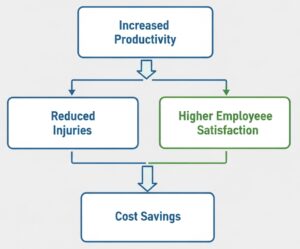
작업 환경에 대한 철저한 인체공학적 평가를 실시하는 것은 개인의 건강을 넘어 다양한 이점을 제공합니다.
In addition to physical well-being, workplaces ~ 해야 하다 consider the 심리적 aspects of workstation design.
편안하고 잘 정리된 작업 공간은 집중력을 향상시키고 스트레스를 줄일 수 있습니다. 스트레스 높은 수준의 업무 성과를 이끌어내는 데에는 레이아웃, 접근성, 인체공학적 도구의 활용 가능성 등의 요소가 중요한 역할을 합니다. 이러한 요소들은 긍정적인 업무 환경 조성에 기여하고, 궁극적으로 더 높은 성과를 가져옵니다. 직업 고객 만족도 및 유지율.
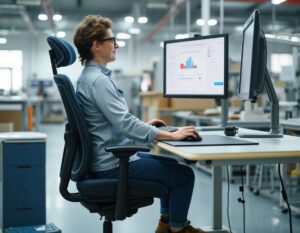
공장 환경에서도 인체공학적 설계에 대한 관심이 요구됩니다. 작업자들은 종종 관계를 맺다 적절한 신체 조건을 요구하는 육체적으로 힘든 작업에서 역학 또한 부상 방지 도구도 제공합니다. 공장에 인체공학적 솔루션을 도입하면 작업자의 피로를 줄이고 전반적인 안전성을 향상시켜 생산 공정을 더욱 효율적으로 만들 수 있습니다.
팁: 오늘날 작업대 인체공학적 평가가 전통적인 사무실 및 공장 환경에만 국한되지 않는다는 점을 인식하는 것이 필수적입니다. 원격 근무와 재택 근무 또한 이제 인체공학적 원칙에 대한 동일한 수준의 관심을 요구합니다. 재택근무 직원이 늘어남에 따라 기업은 불편함을 최소화하고 생산성을 향상시키는 효과적인 작업 환경을 구축하기 위한 지침과 자료를 제공해야 합니다.
가장 흔한 위험
- 반복적인 동작으로 인한 부상(RSI)은 다양한 작업 환경, 특히 장시간 컴퓨터 사용이나 육체노동이 요구되는 환경에서 흔히 발생합니다. 미국 노동통계국에 따르면 RSI는 전체 산업재해의 약 33%를 차지합니다. 이러한 부상은 반복적인 동작, 잘못된 자세 또는 부적절한 작업 환경 설정에서 비롯되는 경우가 많으므로 효과적인 인체공학적 평가가 필수적입니다.
- 근골격계 질환(MSD) 예방 조치에는 적절한 작업대 설계와 사용자 교육이 포함됩니다. 인체공학 교육 프로그램은 MSD 발생률을 최대 50%까지 줄일 수 있습니다.
정기적인 인체공학적 평가는 작업장의 잠재적 위험 요소를 파악하는 데 도움이 되며, 이를 통해 직원과 고용주 모두 더욱 안전하고 생산적인 환경을 누릴 수 있습니다.
Basics of a Desk Workstation
The 5 Posture and Body Positioning Principles
- Neutral spine alignment: it permits to minimize discomfort and preventing injuries in various workstation environments. This involves maintaining the natural curves of the spine, which can be supported by appropriate chair design and desk height.
- Shoulder and arm positioning: shoulders should remain relaxed and not elevated or hunched. Ideally, arms should rest comfortably at the sides, with elbows bent at about 90 degrees.
- Wrist and hand placement: these can significantly impact comfort during prolonged computer use. Wrists should be straight and not bent upwards or downwards, ideally resting on a soft surface or wrist rest.
- Leg and foot support: these participate to overall body alignment. Feet should rest flat on the floor or on a footrest, promoting stability and reducing 압력 on the lower back.
- Head and neck alignment: the top of the monitor should be at or slightly below eye level, allowing the neck to remain in a neutral position.
팁: when customizing workstations, it is important to consider individual body dimensions using 인체 측정학 dimensions. This ensures that adjustments are tailored to fit the unique measurements of each user, optimizing comfort and functionality. For example, a fixed workstation designed for a 95th percentile male will likely not be suitable for a 5th percentile female.
Related Equipment

A well-designed workstation shall follow the ergonomic principles from previous chapter to minimize physical strain over the day. Its key components include the chair, desk, monitor, keyboard, mouse, and various accessories. Each element plays a significant role, particularly in environments such as offices and educational institutions where sitting is the most frequent posture.
- The chair’s design and its adjustability: ergonomic chairs should offer lumbar support, adjustable seat height, and armrests to accommodate different body types. A study by the Occupational Safety and Health Administration (OSHA) found that properly designed chairs can reduce low back pain by up to 50%, enhancing employee well-being and productivity.
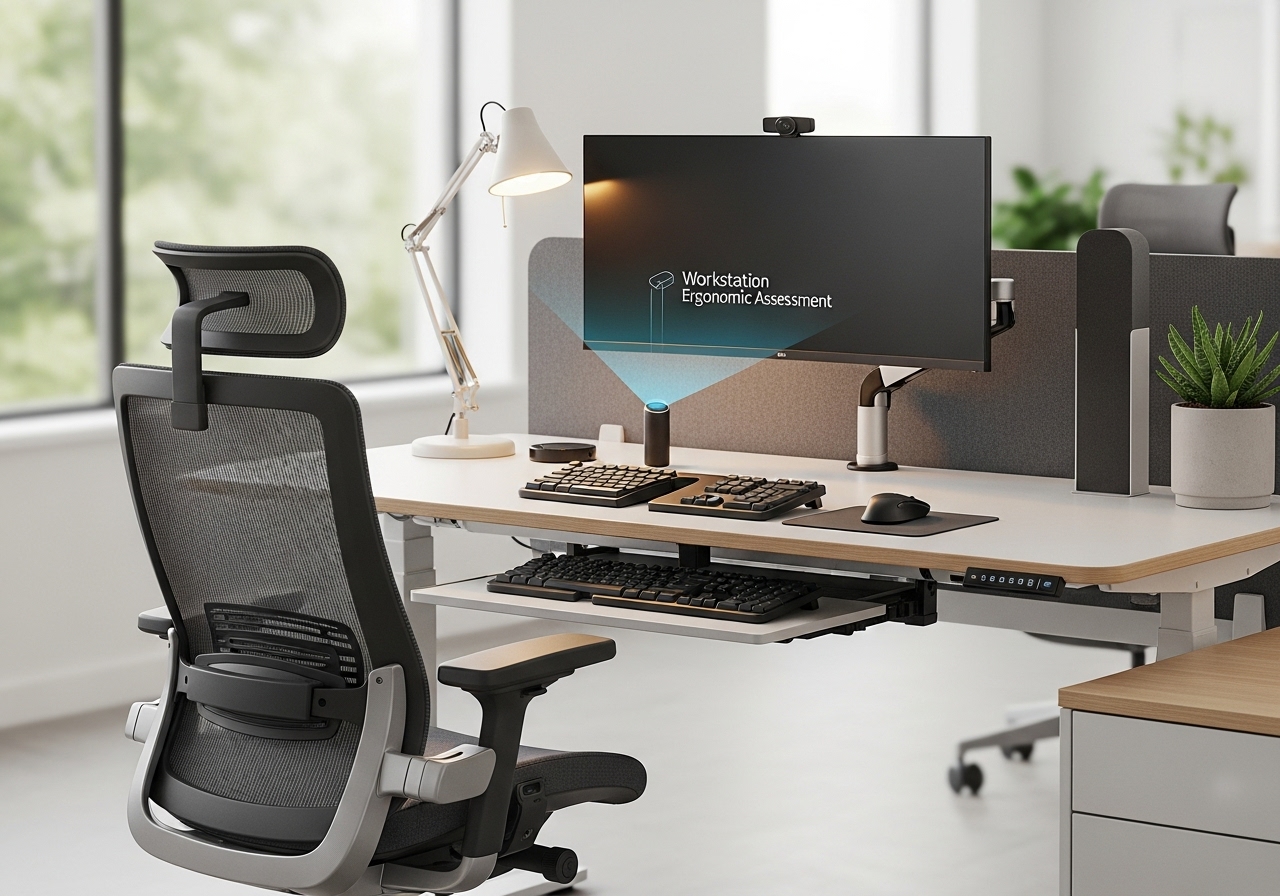
- Desk height and surface area directly influence user comfort and accessibility: the desk should allow for a height that enables elbows to remain at a 90-degree angle when typing. A surface area of at least 60 cm in depth is recommended to accommodate monitors and writing materials. Adjustable desks that allow for standing and sitting positions can further enhance comfort and reduce the risks associated with prolonged sitting (see dedicated chapter below).
- Monitor placement and screen size are essential for visual comfort: the ideal monitor height is at or slightly below eye level, with a distance of about an arm’s length from the user’s eyes. Larger screens (27 inches and above) can reduce eye strain by minimizing the need to squint or lean forward. Proper alignment helps maintain a neutral neck position, reducing the risk of strain injuries.
- Keyboard and mouse 인간 공학 to prevent repetitive strain injuries: the keyboard should be positioned so that wrists remain straight, with hands slightly below elbow level. A mouse should be within easy reach to avoid overextension. Using an ergonomic keyboard with a split design can promote a more natural hand position.
Accessories such as footrests and document holders enhance workstation functionality. Footrests help maintain proper leg positioning and reduce pressure on the thighs. Document holders should be placed at the same height and distance as the monitor to minimize neck movement. These small adjustments can significantly improve overall comfort and efficiency.
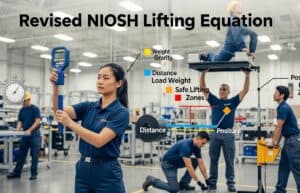
중요 사항: this article does not cover load-carrying tasks, more typical of a factory or logistic work. As a general rule, the National Institute for Occupational Safety and Health (NIOSH) provides equations to assess safe lifting limits. The recommended weight limit for lifting is 35 pounds, factoring in variables such as distance and frequency of lifting. More information in this related article:
Nor does it cover improving workflow efficiency such as the application of the 5S methodology (Sort, Set in order, Shine, Standardize, and Sustain).

Adjustments and Recommendations

- Users should be encouraged to take breaks every 30-60 minutes to alleviate physical strain. A study from the National Institute for Occupational Safety and Health (NIOSH) highlights that frequent micro-breaks can enhance focus and reduce fatigue, leading to improved overall performance.
- In 협력적인 workspaces, adjustments may be necessary to accommodate team interactions so as personal situations. Workstations should allow for easy reconfiguration; for example easily adjustable chairs or height-adjustable desks or white boards to facilitate short standing meetings.
- When using multiple monitors, it is vital to arrange them in a way that minimizes neck rotation and promotes a neutral posture. Ideally, the primary monitor should be directly in front of the user, with secondary monitors placed at a slight angle.
- Employers should conduct routine ergonomic self-assessments to identify specific workstation needs. Tools such as checklists and software applications can aid in evaluating setups and ensuring compliance with ergonomic standards.
- Employees should be encourage to customize their workstations based on personal comfort preferences.
- Strategies for reducing eye strain include optimizing screen placement and providing proper lighting. The 20-20-20 rule suggested in following chapter alleviate visual discomfort. Additionally, anti-glare screens and adjustable lighting can further enhance visual comfort.
Aiding tools such as document holders and footrests can contribute to a more ergonomic workstation. Document holders keep materials at eye level, reducing neck strain.
| Workstation Setup | 장점 | 단점 |
|---|---|---|
| Ergonomic Chair | Supports proper posture | Higher cost |
| Adjustable Desk | Encourages movement | Requires space |
| Multiple Monitors | Increases productivity | Can cause neck strain |
Environmental Factors

Effective lighting is a fundamental aspect of workstation ergonomic assessment. Poor lighting can lead to eye strain and decreased productivity. Strategies to mitigate glare include using adjustable blinds, anti-glare screens, and strategically positioning light sources to avoid direct reflection on monitors.

음향학 considerations are equally significant in maintaining a productive work environment. Excessive noise can disrupt concentration and increase stress levels. Implementing sound-absorbing materials, such as carpets (mind the cleaning) and acoustic panels, can reduce noise levels effectively.
Temperature and air quality directly influence employee comfort and health. The American Society of Heating, Refrigerating and Air-Conditioning Engineers (ASHRAE) suggests maintaining indoor temperatures between 68°F and 74°F (20°C and 23°C). Proper ventilation systems and air purifiers can enhance air quality, significantly reducing fatigue and discomfort.

The layout of a workspace plays a crucial role in ergonomics. A well-organized space can promote efficiency and reduce unnecessary movements. For optimal layout, consider the following:
- Positioning frequently used items within easy reach
- Creating clear pathways to minimize clutter
- Designing collaborative areas that foster 의사소통 while maintaining personal space
Colors and aesthetics can influence mood and productivity in a workspace. Research indicates that certain colors can affect emotions, ultimately impacting performance. For example, blue hues are known to enhance focus, while warmer tones can stimulate creativity. Integrating pleasing aesthetics, such as plants and artwork, can also improve the overall atmosphere.
| 환경 | Lighting Quality | Noise Level | Temperature Range | Air Quality |
|---|---|---|---|---|
| 사무실 | Natural + artificial | 보통의 | 68-74°F | Good |
| Call Center | Artificial | 높은 | 70-72°F | 보통의 |
| Home Office | Natural | 낮은 | 68-75°F | 훌륭한 |
팁: integrating personal preferences into workspace design can enhance employee satisfaction. Allowing workers to personalize their areas with decor or adjustable features enhance their sense of ownership and well-being.
Importance of Movement and Breaks

Regular movement and stretching are important for maintaining physical and mental well-being in any workstation environment. This is particularly relevant in settings with high repetitive tasks, such as call centers and data processing centers, where prolonged sitting can lead to discomfort and decreased performance.
Establishing recommended break schedules is essential for optimal workstation ergonomic assessment. A common guideline is the 20-20-20 rule: every 20 minutes, take a 20-second break to look at something 20 feet away.

This not only reduces eye strain but also encourages individuals to stand and stretch, fostering better circulation and reducing fatigue.
Integrating movement into daily routines can be achieved through various strategies. Encouraging employees to take the stairs instead of the elevator or to walk during phone calls can significantly increase daily activity levels. Setting reminders to stand up or perform light exercises at regular intervals can also promote a more active work culture.
팁: encourage employees to take short breaks every hour to stretch and move around. This practice not only helps alleviate tension but also boosts overall productivity and focus. 추가 팁: this is one other benefit of short stand-up meetings.
| Break Type | Duration | 이익 |
|---|---|---|
| Micro-breaks | 1-2 minutes | Reduces eye strain and improves circulation |
| Short breaks | 5-10 minutes | Enhances focus and mental clarity |
| Long breaks | 15-30 minutes | Promotes relaxation and recovery from fatigue |
Self-Assessment Checklists & Tools
To facilitate workstation ergonomic assessment, various ergonomic assessment checklists are available. These checklists help individuals evaluate their workstation setup against established ergonomic guidelines. A typical checklist may include criteria such as chair adjustability, monitor height, and keyboard placement.
In addition to checklists, there are both free and commercial software options designed to assist in ergonomic evaluations. Free tools like Ergonomics Checkpoint and the 코넬 대학교 Ergonomics Web can provide substantial initial assessments. Commercial software solutions, such as Ergotron and Humantech, offer comprehensive features including 3D modeling and detailed reporting, suiting larger organizations.

The Anthropometric Dimensions database is an essential resource for ergonomic assessments: it provides the main measurements for workstation design, ensuring that workspaces accommodate a diverse workforce. For example, dimensions such as stature, reach, and hand size are vital for determining appropriate chair heights and desk dimensions, enhancing overall ergonomics.
Evaluation tools for posture and workstation setup also often include video analysis and motion capture technologies. These tools allow users to record their movements and analyze their posture in real-time. For instance, software like PostureMinder provides feedback on posture through visual cues, enabling users to make immediate adjustments to their setup.
결론
The findings demonstrate that a significant percentage of workers experience discomfort due to inadequate ergonomic practices, which can lead to health complications and decreased efficiency. Moreover, attention to environmental factors, including lighting and acoustics, can further improve the ergonomic experience. By integrating movement into daily routines and utilizing self-assessment tools, organizations can create an atmosphere that prioritizes health and efficiency.

자주 묻는 질문
인체공학적 작업대의 핵심 구성 요소는 무엇인가요?
주요 구성 요소로는 높이 조절이 가능한 의자, 적절한 크기의 책상, 손목에 무리가 가지 않도록 배치한 모니터, 인체공학적 키보드와 마우스, 그리고 발 받침대나 서류 거치대와 같은 액세서리가 있습니다. 각 요소는 개인의 필요와 작업에 맞춰 조정할 수 있어야 합니다.
작업대에서 올바른 자세와 신체 위치란 무엇일까요?
올바른 자세란 척추를 중립으로 유지하고, 어깨를 편안하게 하며, 타이핑하는 동안 손목을 곧게 펴는 것을 의미합니다. 다리는 발바닥을 바닥이나 발 받침대에 평평하게 놓고 지지해야 하며, 머리와 목은 모니터와 일직선이 되도록 하여 목에 가해지는 부담을 줄여야 합니다.
작업대 인체공학에 영향을 미치는 환경적 요인은 무엇입니까?
적절한 조명, 소음 제어, 공기 질과 같은 환경적 요인은 인체공학에 상당한 영향을 미칩니다. 조명이 잘 된 작업 공간은 눈부심과 눈의 피로를 줄여주고, 쾌적한 온도와 배치는 전반적인 생산성 향상에 기여합니다.
사무 환경에서 움직임과 휴식이 중요한 이유는 무엇일까요?
규칙적인 움직임과 휴식은 혈액 순환을 촉진하고 근육 긴장을 완화하여 집중력과 생산성 향상에 기여합니다. 스트레칭 운동과 계획적인 휴식 시간을 포함시키면 전반적인 업무 성과와 bienestar(웰빙)을 향상시킬 수 있습니다.
개인은 어떻게 자신의 작업 환경 인체공학적 조건을 평가할 수 있을까요?
자가 평가 체크리스트와 다양한 인체공학적 평가 도구는 온라인과 소프트웨어 형태로 모두 이용 가능합니다. 인체 측정 데이터와 지침을 활용하면 개인이 자신의 자세를 모니터링하고 작업 환경을 필요한 대로 조정하는 데 도움이 될 수 있습니다.
관련 주제
- 조절 가능한 장비: 다양한 체형에 맞춰 높이 조절이 가능한 책상과 의자를 사용하는 것의 중요성.
- 업무 순환 전략: 반복적인 동작으로 인한 부담을 최소화하고 업무 몰입도를 높이기 위해 직무를 교대로 수행하는 방법.
- 소음 관리 기법: 업무 집중도와 편안함을 향상시키기 위한 직장 내 소음 수준 조절 전략.
- 온도 조절: 생산성과 쾌적함을 위한 최적의 열 환경을 유지하기 위한 접근법.
- 일과 삶의 균형을 위한 노력: 직원들이 업무와 개인 생활의 건강한 균형을 유지하도록 장려하는 프로그램.
- 원격 근무를 위한 교육: 편안함과 생산성을 보장하는 인체공학적 재택근무 환경 조성 지침.
- 협업 공간 디자인: 상호 작용을 촉진하면서 인체공학적 요소를 유지하는 공유 작업 공간을 만들 때 고려해야 할 사항.
- Ergonomic Compliance Standards: regulations and guidelines that organizations must follow to ensure employee safety and comfort.
External Links on
국제 표준
관련 링크
(링크 위에 마우스를 올려놓으면 콘텐츠에 대한 설명을 볼 수 있습니다.)