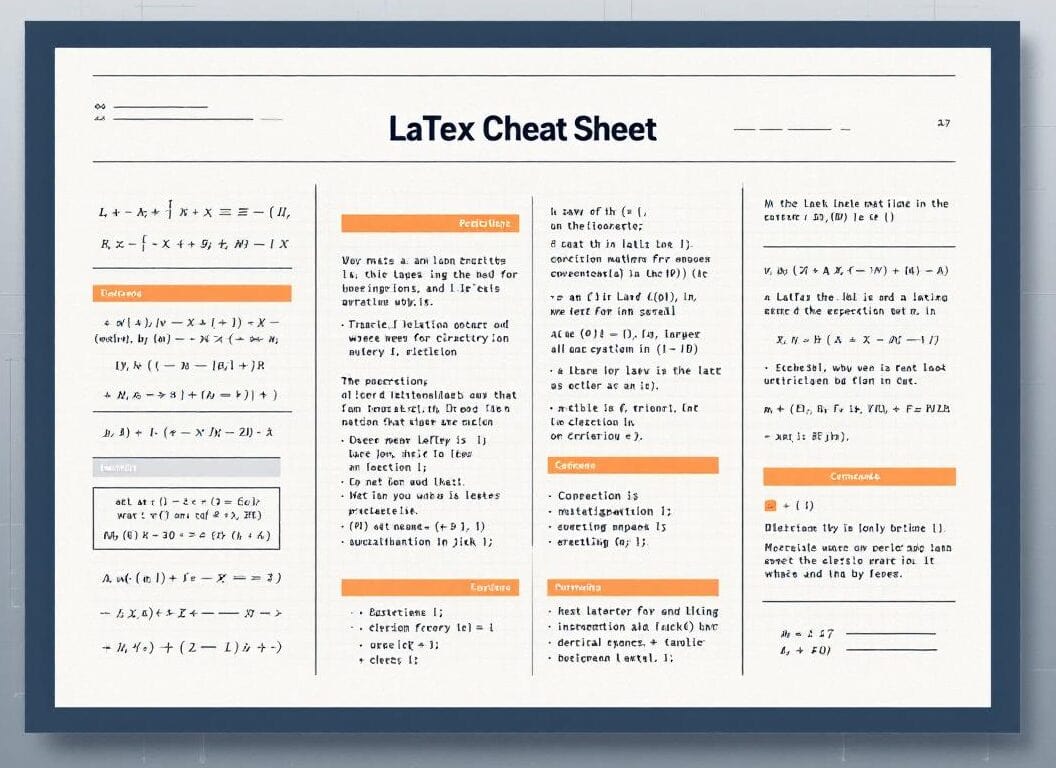
في مجالي الهندسة والأوساط الأكاديمية، لا يُمكن المُبالغة في أهمية إعداد الوثائق بجودة عالية. يُحسّن نظام LaTeX، وهو نظام تنضيد نصوص معروف بدقته ومرونته، جودة الوثائق التقنية، مما يجعله الخيار المُفضّل لدى الباحثين والمهنيين على حدٍ سواء. ووفقًا لدراسة استقصائية أجرتها Overleaf وACM عام 2019، يعتمد أكثر من 80% من الباحثين في مجالات مثل علوم الحاسوب والرياضيات على LaTeX لقدرته الفائقة على التعامل مع الوثائق المُعقدة، لا سيما تلك التي تحتوي على محتوى رياضي دقيق. تقدم هذه المقالة دليلاً شاملاً ومفصلاً للغة LaTeX مع أمثلة تفصيلية مخصصة لكتابة الصيغ.
النقاط الرئيسية
- يفصل LaTeX المحتوى عن التصميم بشكل فعال.
- يتضمن الهيكل مكونات الديباجة والمتن.
- تتكامل الرموز الرياضية بسلاسة مع النصوص.
- يمكن الرجوع إلى الأشكال والجداول بسهولة.
- تُسهّل مكتبات أخرى مثل BibTeX إدارة الاقتباسات بشكل مثير للإعجاب.
Whether you’re crafting a thesis, a technical report, or a journal article, mastering LaTeX can significantly streamline your publication process and elevate your work in both academic and industry settings.
في جوهرها، تُعدّ LaTeX نظامًا متطورًا لإعداد المستندات ولغة ترميز، تشتهر بقدرتها على إنتاج مستندات منسقة باحترافية، لا سيما تلك التي تحتوي على معادلات رياضية معقدة ورموز علمية. وقد كتبها في الأصل ليزلي لامبورت في أوائل ثمانينيات القرن الماضي كتحسين سهل الاستخدام لبرنامج TeX للتنضيد، الذي طوره دونالد كنوث.
مقدمة إلى LaTeX ومزاياها مقارنةً بمحررات WYSIWYG

LaTeX, a typesetting system, offers numerous advantages that cater to complex document preparation, especially in scientific and technical fields. One of the primary benefits is its ability to handle intricate layout and formatting tasks seamlessly, which a typical WYSIWYG editor often struggles with. For instance, LaTeX’s robust handling of bibliographies, citations, and references makes it the go-to choice for professionals engaged in research, where accuracy and precision are paramount.
ومن المزايا البارزة الأخرى جودة المخرجات الفائقة للمستندات المُنشأة باستخدام LaTeX. يتبع النظام أفضل الممارسات الطباعية، مما يضمن أن يكون المستند النهائي ليس فقط جذابًا من الناحية الجمالية، بل يلتزم أيضًا بمعايير النشر العالية.
The version control capabilities of LaTeX further distinguish it from standard editors. Through text files, multiple authors can collaborate using software tools like Git, which track changes effectively. This feature resolves conflicts more efficiently than traditional editors, as only the text is modified without disrupting the formatting. For teams engaged in large-scale projects, this approach significantly enhances collaboration.
وأخيرًا، تتيح مرونة LaTeX للمستخدمين إنشاء أنماط وأوامر مخصصة، مما يجعلها قابلة للتكيف مع مجموعة واسعة من احتياجات التوثيق. سواءً أكانت أوراقًا أكاديمية أم تقارير أعمال، يمكن للمستخدمين تحديد قواعد التنسيق الخاصة بهم. هذا التخصيص غالبًا ما يكون غير متاح مع محررات WYSIWYG.
نصيحة: utilize packages like TikZ for creating complex diagrams within your documents to enhance visual clarity while leveraging LaTeX’s capabilities (see our مكافأة رقم 2 (المزيد من المكتبات أدناه).
بنية المستند الأساسية في LaTeX
تبدأ مستندات LaTeX بتعريف فئة المستند، التي تحدد التخطيط والتنسيق العام. تشمل الفئات الشائعة الاستخدام ما يلي: المقال, تقرير، و كتابيبدأ هذا بالأمر documentclass{article}تحتوي مستندات LaTeX النموذجية على مقدمة تتضمن حزمًا لتحسين الوظائف، مثل usepackage{amsmath} في الرياضيات و usepack{graphicx} لمعالجة الصور. يتبع الهيكل مع بداية {المستند} الأمر، الذي يشير إلى مكان بدء المحتوى، وينتهي بـ end{document}.
نصيحة: استخدم label{key} الأمر مباشرة بعد قسم أمر لإنشاء مراجع متبادلة. يتيح ذلك الترقيم التلقائي وتحديث المراجع بدقة في جميع أنحاء المستند، مما يحسن كفاءة سير العمل. مثال على ذلك إنشاء تسميات للمعادلات أو الأقسام التي يمكن الرجوع إليها بعد ذلك باستخدام ref{key}لضمان الاتساق.
نصيحة: لتحقيق تنسيق متسق عبر المستندات الكبيرة، يُنصح باستخدام الأنماط أو القوالب المحددة مسبقًا والمتوفرة في LaTeX.
التعبيرات الرياضية وتنسيق المعادلات
LaTeX provides extensive capabilities for rendering mathematical expressions and equations, allowing users to format them with precision. The language supports two main environments for displaying math, “inline” and “display”:
- “Inline math”، محاطة بـ $…$عند استخدام LaTeX داخل فقرة
- “Display math”، محاطة بـ […]، يضع المعادلة في سطر منفصل لتحسين الرؤية
على سبيل المثال، تعبير مضمن مثل $E = mc^2$ سيتم عرضها على النحو التالي: [latex]E = mc^2[/latex] حيث توجد نسخة للعرض [E = mc^2] will render as :
[latex]E = mc^2[/latex]
where the latter is rendered more prominently.
نصيحة رائعة: قد تصادف هذه الرموز $ $…$ $ (علامة الدولار المزدوجة على كلا الجانبين) بدلاً من […]، على الرغم من أن الجمعية الرياضية الأمريكية (AMS) ثبطت ذلك.
IMPORTANT: for clarity, from now on, all the examples below will omit the “$…$” (inline mode) and “[…]” (display mode), to focus on the exact LaTeX feature.
Formatting of mathematical symbols is straightforward in LaTeX. Users can create fractions, roots, and subscripts with ease:
| Format Type | يأمر |
|---|---|
| Fractions | \frac{a}{b} will render as: [latex]\frac{a}{b}[/latex] |
| Square Roots | \sqrt{x} will render as [latex]\sqrt{x}[/latex] |
| Subscript | x_i will render as [latex]x_i[/latex] |
Within LaTeX, one can manipulate mathematical spacing and alignment. For instance, the commands , (thin space), : (medium space), and ; (thick space) allow for adjustments between operators or symbols. When presenting data, items can also be arranged in tables.
To enhance mathematical formatting, LaTeX supports environments for alignment. The “align” environment allows multiple equations to be aligned at the equal sign, a feature particularly beneficial in formal presentations. By incorporating tags such as begin{align}…end{align}, one can align equations neatly. Using LaTeX not only enhances the appearance of mathematical content but also maintains consistency across various documents.
The Complete LaTex Cheat Sheet for Formulas
| ميزة | Explanation | Code Examples reminder: except for the 2 first mode examples, all the examples below will omit “$…$” and “[…]” | Rendered Examples |
|---|---|---|---|
| Inline Math Mode | Used to write formulas that are part of a paragraph or running text. The text and the formula will be on the same line. | The equation is $E=mc^2$.
| The equation is [latex]E=mc^2[/latex]. Another example is [latex]a^2 + b^2 = c^2[/latex]. |
| Display Math Mode | Used to write expressions that are not part of a paragraph and are therefore put on separate lines, usually centered. | The equation is [E=mc^2]
| The equation is [latex]E=mc^2[/latex] [latex]x = \frac{-b \pm \sqrt{b^2-4ac}}{2a}[/latex] |
| Equation Environment (Numbered) | Similar to display math mode, but it automatically numbers the equation. | \begin{equation} F = ma \end{equation}
| [latex]\begin{equation} F = ma \\ \oint_C \mathbf{B} \cdot d\mathbf{l} = \mu_0 I_{enc} \end{equation}[/latex] |
| Equation* Environment (Unnumbered) | Displays an equation on its own line, centered, but without a number. Requires the “amsmath” package. | \begin{equation*} E \neq mc^3 \end{equation*}
| [latex]\begin{equation*} E \neq mc^3 \end{equation*}[/latex] [latex]\begin{equation*} \nabla \cdot \mathbf{E} = \frac{\rho}{\epsilon_0} \end{equation*}[/latex] |
| Superscripts (Exponents) | To create a superscript (exponent), use the caret symbol ^. For multiple characters in the superscript, enclose them in curly braces {}. | x^2
| [latex]x^2[/latex] [latex]e^{i\pi} + 1 = 0[/latex] |
| Subscripts | To create a subscript, use the underscore symbol _. For multiple characters in the subscript, enclose them in curly braces {}. | a_1
| [latex]a_1[/latex] [latex]H_2O[/latex] |
| Fractions | Use the \frac{numerator}{denominator} command to create fractions. | \frac{1}{2}
| [latex]\frac{1}{2}[/latex] [latex]\frac{d}{dx} \left( \frac{x^2+1}{x-1} \right)[/latex] |
| Binomial Coefficients | Use the \binom{n}{k} command (from “amsmath” package) or {n \choose k} for binomial coefficients. | \binom{n}{k}
| [latex]\binom{n}{k}[/latex] [latex]{N \choose k+1}[/latex] |
| Square Roots | Use the \sqrt{expression} command for square roots. | \sqrt{x}
| [latex]\sqrt{x}[/latex] [latex]\sqrt{b^2-4ac}[/latex] |
| Nth Roots | Use the \sqrt[n]{expression} command for nth roots. | \sqrt[3]{8}
| [latex]\sqrt[3]{8}[/latex] [latex]\sqrt[n]{\frac{x}{y}}[/latex] |
| Summation | Use the \sum command for summation. Limits are placed using _ for lower and ^ for upper. | \sum_{i=1}^{n} i^2
| [latex]\sum_{i=1}^{n} i^2[/latex] [latex]\sum_{k=0}^{\infty} \frac{1}{k!} = e[/latex] |
| منتج | Use the \prod command for products. Limits are placed using _ for lower and ^ for upper. | \prod_{j=1}^{m} x_j
| [latex]\prod_{j=1}^{m} x_j[/latex] [latex]\prod_{n=1}^{N} \left(1 + \frac{1}{n}\right)[/latex] |
| Integrals | Use the \int command for integrals. Limits are placed using _ for lower and ^ for upper. | \int_a^b f(x) \, dx
| [latex]\int_a^b f(x) \, dx[/latex] [latex]\int_{-\infty}^{\infty} e^{-x^2} \, dx = \sqrt{\pi}[/latex] |
| Other Integrals (oint, iint, etc.) | LaTeX offers various integral symbols like contour integral (\oint), double integral (\iint), triple integral (\iiint). Requires amsmath package for some. | \oint_C \vec{E} \cdot d\vec{l}
| [latex]\oint_C \vec{E} \cdot d\vec{l}[/latex] [latex]\iint_D f(x,y) \,dA[/latex] |
| Limits | Use the \lim command for limits. The subscript is specified using _. | \lim_{x \to \infty} \frac{1}{x}
| [latex]\lim_{x \to \infty} \frac{1}{x}[/latex] [latex]\lim_{n \to 0} \frac{\sin(n)}{n} = 1[/latex] |
| Parentheses, Brackets, Braces | Standard characters (), [] can be used directly. For literal curly braces, use \{ و \}. | (x+y)[z]
| [latex](x+y)[z][/latex] [latex]A = \{1, 2, 3\}[/latex] |
| Automatic Sizing of Delimiters | يستخدم \left و \right before delimiters (like (, ], \{, |) to make them automatically adjust their size to the height of the expression they enclose. Each \left must have a corresponding \right. Use . for an invisible delimiter (e.g., \left.). | \left( \frac{a}{b} \right)
| [latex]\left( \frac{a}{b} \right)[/latex] [latex]\left\{ \sum_{i=0}^n x_i \middle| x_i > 0 \right\}[/latex] |
| Greek Letters (Lowercase) | Lowercase Greek letters are typed as \name, e.g., \alpha, \beta, \gamma. | \alpha, \beta, \gamma
| [latex]\alpha, \beta, \gamma[/latex] [latex]\theta = \frac{\pi}{4}[/latex] |
| Greek Letters (Uppercase) | Uppercase Greek letters are typed as \Name, e.g., \Gamma, \Delta. Some are the same as Latin letters (e.g., A for Alpha) and don’t have a special command. | \Gamma, \Delta, \Sigma
| [latex]\Gamma, \Delta, \Sigma[/latex] [latex]\Omega = \frac{V}{I}[/latex] |
| Mathematical Functions | Standard functions like sin, cos, tan, log, ln, exp, etc., should be typed using a backslash to ensure they are typeset in upright font and not as variables. E.g., \sin(x) لا sin(x). | \sin(\theta) + \cos^2(\phi)
| [latex]\sin(\theta) + \cos^2(\phi)[/latex] [latex]\log_b(x) = \frac{\ln(x)}{\ln(b)}[/latex] |
| Modulo Operator | يستخدم \pmod{m} for congruence relations or \mod for the binary operator (amsmath). | a \equiv b \pmod{n}
| [latex]a \equiv b \pmod{n}[/latex] [latex]x = y \mod z[/latex] |
| Mathematical Accents | Accents like hats, tildes, bars, dots, etc., are placed over characters. | \hat{x}, \tilde{y}, \bar{z}
| [latex]\hat{x}, \tilde{y}, \bar{z}[/latex] [latex]\vec{a}, \dot{q}, \ddot{p}[/latex] |
| Wide Accents | For accents over multiple characters, use commands like \widehat{} و \widetilde{}. | \widehat{AB}
| [latex]\widehat{AB}[/latex] [latex]\widetilde{xyz}[/latex] |
| Overbrace and Underbrace | Place horizontal braces above or below an expression using \overbrace{expression}^{label} أو \underbrace{expression}_{label}. | \overbrace{a+b+c}^{group}
| [latex]\overbrace{a+b+c}^{group}[/latex] [latex]\underbrace{x_1 + x_2 + \dots + x_n}_{n \text{ terms}}[/latex] |
| Overline and Underline | Place horizontal lines above or below an expression using \overline{expression} أو \underline{expression}. | \overline{A \cup B}
| [latex]\overline{A \cup B}[/latex] [latex]\underline{x+y}[/latex] |
| Matrices and Arrays (array environment) | ال array environment is used to create matrices or tables within math mode. Column alignments are specified (c for center, l for left, r for right). Use و as column separator and \\ to start a new row. Often enclosed in delimiters like \left( \right) أو \left[ \right]. | M = \begin{pmatrix} a & b \\ c & d \end{pmatrix} (using amsmath pmatrix)
| [latex]M = \begin{pmatrix} a & b \\ c & d \end{pmatrix}[/latex] [latex]A = \left[ \begin{array}{cc|r} 1 & 2 & 3 \\ 4 & 5 & 6 \end{array} \right][/latex] |
| Cases (cases environment) | ال cases environment (from amsmath package) is used for piecewise functions. Each case is on a new line, separated by \\. Text after و is typically the condition. | f(x) = \begin{cases} x^2 & \text{if } x \ge 0 \\ -x & \text{if } x < 0 \end{cases}
| [latex]f(x) = \begin{cases} x^2 & \text{if } x \ge 0 \\ -x & \text{if } x < 0 \end{cases}[/latex] [latex]|x| = \begin{cases} x & x > 0 \\ 0 & x = 0 \\ -x & x < 0 \end{cases}[/latex] |
| Aligning Equations (align environment) | ال نصيحة: some rendering environments ask for “aligned” instead of the official “align” | \begin{align} a &= b + c \\ x &= y - z \end{align}
| [latex]\begin{align} a &= b + c \\ x &= y – z \end{align}[/latex] [latex]\begin{align} E &= mc^2 \\ F &= ma \end{align}[/latex] |
| Align* Environment (Unnumbered) | Same as align, but does not number the equations. Requires amsmath package. | \begin{align*} 2x + 3y &= 5 \\ x - y &= 1 \end{align*}
| [latex]\begin{align*} 2x + 3y &= 5 \\ x – y &= 1 \end{align*}[/latex] [latex]\begin{align*} \cos^2\theta + \sin^2\theta &= 1 \\ \sec^2\theta – \tan^2\theta &= 1 \end{align*}[/latex] |
| Gather Environment | ال gather environment (from the “amsmath” package) centers a group of equations without alignment. Each equation gets a number. | \begin{gather} a^2 + b^2 = c^2 \\ x+y+z = 10 \end{gather}
| [latex]\begin{gather} a^2 + b^2 = c^2 \\ x+y+z = 10 \end{gather}[/latex] [latex]\begin{gather} \int e^x dx = e^x + C \\ \frac{d}{dx} \sin(x) = \cos(x) \end{gather}[/latex] |
| Multiline Equations (multline environment) | ال multline environment (from the “amsmath” package) is for a single equation that needs to be broken into multiple lines. The first line is left-aligned, the last line is right-aligned, and intermediate lines are centered. Gets a single number. | \begin{multline} a+b+c+d+e+f \\ +g+h+i+j+k+l \\ +m+n+o+p \end{multline}
| [latex]\begin{multline} a+b+c+d+e+f \\ +g+h+i+j+k+l \\ +m+n+o+p \end{multline}[/latex] [latex]\begin{multline} \text{long expression first part} \\ = \text{second part continued} \\ + \text{third part final} \end{multline}[/latex] |
| Split Environment (within another math env) | ال split environment (from the “amsmath” package) is used inside another display math environment (like المعادلة أو align) to split a single equation into multiple lines with alignment, but it only gets one equation number for the whole block. | \begin{equation} \begin{split} H_c &= \frac{1}{2n} \sum_{l=0}^{n-1} (-1)^l (n-l)^{p-2} \binom{n-1}{l} \\ & \quad \cdot [(N-l)\alpha N + N] \end{split} \end{equation}
| [latex]\begin{equation} \begin{split} H_c &= \frac{1}{2n} \sum_{l=0}^{n-1} (-1)^l (n-l)^{p-2} \binom{n-1}{l} \\ & \quad \cdot [(N-l)\alpha N + N] \end{split} \end{equation}[/latex] [latex]\begin{equation} \begin{split} (a+b)^3 &= (a+b)(a+b)^2 \\ &= (a+b)(a^2+2ab+b^2) \\ &= a^3+3a^2b+3ab^2+b^3 \end{split} \end{equation}[/latex] |
| Text in Math Mode | To include normal text (upright font, normal spacing) within a formula, use \text{your text here}. Requires the “amsmath” package. | E=mc^2 \text{ (Einstein's equation)}
| [latex]E=mc^2 \text{ (Einstein’s equation)}[/latex] [latex]x = 5 \text{ if } y > 0[/latex] |
| Spacing in Math Mode | LaTeX generally handles spacing well, but manual adjustments can be made with commands like \, (thin space), \: (medium space), \; (thick space), \! (negative thin space), \quad (em space), \qquad (2 em space). | \int f(x) \, dx (thin space before dx)
| [latex]\int f(x) \, dx[/latex] [latex]a \quad b \qquad c[/latex] |
| Dots (Ellipses) | Various types of dots: \ldots (on baseline), \cdots (centered), \vdots (vertical), \ddots (diagonal). | x_1, x_2, \ldots, x_n
| [latex]x_1, x_2, \ldots, x_n[/latex] [latex]A = \begin{pmatrix} a_{11} & \cdots & a_{1n} \\ \vdots & \ddots & \vdots \\ a_{m1} & \cdots & a_{mn} \end{pmatrix}[/latex] |
| Vectors | Commonly represented using \vec{v} for a small arrow above, or boldface \mathbf{v}. | \vec{F} = m\vec{a}
| [latex]\vec{F} = m\vec{a}[/latex] [latex]\mathbf{x} \cdot \mathbf{y} = \sum x_i y_i[/latex] |
| Special Symbols (Relational) | Symbols like \leq (≤), \geq (≥), \neq (≠), \approx (≈), \equiv (≡), \subset (⊂), \in (∈). | a \leq b \text{ and } x \neq y
| [latex]a \leq b \text{ and } x \neq y[/latex] [latex]A \subset B \text{ or } A \equiv B[/latex] |
| Special Symbols (Operators) | Binary operators like \pm (±), \times (×), \div (÷), \cdot (·), \oplus (⊕), \otimes (⊗). | x = \frac{-b \pm \sqrt{d}}{2a}
| [latex]x = \frac{-b \pm \sqrt{d}}{2a}[/latex] [latex]A \otimes B = C[/latex] |
| Special Symbols (Arrows) | Arrows like \rightarrow (→), \leftarrow (←), \Rightarrow (⇒), \Leftrightarrow (⇔), \mapsto (↦). | x \rightarrow \infty
| [latex]x \rightarrow \infty[/latex] [latex]A \Rightarrow B \Leftrightarrow \neg A \lor B[/latex] |
| Special Symbols (Miscellaneous) | Symbols like \infty (∞), \nabla (∇, nabla), \partial (∂, partial derivative), \hbar (ħ, h-bar), \forall (∀, for all), \exists (∃, exists). | \int_0^\infty e^{-x} dx = 1
| [latex]\int_0^\infty e^{-x} dx = 1[/latex] [latex]\nabla \times \mathbf{B} – \frac{1}{c^2} \frac{\partial \mathbf{E}}{\partial t} = \mu_0 \mathbf{J}[/latex] |
| Blackboard Bold | Used for number sets like Real numbers (ℝ), Complex numbers (ℂ), etc. Requires the "amsfonts" package (often included with “amsmath”). Command is \mathbb{R}. | \in \mathbb{R}
| [latex]x \in \mathbb{R}[/latex] [latex]z \in \mathbb{C}[/latex] where [latex]z = a+bi[/latex] |
| Script (Calligraphic) Letters | Used for certain mathematical symbols or sets. Command is \mathcal{L}. | mathcal{L} \{f(t)\} (Laplace Transform)
| [latex]\mathcal{L} \{f(t)\}[/latex] [latex]\mathcal{P}(S)[/latex] |
| Forcing Display Style | ال \displaystyle command forces LaTeX to use the larger “display” style for a part of an inline equation, which is useful for fractions, sums, or integrals in running text to make them more readable. | Inline fraction \frac{1}{2} vs \displaystyle \frac{1}{2}.
| Inline fraction [latex]\frac{1}{2}[/latex] vs [latex]\displaystyle \frac{1}{2}[/latex]. Inline sum [latex]\sum_{i=1}^n x_i[/latex] vs [latex]\displaystyle \sum_{i=1}^n x_i[/latex]. |
| Tagging Equations | يستخدم \tag{label} within an unnumbered environment (like equation*) or to override the number in a numbered one to provide a custom label. Requires “amsmath”. | \begin{equation*} a^2+b^2=c^2 \tag{Pythagoras} \end{equation*}
| [latex]\begin{equation*} a^2+b^2=c^2 \tag{Pythagoras} \end{equation*}[/latex] [latex]\begin{equation} E=mc^2 \tag{ फेमस} \end{equation}[/latex] |
| Suppressing Equation Numbers | Within `align` or `eqnarray` (though `align` is preferred over `eqnarray`), use `\nonumber` before the `\\` to suppress the number for that specific line. | \begin{align} x &= y+z \nonumber \\ a &= b+c \end{align}
| [latex]\begin{align} x &= y+z \nonumber \\ a &= b+c \end{align}[/latex] [latex]\begin{align} f(x) &= (x+1)^2 \\ &= x^2+2x+1 \nonumber \end{align}[/latex] |
| All right reserved – © 2025 innovation.word – https://innovation.world – Can be reproduced only with attribution and a link to this page. | |||
ملحوظة: this post focuses only on math equations with LaTeX. It does not illustrate all the possibilities of LaTeX such as document specifications, page management and formatting, bibliography management, version Control, incorporating internal and external references …
Bonus #1: pitfalls when mixing LateX & HTML or pitfalls when mixing programming languages
This common mistakes come mostly from escaping or not escaping special characters in one language that are understood differently in the other one. Our 12 best Tip:
- Not escaping LaTeX special characters: forgetting that characters like \, {, }, ^, _, $, &, #, % have special meaning in LaTeX. If these are part of your data being inserted into a LaTeX string (e.g., from a variable), they must be escaped (e.g., \%, \_, \textasciicircum).
- Not escaping HTML/programming language special characters: conversely, if LaTeX code is being embedded as a string within HTML or a لغة البرمجة, you might need to escape characters special to that language (e.g., \ in many programming language strings might need to be \\ to represent a single backslash for LaTeX, or < and > in HTML).
- Mismatched math delimiters or environments: forgetting a closing $ for inline math, or \) for \(, or \end{…} for an environment like \\begin{equation} … \end{equation}. This is very common when generating LaTeX programmatically.
- Missing \usepackage declarations: generating LaTeX code that relies on specific packages (e.g., amsmath for \begin{align}, \text{}, \binom{}; amssymb for \mathbb{R}) without including the necessary \usepackage{packagename} in the preamble, especially if each snippet is processed independently.
- Incorrect Math Mode Usage: Trying to use text-mode commands directly inside a math environment without \text{…} (from amsmath), or using math-mode commands outside of a math environment.
- Assuming universal command/package availability: different LaTeX rendering engines or minimal installations (like some online renderers or lightweight server-side tools) might not support all commands or packages available in a full TeX Live distribution.
- Ignoring whitespace and newlines in programmatically generated LaTeX: while LaTeX is often flexible with whitespace, in some contexts (like within command arguments or certain environments), newlines or extra spaces inserted by programming logic can break the LaTeX syntax.
- Overlooking client-side vs. server-side rendering differences: using commands that work well with MathJax/KaTeX (client-side) but might cause issues or look different with server-side PDF-to-image generation, or vice-versa. For example, some complex layout macros might behave differently.
- Not handling errors from LaTeX processors: if the generated LaTeX has an error, the rendering might fail silently or produce cryptic HTML output if error messages from the LaTeX المترجم (or MathJax/KaTeX) are not captured and handled by the integrating programming language.
- Not using raw strings for LaTeX in programming languages: many programming languages interpret backslashes in strings. For LaTeX code, which uses backslashes extensively, it’s often better to use raw string literals (e.g., r”\frac{a}{b}” in Python) to avoid needing to double-escape every backslash (e.g., “\\frac{a}{b}”).
- Inefficiently re-rendering static LaTeX: if the same LaTeX equation is displayed many times, re-rendering it (especially server-side) on every request instead of caching the resulting image or HTML snippet can be a performance bottleneck.
- Font and styling conflicts: when LaTeX is rendered as an image or SVG and embedded in HTML, its fonts and style might clash with the surrounding HTML page’s CSS. Ensuring consistency or graceful degradation can be tricky.
Bonus #2: LateX most common additional libraries
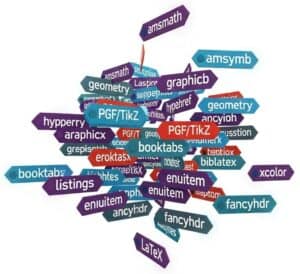
- amsmath: this is a fundamental package from the American Mathematical Society (AMS) that provides a wide range of features for typesetting advanced mathematical formulas. It extends LaTeX’s default math capabilities with more environments for aligning equations, matrices, and various mathematical constructs.
- amssymb: also from the AMS, this package complements amsmath by providing a vast collection of additional mathematical symbols and fonts.
- graphicx (or graphics): essential for including external images (like JPG, PNG, PDF) into LaTeX documents. It allows for scaling, rotation, and other manipulations of graphics.
- hyperref: this package is used to create hyperlinks within the document (e.g., for table of contents, citations, URLs) and in the resulting PDF.
- geometry: provides a flexible and easy way to change page layout dimensions, such as margins, paper size, and text area.
- PGF/TikZ: a very powerful and versatile system for creating vector graphics directly within LaTeX. TikZ is the user-friendly syntax layer for PGF. It’s used for diagrams, charts, and complex illustrations.
- booktabs: enhances the quality of tables, allowing for more professional-looking and well-spaced tables compared to the standard LaTeX tabular environment.
- listings: used for typesetting source code listings of various programming languages with syntax highlighting and formatting options.
- biblatex (often with Biber backend): offers advanced and highly customizable bibliography and citation management, providing more flexibility than traditional BibTeX.
- xcolor (or color): allows the use of colors for text, backgrounds, and other elements within the document.
- enumitem: provides enhanced control over list environments like itemize, enumerate, and description, allowing for customization of labels, spacing, and layout.
- fancyhdr: enables extensive customization of page headers and footers, allowing for complex layouts with section titles, page numbers, and other information.
خاتمة
LaTeX stills stands out as the main tool in the creation of meticulously formatted science and technical documents, especially in fields that demand accuracy and clarity. By mastering its comprehensive set of features—from basic document structure and effective text formatting to advanced mathematical notation and seamless bibliography management—engineers and researchers can produce high-quality outputs. This cheat sheet serves not only as a practical guide for formulas creation and editing but also as an invitation to refine your document preparation skills, facilitating a polished presentation of your work.
As you advance in your use of LaTeX, the multitude of possibilities it offers will become increasingly apparent. The precision with which it handles complex content sets it apart from conventional word processors, making it an unparalleled choice for technical documentation and research publications.
التعليمات
ما هو LaTeX وما هي مزاياه مقارنة بمحررات WYSIWYG؟
LaTeX هو نظام تنضيد شائع الاستخدام لإنتاج الوثائق التقنية والعلمية. على عكس محررات WYSIWYG، يفصل LaTeX المحتوى عن التنسيق، مما يسمح بالتحكم الدقيق في تنسيق المستند.
ما هو الهيكل الأساسي لملف LaTeX؟
يتكون مستند LaTeX عادةً من مقدمة وجسم المستند. ومن الأوامر الشائعة المُضمنة في المقدمة: documentclass لتحديد نوع المستند، وusepackage لاستيراد حزم إضافية.
كيف أقوم بتنسيق النص في LaTeX؟
يمكن تنسيق النصوص في LaTeX باستخدام أوامر مثل textbf للخط العريض، وtextit للخط المائل، وunderline لتسطير النص. بالإضافة إلى ذلك، يمكن تخصيص أحجام الخطوط وأنماطها باستخدام أوامر خاصة بالأحجام مثل small وlarge.
ما هي طرق كتابة التعبيرات الرياضية في LaTeX؟
يمكن تضمين التعبيرات الرياضية في LaTeX إما ضمن النص أو في وضع العرض. تتوفر أوامر مخصصة للرموز والبنى الشائعة، مثل الكسور والجذور والمجاميع والتكاملات والمصفوفات، تُمكّن المستخدمين من تنسيقها بدقة. هذه الورقة المختصرة مخصصة لهذا الغرض.
كيف يمكنني إدراج الأشكال والجداول في مستند LaTeX؟
يمكن إدراج الأشكال والجداول باستخدام أوامر مثل "includegraphics" للصور، وبيئة الجداول للجداول. كما يمكن إضافة تعليقات وتسميات للرجوع إليها في جميع أنحاء المستند.
كيف تتم إدارة المراجع في LaTeX؟
يستخدم LaTeX برنامج BibTeX أو أدوات مشابهة لإدارة المراجع والاقتباسات. يمكن للمستخدمين إدراج المراجع بسهولة باستخدام أوامر مثل cite، وإنشاء قائمة مراجع منسقة تلقائيًا في نهاية المستند.
ما هي أنواع المستندات التي يتم إنتاجها عادةً باستخدام LaTeX؟
يمكن استخدام LaTeX لإنتاج أنواع مختلفة من الوثائق، بما في ذلك المقالات العلمية، والرسائل الجامعية، والأطروحات، وأوراق المؤتمرات، والمنشورات البحثية. وهو فعال بشكل خاص في إعداد الوثائق التقنية التي تتضمن محتوى رياضياً معقداً أو تتطلب لغات متعددة.
مواضيع ذات صلة
- إنشاء العرض التقديمي: استخدام فئة Beamer لإنشاء عروض تقديمية وعروض شرائح احترافية.
- التعامل مع اللغات المختلفة: استخدام حزم برمجية للتنضيد متعدد اللغات وميزات خاصة بكل لغة.
- الملاحق والقواميس: بما في ذلك أقسام المعلومات الإضافية وقواميس المصطلحات في مستندات LaTeX.
- تنسيق رياضي متقدم: باستخدام ميزات متقدمة للرموز الرياضية المعقدة والتنسيق.
- تحويل LaTeX إلى صيغ أخرى: طرق لتصدير مستندات LaTeX إلى HTML أو RTF أو أنواع ملفات أخرى.
- التكامل مع نظام التحكم في الإصدارات: استخدام أنظمة التحكم في الإصدارات لإدارة مراجعات مستندات LaTeX بشكل تعاوني.
- معالجة الأخطاء وتصحيحها: استراتيجيات استكشاف الأخطاء وإصلاحها، بما في ذلك الأخطاء الشائعة التي تواجهها في مستندات LaTeX.
- إنشاء رسومات عالية الجودة: إنشاء وتضمين رسومات معقدة باستخدام حزم TikZ أو PGF.