Product Design, Manufacturing & Innovation Resources

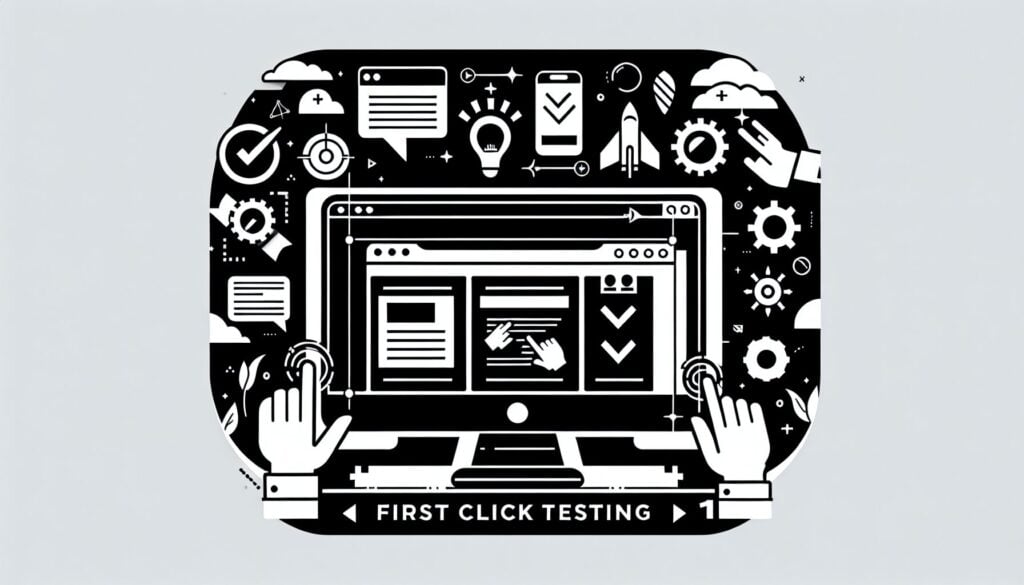
फर्स्ट क्लिक टेस्टिंग

फर्स्ट क्लिक टेस्टिंग

फर्स्ट क्लिक टेस्टिंग

उद्देश्य:

A उपयोगिता एक परीक्षण विधि जो किसी वेबसाइट के नेविगेशन की प्रभावशीलता का मूल्यांकन करती है और सूचना वास्तुकला किसी विशिष्ट कार्य को पूरा करने के लिए उपयोगकर्ता सबसे पहले कहाँ क्लिक करेगा, इसका पता लगाकर।

इसका उपयोग कैसे किया जाता है:

फायदे

नुकसान

श्रेणियाँ:

इसके लिए सबसे अच्छा:

First Click Testing serves a vital function in user experience evaluation, particularly during the early phases of product design such as concept development and user इंटरफ़ेस डिज़ाइन. This methodology is frequently utilized in industries such as e-commerce, software development, and mobile app creation, where effective web navigation is paramount to customer satisfaction and engagement. During usability studies, participants are only shown a static image of a webpage or prototype rather than a fully functional site, which allows for rapid testing before development begins. This provides product teams with real-time feedback on how users interpret labeling of links and navigation structures. Teams often involve product managers, UX designers, and researchers to analyze click data efficiently—information that can inform interface adjustments before more extensive testing is conducted. By identifying common click areas and understanding if users are directed toward the right content, companies can enhance their designs iteratively, minimizing costly reworks after launch. With the procedure being low-cost and approachable for small scale testing, various design iterations can be evaluated quickly, ensuring that the final product aligns with user expectations. Empirical data collected enables teams to advocate for design changes based on user behavior rather than assumptions, making the testing method a foundational element of data-driven design strategies.

इस पद्धति के प्रमुख चरण

  1. वेबपेज या प्रोटोटाइप से संबंधित उपयोगकर्ताओं के लिए एक विशिष्ट कार्य परिभाषित करें।
  2. उपयोगकर्ताओं को वेबपेज या प्रोटोटाइप की छवि दिखाएं।
  3. उपयोगकर्ताओं से उस क्षेत्र पर क्लिक करने के लिए कहें जिसे वे कार्य पूरा करने का पहला चरण मानते हैं।
  4. क्लिक की जगह को रिकॉर्ड करें और यह भी रिकॉर्ड करें कि उपयोगकर्ता सफलतापूर्वक यह पहचान पाया है कि उसे कहाँ जाना है।
  5. नेविगेशन की प्रभावशीलता और लिंक लेबलिंग का आकलन करने के लिए क्लिक डेटा का विश्लेषण करें।

प्रो टिप्स

  • प्रतिभागियों के चयन में जनसांख्यिकीय विभाजन को शामिल करें ताकि उपयोगकर्ताओं के विभिन्न व्यवहारों और अपेक्षाओं का पता लगाया जा सके।
  • पूर्व निष्कर्षों के आधार पर डिजाइन को धीरे-धीरे परिष्कृत करने और उभरते मुद्दों को संबोधित करने के लिए परीक्षण के पुनरावृत्ति दौर आयोजित करें।
  • प्रतिभागियों के विकल्पों के पीछे के तर्क को समझने के लिए, क्लिक डेटा को अनुवर्ती प्रश्नों के माध्यम से गुणात्मक प्रतिक्रिया के साथ संयोजित करें।

विभिन्न पद्धतियों को पढ़ने और उनकी तुलना करने के लिए, हम अनुशंसा करते हैं

> व्यापक कार्यप्रणाली भंडार  <
अन्य 400 से अधिक पद्धतियों के साथ।

इस कार्यप्रणाली पर आपकी टिप्पणियाँ या अतिरिक्त जानकारी का स्वागत है। नीचे टिप्पणी अनुभाग देखें ↓ , साथ ही इंजीनियरिंग से संबंधित कोई भी विचार या लिंक।

ऐतिहासिक संदर्भ

1941
1986
1990
2000
1950
1990
1990

(यदि तिथि अज्ञात है या प्रासंगिक नहीं है, उदाहरण के लिए "द्रव यांत्रिकी", तो इसके उल्लेखनीय उद्भव का एक अनुमानित आंकड़ा प्रदान किया गया है)


नवीनतम परिवर्धन

शीर्ष पोस्ट और लेख

शीर्ष मूल उपकरण

10वां वर्ष सालगिरह

पंजीकृत सदस्यों के लिए पूर्ण आकार की छवियाँ और डाउनलोड 100% निःशुल्क उपलब्ध हैं।