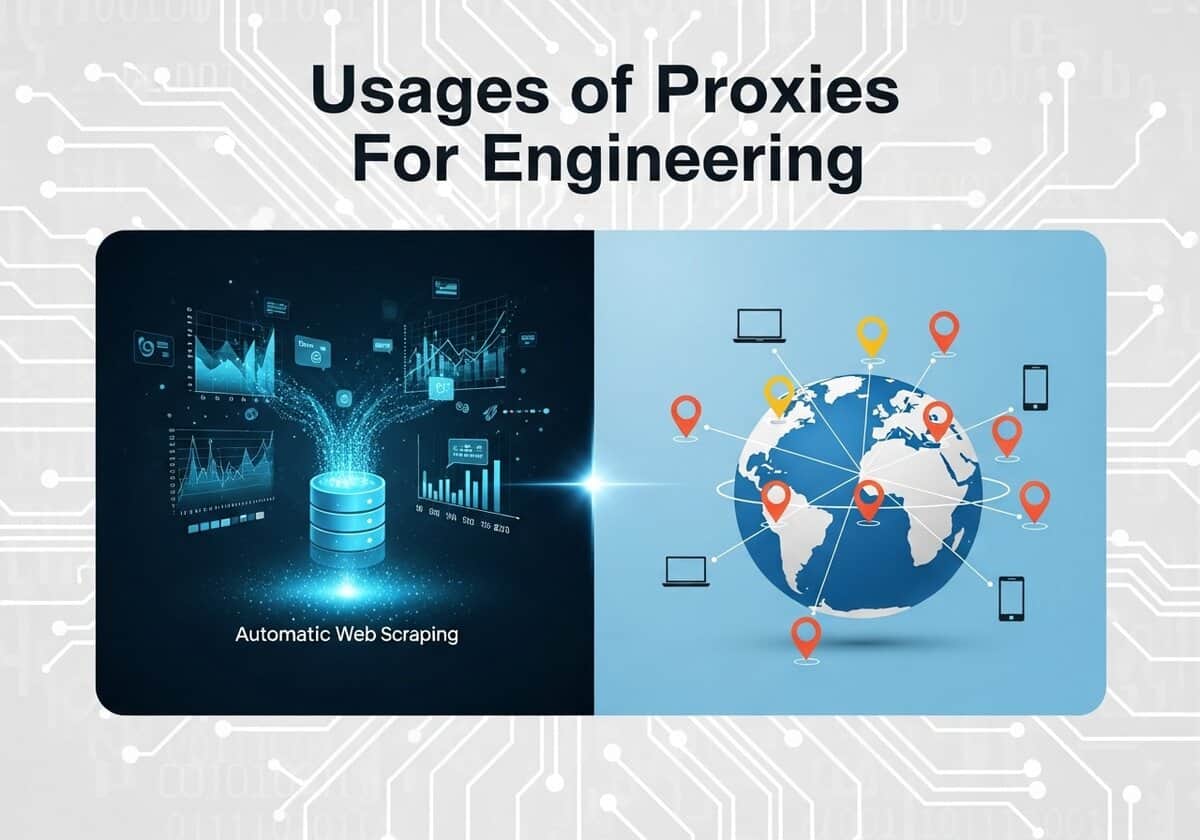
En ingeniería y ciencia, el progreso actual suele estar impulsado por la capacidad de recopilar, procesar y analizar grandes cantidades de datos. Los proxies, y por extensión, los proxies abiertos, son herramientas indispensables en esta actividad centrada en los datos, principalmente al permitir la recopilación automatizada de datos y las pruebas a escala global. Científicos e ingenieros necesitan con frecuencia recopilar grandes conjuntos de datos públicos de fuentes web para su investigación, como la recopilación de datos climáticos de sitios web gubernamentales, la compilación de corpus lingüísticos de foros en línea o la agregación de datos de mercado para entrenar modelos económicos. Una sola dirección IP que realiza miles de solicitudes se bloquearía rápidamente, pero al enrutar el tráfico a través de un conjunto de proxies, estos scripts automatizados pueden ejecutarse sin interrupciones.

La utilidad de los proxies va más allá de la recopilación de datos y abarca las fases críticas de prueba y verificación. Para los ingenieros de software que desarrollan aplicaciones para un público global, los proxies son esenciales para simular las experiencias de usuario desde diferentes ubicaciones geográficas. Al usar un proxy ubicado en Japón, un desarrollador en Alemania puede probar la localización de sitios web, verificar la ubicación de anuncios y medir el rendimiento de la aplicación como si fuera un usuario local. De igual manera, los ingenieros de redes pueden usar proxies externos para probar la robustez de sus propias configuraciones de firewall.
Los analistas también utilizan proxies en OSINT techniques, to view public pages as a visitor from another country would see them without revealing their own network. Open source intelligence techniques of this kind help researchers compare the regional versions of a website.
This specific article is a complementary reading to the OSINT article:

Los lectores también se beneficiarán de nuestra lista gratuita de proxies, que se actualiza continuamente:

¿Qué es un proxy?
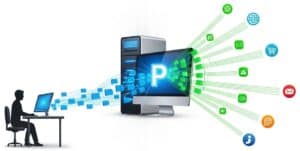
Un proxy de internet, a menudo llamado servidor proxy, actúa como puerta de enlace intermediaria entre un usuario e internet. Cuando un usuario se conecta a internet a través de un proxy, sus solicitudes web se envían primero al servidor proxy. Este reenvía la solicitud al sitio web o recurso en línea en nombre del usuario, utilizando su propia dirección IP. Este proceso enmascara eficazmente la dirección IP original del usuario, proporcionando un nivel de anonimato y haciendo que parezca que el servidor proxy es quien realiza la solicitud. El sitio web envía la información solicitada al proxy, que la reenvía al usuario. Este proceso fundamental de enrutamiento de tráfico a través de un servidor de terceros es el núcleo del funcionamiento de los servidores proxy de Internet.
El uso de proxies de internet ofrece varias ventajas clave en términos de seguridad, privacidad y rendimiento. Al ocultar la dirección IP real del usuario, los proxies mejoran la privacidad en línea y pueden ayudar a eludir las restricciones geográficas de contenido. En entornos corporativos u organizacionales, los proxies se utilizan a menudo como cortafuegos y filtros web para controlar el uso de internet y bloquear el acceso a sitios web maliciosos o inapropiados. También pueden mejorar el rendimiento de la red al almacenar en caché las páginas web a las que se accede con frecuencia, lo que permite un acceso más rápido en solicitudes posteriores. En resumen, al actuar como intermediario, un servidor proxy proporciona a los usuarios y organizaciones un mayor control sobre su tráfico de internet, reforzando así la seguridad y la privacidad.
Niveles de “calidad” de los servidores proxy abiertos
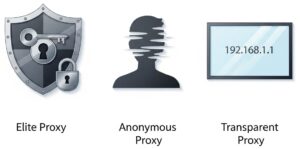
Los proxies abiertos se clasifican en diferentes niveles de calidad según el grado de anonimato que ofrecen al usuario. Estos niveles se determinan por cómo el servidor proxy gestiona la dirección IP del cliente y otros datos de identificación al reenviar solicitudes a un servidor web. Los tres niveles principales de proxies abiertos, que se distinguen por su anonimato, son los proxies Elite, los proxies anónimos y los proxies transparentes.
Tenga en cuenta que lo que se describe a continuación son las características y comportamientos definidos habituales. (cuando no hay error, ni truco especial, ni características maliciosas…).
1. Proxies de éliteNivel 1 – Alto anonimato Conocidos a menudo como proxies de alto anonimato, los proxies Elite ofrecen el máximo nivel de privacidad. Al usar un proxy Elite, el servidor de destino no puede detectar que se está utilizando un proxy. Estos proxies no deben reenviar ninguna información que pueda identificar al usuario, como la dirección IP original. Esto se logra eliminando todos los encabezados de identificación de la solicitud del usuario.
| 2. Proxies anónimosNivel 2 – Anonimato medio Los proxies anónimos, también conocidos como proxies distorsionadores, ofrecen un nivel moderado de anonimato. Ocultan eficazmente tu dirección IP real al servidor de destino, pero revelan que la solicitud se realiza a través de un proxy. Esto se suele lograr añadiendo un encabezado "Via" a la solicitud o enviando la dirección IP del proxy en el encabezado "X-Forwarded-For".*
|
3. Proxies transparentesNivel 3 – Sin anonimato Los proxies transparentes, también llamados “interceptando proxies“, no proporcionan ningún anonimato al usuario. Transmiten la dirección IP real del usuario en el `X-Reenviado-Para` header y también se identifican como un servidor proxy. Estos proxies se utilizan a menudo para almacenar datos en caché y acelerar el acceso a sitios web visitados con frecuencia, o por organizaciones para filtrar contenido.
| Cualquiera de los tipos de anonimato anteriores puede ser público o privado. Para comparar: Proxies privadosUn proxy privado es una dirección IP que normalmente se asigna exclusivamente a un solo usuario o a un grupo pequeño autorizado. La tecnología subyacente es la misma que la de otros proxies; se puede configurar como proxy anónimo o Elite, la diferencia es el modelo de negocio: como usted es el único usuario, tiene control total sobre el tráfico que se envía a través de esa dirección IP (nota: depende del servicio y la calidad del proveedor):
Casos de uso principales: Tareas críticas para el negocio y de alto riesgo. Esto incluye la gestión de cuentas de comercio electrónico o redes sociales de alto valor, la extracción continua y a gran escala de datos para inteligencia empresarial y cualquier tarea automatizada donde el rendimiento, la fiabilidad y una IP impecable sean fundamentales. reputación. |
Protocolos proxy
A diferencia de los niveles de anonimato (como Elite) o los modelos de acceso (como Private), existen diferentes protocolos técnicos que definen el funcionamiento de los proxies. A continuación, se detallan estos tipos y aplicaciones:
Proxies HTTP/HTTPSEste es el tipo de proxy más común, diseñado específicamente para el tráfico web. Opera en la capa de aplicación (capa 7) del modelo OSI, lo que significa que comprende el protocolo HTTP. El término "WEB" se refiere a un proxy HTTP/HTTPS, y "CONNECT" es el comando específico que utiliza para crear un túnel seguro para el tráfico HTTPS. Proxy WEB: Funciona solo con HTTP (no HTTPS).
CONECTAR Proxy: Admite la tunelización de tráfico, especialmente para HTTPS. Una vez establecido el túnel, el proxy simplemente reenvía bytes entre el cliente y el servidor, sin inspeccionarlos.
Casos de uso: navegación web general, extracción de datos webfiltrado de contenido y almacenamiento en caché. Limitaciones: Solo puede gestionar tráfico web (HTTP, HTTPS y, en ocasiones, FTP). No puede gestionar tráfico de juegos, clientes de correo electrónico ni la mayoría de las demás aplicaciones. | Proxies SOCKSSOCKS (Socket Secure) es un protocolo más versátil y de nivel inferior que HTTP. Opera en la capa de sesión (capa 5) del modelo OSI. Es independiente del protocolo, lo que significa que no comprende los datos que lo atraviesan; simplemente crea un circuito y retransmite cualquier tipo de tráfico de internet. CALCETINES 4: Esta es la versión anterior del protocolo.
CALCETINES 5: Esta es la versión moderna, más segura y con mayor capacidad. Es la opción preferida..
|
Proxy transparenteUn proxy que intercepta tu conexión sin necesidad de configurar tu dispositivo. Es transparente, ya que puede que ni siquiera sepas que lo estás usando. Se implementa a nivel de red mediante un enrutador o firewall. Todo el tráfico de una red (por ejemplo, una oficina corporativa, una escuela o un punto de acceso Wi-Fi público) se enruta automáticamente a través de él.
| Proxy inversoLo opuesto de un proxy normal (“de avance”): en lugar de actuar en nombre de un cliente (usuario), un proxy inverso actúa en nombre de un servidor o grupo de servidores. Se encuentra frente a uno o más servidores web. Todas las solicitudes entrantes de internet se envían primero al proxy inverso. El proxy decide qué servidor backend debe procesar la solicitud. Desde fuera, parece que solo hay un servidor.
|
| Protocolo/Capa | Característica clave | Caso de uso común | |
| HTTP Proxy | HTTP / Capa 7 | Comprende el tráfico web y puede almacenar contenido en caché. | Navegación web básica, raspado. |
| Proxy HTTPS | CONECTAR / Capa 7 | Crea un túnel seguro y no inspeccionado para HTTPS. | Navegación web segura. |
| Proxy SOCKS4 | CALCETINES / Capa 5 | Retransmisión de tráfico TCP, sin autenticación. | Aplicaciones más antiguas, tunelización simple. |
| Proxy SOCKS5 | CALCETINES / Capa 5 | Admite TCP y UDP, autenticación, DNS remoto. | Juegos, streaming, torrents y tareas que requieren alta privacidad. |
| Proxy transparente | Nivel de red | Intercepta el tráfico automáticamente, sin necesidad de configuración por parte del usuario. | Filtrado de contenido corporativo/escolar. |
| Proxy inverso | Del lado del servidor | Gestiona solicitudes de servidores. | Equilibrio de carga, seguridad, terminación SSL. |
Mitos sobre los proxies “libres” y “abiertos”
Las organizaciones rara vez albergan servidores proxy abiertos voluntarios.
Las organizaciones casi nunca proporcionan intencionalmente proxies "abiertos" para uso público debido a los importantes riesgos legales y de seguridad que conllevan. Un proxy abierto es un servidor que permite a cualquier usuario de internet enrutar su tráfico a través de él sin autenticación. Si bien esto puede ofrecer anonimato y una forma de eludir las restricciones geográficas para el usuario final, para la organización que lo aloja representa una seria amenaza.
La gran mayoría de los servidores proxy abiertos en servidores organizacionales son el resultado de una configuración incorrecta, donde un proxy destinado para uso interno se expone accidentalmente a Internet público..
Estos servidores abiertos involuntariamente se convierten en objetivos atractivos para actores maliciosos. Pueden ser explotados para diversas actividades ilegales, como ocultar el origen de ciberataques, distribuir malware, enviar spam y realizar campañas de phishing. La organización cuyo servidor se utiliza para estos fines puede verse perjudicada por una reputación de IP, lo que puede provocar que su tráfico legítimo sea bloqueado por otras redes y servicios. Además, podrían enfrentarse a consecuencias legales y a importantes costes de ancho de banda por el uso no autorizado de sus recursos.
En casos extremadamente raros y específicos, una organización podría ejecutar intencionalmente un proxy de acceso público. Un ejemplo principal es la investigación de seguridad, donde un proxy abierto actúa como una trampa para atraer y estudiar el comportamiento de los ciberdelincuentes. Algunas instituciones académicas o sin fines de lucro han utilizado en el pasado proxies abiertos para promover la libertad en internet y ayudar a los usuarios a eludir la censura. Sin embargo, debido al alto potencial de abuso y los riesgos asociados, esta práctica está prácticamente obsoleta.
En definitiva, la presencia de un proxy abierto en el servidor de una empresa es un claro indicador de una vulnerabilidad de seguridad, más que de una oferta deliberada de servicios. Los riesgos de facilitar tráfico anónimo y potencialmente malicioso superan con creces cualquier beneficio percibido para la organización.
Consejo de experto: Como se mencionó anteriormente, puede ser el resultado de una configuración incorrecta. También hay que recordar el famoso... marketing decir: "Si un producto es gratuito, entonces tú eres el producto.“Si tu vida depende del anonimato, no confíes en proxies a menos que conozcas con precisión su origen (y uses al menos el “Élite” nivel descrito anteriormente).
Proxy abierto vs. VPN
A simple vista, los proxies abiertos y las redes privadas virtuales (VPN) pueden parecer similares, ya que ambos pueden enmascarar tu dirección IP y redirigir tu tráfico de internet. Sin embargo, las diferencias técnicas entre ellos tienen implicaciones muy distintas para tu seguridad, privacidad y libertad en línea. La diferencia fundamental radica en el cifrado y el nivel de funcionamiento dentro de tu sistema.
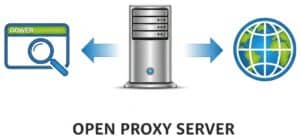
Un proxy abierto es un servidor que actúa como un simple intermediario para tus solicitudes web. Al configurar tu navegador u otra aplicación para usar un proxy, el tráfico de esa aplicación se envía al servidor proxy, que lo reenvía al destino previsto en internet. Este proceso oculta tu dirección IP real a los sitios web que visitas. Sin embargo, una desventaja técnica crucial de la mayoría de los proxies abiertos es la falta de cifrado. Esto significa que, aunque tu dirección IP pueda estar oculta al sitio web de destino, los datos que envías y recibes pueden ser interceptados y leídos por el operador del servidor proxy o por cualquier persona que monitoree el tráfico entre tú y el proxy. Además, los proxies suelen operar en la capa de aplicación (Capa 7) del modelo OSI, lo que significa que solo gestionan el tráfico de las aplicaciones específicas configuradas para usarlos, dejando expuesto el resto de tu tráfico de internet.
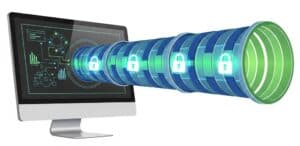
En cambio, una VPN proporciona una solución mucho más robusta y segura al crear un "túnel" cifrado para todo tu tráfico de internet. Cuando te conectas a una VPN, se cifran todos los datos que salen de tu dispositivo, no solo el tráfico de una sola aplicación. Estos datos cifrados se envían al servidor VPN, que los descifra y los reenvía al destino final. Esto casi de extremo a extremo El cifrado garantiza que su proveedor de servicios de Internet (ISP), los administradores de red o agentes malintencionados no puedan espiar sus actividades en línea. Técnicamente, las VPN operan en un nivel inferior del modelo OSI, generalmente en la capa de red (Capa 3) o en la capa de enlace de datos (Capa 2). Esto les permite capturar y cifrar todo el tráfico de red de su dispositivo, proporcionando una protección integral.
Weighing the Risks and Benefits
The choice between an open proxy and a VPN comes down to a trade-off between cost, convenience, and security.
| Open Proxies | VPNs | |
| Beneficios | The primary, and often sole, benefit is that it is typically free to use. They can provide a quick and easy way to bypass simple geo-restrictions or hide your IP address for non-sensitive browsing. | The foremost benefit of a VPN is security through strong encryption. This makes it safe to use public Wi-Fi and protects your sensitive data from being monitored. VPNs also offer a higher level of privacy and anonymity, as they hide your IP address and encrypt your entire internet connection. Reputable VPN services offer reliable connections with servers in numerous countries, providing a more effective way to bypass censorship and geo-blocking. |
| Riesgos | The risks associated with these ones are substantial. Since they are open to anyone, they are frequently used for malicious activities, which can lead to the proxy’s IP address being blacklisted, rendering it useless for accessing many websites. More alarmingly, the lack of encryption means your data, including passwords and personal information, can be easily intercepted and stolen by the proxy operator or other malicious users on the same server. Many open proxies are also unintentionally misconfigured servers, making them unstable and unreliable. | The primary risk associated with a VPN lies in the trust you place in the VPN provider. A dishonest VPN provider could potentially log your online activities. Therefore, it is crucial to choose a reputable VPN with a strict no-logs policy. While the encryption process can sometimes lead to a slight reduction in internet speed, this is often negligible with premium VPN services. Finally, quality VPN services typically come with a subscription fee, unlike most open proxies. |
How to Configure and Use Proxies

Most of the applications below will use the same basic technical setup. First, you need to find a list of public open proxies online. These lists will provide an IP address and a port number (e.g., `198.51.100.1:8080`). It’s important to know the type you’re using. The vast majority of open proxies are HTTP/HTTPS proxies, which only handle web traffic. Less common are SOCKS proxies (usually SOCKS4 or SOCKS5), which can handle any kind of internet traffic (web, email, torrents, etc.).
The same proxy setup works with chat tools too: a free irc client or an online irc client can be used behind a SOCKS proxy to join chat networks without exposing your own address.
The instructions below primarily focus on HTTP/HTTPS versions unless specified otherwise:
Case 1: System-Wide Configuration (Operating Systems)
Configuring the proxy at the operating system level attempts to route all applicable internet traffic from your computer through the proxy.
Windows 10 & 11This method affects most applications that respect the system’s internet settings, including browsers like Edge and Chrome.
| macOSmacOS allows you to set proxy settings per network interface (e.g., separately for Wi-Fi and Ethernet).
|
Linux (GNOME Desktop – e.g., Ubuntu, Fedora)Most Linux desktop environments have a graphical interface for this.
| Linux (Command Line Environment)For server environments or for tools that run in the terminal, you can set environment variables. This is a powerful, session-specific method.
|
iOS (iPhone/iPad)Proxy settings on iOS are configured on a per-Wi-Fi-network basis.
| AndroideLike iOS, Android proxy settings are typically set for each individual Wi-Fi network.
|
Case 2: Application-Specific Configuration
Sometimes you only want a specific program to use a proxy.
Cromo

Configuring a proxy in Google Chrome is a straightforward process, but it’s important to understand that Chrome does not have its own independent proxy settings. Instead, it directs you to your computer’s operating system settings to make changes. This means that when you set a proxy through Chrome’s interface, the settings will apply system-wide, affecting other browsers and applications as well.
This initial process is the same for both Windows and macOS:
- Open Google Chrome.
- Click the three vertical dots (⋮) in the top-right corner of the browser window to open the menu.
- Select “Settings” from the dropdown menu.
- In the left-hand navigation menu, click on “Sistema💖.
- Click the option labeled “Open your computer’s proxy settings💖.
From this point, Chrome will open your operating system’s native proxy configuration window. The steps will now differ depending on whether you are using Windows or macOS: you must refer to the two chapters above dedicated to either Windows 10 & 11 or macOS.
Alternative method: using Proxy Manager Extensions. If you need to switch between different proxies frequently or want proxy settings that only apply to Chrome, the best solution is to use a browser extension. Extensions like FoxyProxy or Oxy Proxy create a simplified interface within Chrome, allowing you to enable, disable, and switch between proxy profiles without altering your system-wide settings. This method offers more flexibility and is ideal for users who need to manage multiple proxy configurations.
Firefox

Firefox can maintain its own proxy settings, independent of the operating system.
- Click the menu button (three horizontal lines) and go to Settings.
- In the General panel, scroll down to the Network Settings sección.
- Click the Settings… button.
- Select the Manual proxy configuration radio button.
- Enter the IP address and port for the HTTP Proxy.
- It’s recommended to also check the box for “Also use this proxy for HTTPS💖.
- Alternatively, if you have a SOCKS proxy, you would enter its details in the SOCKS Host field.
- Click OK.
Scripts & Code: Python `solicitudes` example
Para tareas automatizadas como el web scraping, una opción es definir el proxy directamente en su código Python de esta manera:
[dm_code_snippet background=”yes” background-mobile=”yes” slim=”no” line-numbers=”no” bg-color=”#abb8c3″ theme=”dark” language=”python” wrapped=”no” height=”700px” copy-text=”Copy Code” copy-confirmed=”Copied”]
import requests

# Define the proxy server's address and port
proxy_ip_port = '198.51.100.1:8080'

# Create a dictionary specifying the proxy for both HTTP and HTTPS traffic
proxies = {
 'http': f'http://{proxy_ip_port}',
 'https': f'https://{proxy_ip_port}',
}

try:
 # The 'proxies' argument tells the requests library to send this specific request through the proxy
 response = requests.get('https://api.ipify.org?format=json', proxies=proxies, timeout=10)
 print("Request sent through proxy. My apparent IP is:", response.json()['ip'])
except requests.exceptions.ProxyError as e:
 print(f"Failed to connect to the proxy: {e}")
except requests.exceptions.RequestException as e:
 print(f"An error occurred: {e}")
[/dm_code_snippet]
20 Proxy Applications
It is crucial to understand that while “open” proxies are often free, they come with significant risks, including slow speeds, unreliability, and potential exposure of your data to the unknown proxy operator. For any sensitive or commercial application, using a reputable private proxy service or a VPN is strongly recommended. However, for non-sensitive tasks, there are numerous legal applications for open proxies.
Data Collection & Market Intelligence

1. Price Comparison
To gather pricing information for a specific product from dozens of e-commerce websites automatically. Many large retail sites show different prices based on the user’s geographical location or block too many requests from a single IP address. Proxies allow you to circumvent these blocks and check regional pricing.
This is typically done using an automated script (a web scraper). The script is configured to rotate through a list of open proxies for each request or after a certain number of requests, making the traffic appear to come from many different users.
Consejo: to handle dynamic pricing on modern websites that use JavaScript, use a headless browser automation tool like Puppeteer or Selenium. Configure it to route its traffic through your proxy and add a random delay between requests. This more accurately mimics human behavior and is less likely to be detected and blocked by anti-scraping technologies.
2. Market Research

To collect publicly available data on market trends, competitor activities, and customer sentiment from forums, news sites, and social media. Using proxies from different regions can reveal location-specific trends or product availability.
Similar to price comparison, this involves web scraping. The script would target specific forums or websites and would need to handle proxy rotation to avoid being blocked during large-scale data collection.
Consejo: when scraping, rotate the `User-Agent` string in your HTTP headers in conjunction with your proxy rotation. Matching a common User-Agent (e.g., a recent Chrome browser on Windows 10) to the proxy’s geographical location (e.g., an American IP) creates a more believable request signature and reduces the chance of receiving a CAPTCHA or block.
3. SEO Auditing & Rank Tracking
Search Engine Optimization (SEO) professionals need to check how their websites and specific keywords rank on search engines from different parts of the world. A search for “best pizza” will yield different results in New York versus Naples. Proxies allow them to simulate searches from anywhere.
SEO tools (like Screaming Frog or custom scripts) can be configured with a list of proxies. Each proxy from a different country or city is used to send a query to the search engine, and the results page is saved for analysis.
Consejo: for high accuracy with search engines like Google, which are very aggressive at blocking data centers, prioritize “residential” open proxies if you can find them. These are IP addresses from real residential ISPs, making your requests appear as legitimate organic traffic and significantly reducing the likelihood of being blocked or served altered results.
4. Academic Research

Los investigadores en campos como las ciencias sociales o la lingüística a menudo necesitan recopilar grandes conjuntos de datos de fuentes web públicas (por ejemplo, comentarios públicos en artículos de noticias, debates en foros). Se utilizan servidores proxy para recopilar estos datos sin que el sitio web de origen imponga limitaciones de velocidad ni bloquee el acceso.
A researcher would write a script (e.g., in Python with libraries like BeautifulSoup or Scrapy) and configure it to use a list of open proxies to distribute the requests over many IP addresses.
Consejo: always code your scraper to first check and respect the website’s `robots.txt` file (e.g., `http://example.com/robots.txt`), even when using proxies. For ethical research and data reproducibility, log which proxy was used for each request and implement a robust error-handling mechanism to retry failed requests with a different proxy.
5. Travel Fare Aggregation

To find the best deals on flights and hotels. Airline and travel websites are notorious for using dynamic pricing, showing different fares based on your location, browsing history, and demand. Proxies allow users to check prices from different countries, which can sometimes result in significant savings.
A scraping script or even a manual user can configure their browser with a proxy located in a different country to check for lower prices. The key is to clear cookies or use an incognito window for each new location check.
Consejo: to combat dynamic pricing effectively, manage sessions meticulously. Use a separate cookie jar for each proxy/region combination. This makes the server believe each search is from a new, independent user, preventing it from increasing the price based on your repeated queries from other IPs.
6. Public Data Aggregation
For collecting large amounts of publicly available data from government websites, financial portals, or weather services for analysis or to power an application. These portals may limit the number of API calls or requests from a single IP.
This requires an automated script that rotates through a pool of proxies to make many thousands of requests without hitting rate limits.
Consejo: create a tiered proxy management system. Test your list of open proxies in advance and classify them based on speed and reliability. Use your fastest, most reliable proxies for initial discovery and API calls, and relegate the slower, less stable proxies to downloading large, static files where speed is less critical.
Testing & Development
7. Ad Verification
Las empresas gastan grandes sumas en publicidad online. publicidad y necesitan verificar que sus anuncios se muestren correctamente al público objetivo en las ubicaciones geográficas adecuadas y que no aparezcan en sitios web inapropiados. Los servidores proxy les permiten ver sus anuncios como si fueran usuarios de esa región.
Ad verification services use automated tools that cycle through proxies in various countries and cities. They visit websites where the ads are supposed to appear, take screenshots, and verify the ad’s display and landing page link.
Consejo: specifically seek out mobile proxies (IPs from 3G/4G/5G mobile carriers) for this task. Mobile ad targeting is often vastly different from desktop targeting, and using a mobile proxy is the only way to accurately verify how an ad campaign is being delivered to mobile device users.
8. Website Localization Testing

To ensure that a website displays the correct language, currency, content, and formatting for users in different countries. A developer in the US can use a proxy in Japan to see exactly what a Japanese user would see.
A Quality Assurance (QA) tester or developer manually configures their browser with a proxy from the target country. They then navigate the website to check for localization errors. This can also be automated with testing frameworks like Selenium.
Consejo: Vaya más allá de la verificación de contenido. Utilice las herramientas para desarrolladores del navegador (como la pestaña Red) mientras esté conectado a través del proxy para analizar el rendimiento de su red de distribución de contenido (CDN). Esto le permite confirmar que los recursos, como imágenes y scripts, se sirven desde la CDN regional correcta. nodo de borde, lo que garantiza una experiencia rápida para los usuarios de todo el mundo.
9. Application Performance Testing
To simulate traffic from geographically diverse locations to see how a web application or website performs under a distributed load. This helps identify bottlenecks and ensures a good experiencia de usuario for a global audience.
Load testing tools (like JMeter or Gatling) can be configured to route their simulated user traffic through a list of different open proxies, creating a more realistic global load scenario.
Consejo: for advanced resilience testing, use a tool like `proxychains` on a Linux system to create multi-hop proxy chains. Routing traffic through several proxies in sequence simulates high-latency network paths, allowing you to test how your application performs for users on slow or unstable internet connections.

10. Mobile Application Testing
To test how a mobile app functions under different network conditions and from various geographic locations. This helps ensure the app’s APIs and content delivery networks are working correctly for a global user base.
A mobile device is configured to use a proxy. On both Android and iOS, you can go into the Wi-Fi settings for a specific network and manually configure an HTTP proxy by entering the IP and port of the open proxy server.
Consejo: instead of just using the mobile device, configure it to route traffic through a proxy-aware debugging tool like Charles Proxy or Fiddler running on your desktop. This man-in-the-middle setup allows you to inspect all incoming and outgoing API requests from the app in real-time, making it invaluable for debugging and security testing.
Security & Privacy
11. Cybersecurity Research (Honeypots)

Security researchers intentionally set up open proxies as “honeypots.” These servers attract malicious actors who use them to launch attacks. By logging all the traffic that passes through, researchers can study new attack methods and malware in a controlled way.
Este es un caso de uso avanzado. Un investigador configuraría un servidor con software proxy y registro extenso. El servidor se deja intencionalmente abierto y su IP a menudo se publica en poder público listas para atraer atacantes.
Consejo: configure the server as a *transparent* proxy and integrate it with an Intrusion Detection System (IDS) like Snort or Suricata. A transparent proxy captures all traffic without requiring user configuration, and the IDS can automatically flag, categorize, and alert on malicious traffic patterns in real-time.

12. Bypassing Censorship for Information Access
For journalists, researchers, and individuals in regions with heavy internet censorship, an open proxy can be a lifeline to access blocked global news sites, social media, and other information resources.
A user would configure their web browser with the address of an open proxy located in a country with no such censorship. This allows them to bypass their local network’s filters.
Consejo: prioritize finding an open SOCKS5 proxy over a standard HTTP proxy. SOCKS5 operates at a lower level (Layer 5) than HTTP proxies (Layer 7), meaning it can handle any kind of traffic, including for messaging apps, email clients, and torrents, not just web browsing.
13. Brand Protection & Trademark Enforcement

To scan the internet, including online marketplaces and forums in different countries, for counterfeit goods, pirated content, or unauthorized use of a company’s logo and trademarks.
This involves automated web crawlers that are configured to use country-specific proxies to access local versions of popular e-commerce and auction sites to identify infringing listings.
Consejo: combine your proxy-powered crawler with Optical Character Recognition (OCR). After taking screenshots of potentially infringing pages, use an OCR library (like Tesseract) to scan the images for your brand name or logo. This helps detect trademark abuse even when the logo is embedded within an image and not mentioned in the text.
14. Penetration Testing Reconnaissance
In the initial, non-intrusive phase of a security audit (penetration test), a security professional might use open proxies to probe a client’s public-facing servers. This helps test the client’s detection and logging capabilities without revealing the tester’s own IP address.
Security tools used for reconnaissance can be configured to route their traffic through a chain of proxies. This is often done using a tool like `proxychains` on a Linux system.
Consejo: when building a proxy chain for maximum obfuscation, select proxies located in different, non-cooperative legal jurisdictions. Chaining a request through servers in countries with weak or conflicting data-sharing laws makes a forensic traceback by the target’s security team exponentially more difficult and time-consuming.
15. Testing Firewall Rules
A network administrator can use an external open proxy to test if their organization’s firewall is correctly configured. By attempting to access their own network from the proxy, they can verify that rules designed to block traffic from certain locations or of certain types are working as intended.
The administrator would configure a machine outside their network (e.g., a cloud server) to use an open proxy, then attempt to connect to services inside their network.
Consejo: don’t just test web traffic. Source a list of open proxies that support multiple protocols (e.g., FTP, SOCKS, SMTP) and attempt connections on those ports. This provides a more comprehensive test of your firewall’s rule-set beyond just blocking standard HTTP/HTTPS traffic.
Social Media & Content
16. Managing Multiple Social Media Accounts

Social media managers or marketing agencies that handle multiple accounts for different clients on platforms like Instagram or X (formerly Twitter) use proxies to avoid being flagged for suspicious activity. Logging into many accounts from one IP address can trigger a ban.
They use specialized social media management software that allows assigning a different proxy to each account. This makes it appear as though each account is being managed from a separate location.
Consejo: for each account, create a persistent “digital fingerprint” that is permanently tied to its assigned proxy. Use a tool like an anti-detect browser that allows you to save a unique profile for each account, including its own cookies, user-agent, screen resolution, and browser plugins. This consistency makes each account’s activity appear far more legitimate.
17. Accessing Geo-Restricted Content
To access streaming media, news articles, or videos that are legally free to watch but are restricted to a specific country. For example, watching a broadcast on the BBC iPlayer, which is only available to users in the UK.
A user outside the UK would find an open proxy located in the UK and configure their browser to use it, thereby making it appear to the BBC’s servers that they are in the correct location.
Consejo: before streaming, check for DNS leaks using a site like `dnsleaktest.com`. Even if your browser traffic is routed through the proxy, your operating system might still send DNS queries to your local ISP, revealing your true location. Use a browser extension or system setting that forces DNS resolution to also go through the proxy.
18. Online Review Monitoring

Businesses collect and analyze customer reviews from numerous websites (like Yelp, Google Maps, TripAdvisor) to gauge public opinion. Proxies help automate this process without the scraper’s IP getting blocked.
A script is used to visit a list of review pages. A new proxy is used for every few requests to avoid CAPTCHAs and IP blocks.
Consejo: instead of scraping the visible HTML, inspect the page’s source for structured data snippets (like JSON-LD or Schema.org markup). This data is intended for search engines and often contains all the review information (rating, author, date, text) in a clean, easy-to-parse format, making your scraper faster and less prone to breaking when the visual layout of the site changes.
19. Real Estate Listing Aggregation
To gather data on property listings from various real estate websites for market analysis, investment purposes, or to create a meta-search engine.
This is another web scraping application where rotating through a list of open proxies is essential to collect a large volume of listings without being blocked by the target real estate sites.
Consejo: monitor the website’s network traffic using your browser’s developer tools as you search for properties. Many modern real estate sites load listings dynamically via an internal API. Scraping this API directly (by mimicking the requests it sends) is far more efficient and reliable than parsing the full HTML of the page.
20. Bypassing Local Network Restrictions
Students or employees sometimes use open proxies to access websites (such as social media, news, or personal email) that are blocked on their school or corporate network. This usage must be in compliance with the organization’s acceptable use policy.
The user configures the proxy directly in their device’s operating system or browser settings to bypass the local network’s filtering system.
Consejo: find an open ones that supports SSL/HTTPS encryption and runs on port 443. Because port 443 is the standard port for all encrypted web traffic, it is almost never blocked by network firewalls. Routing your traffic through such a proxy makes it appear as standard, encrypted web activity, rendering it nearly invisible to basic network filters.
Conclusión

Proxies provide a fundamental mechanism for decoupling a digital request from its physical origin, a capability that serves as a core enabler for modern, data-intensive engineering and science. This allows researchers and developers to systematically gather global information and validate distributed systems in a way that would otherwise be impractical or impossible.
The choice between using a volatile open proxy versus a managed private one is therefore a critical decision, governed by the same principles of Evaluación de riesgos and resource allocation inherent to any scientific endeavor. While open versions offer a zero-cost entry point for exploratory or non-sensitive tasks, a more stable and secure proxy infrastructure becomes an essential investment for any project where the reliability of the process and the integrity of the results are non-negotiable.
Temas relacionados
- Network security protocols: understanding protocols like SSL/TLS for secure data transmission.
- Load balancing techniques: methods to distribute network traffic efficiently across multiple servers.
- Content Delivery Networks (CDNs): utilizing CDNs to enhance the speed and reliability of content delivery.
- Data encryption methods: techniques for encrypting data to protect sensitive information during transmission.
- Virtual Private Networks (VPNs): exploring the use of VPNs for secure remote access and data protection.
- Web scraping techniques: methods for extracting data from websites, often used in conjunction with proxies.
- Anonymization techniques: strategies for masking user identity and location online.
- Performance monitoring tools: tools and methods for tracking the performance of proxies and related services.
- Network topology design: designing efficient network structures to optimize data flow and reduce latency.
- Quality of Service (QoS): techniques for prioritizing certain types of network traffic to ensure performance.
- Distributed systems architecture: understanding the principles of building scalable and resilient distributed systems.
- Regulatory compliance in data handling: understanding laws and regulations governing data privacy and usage.
Enlaces externos en
Normas internacionales
(Pase el cursor sobre el enlace para ver nuestra descripción del contenido)
Glosario de términos utilizados
Application Programming Interface (API): un conjunto de reglas y protocolos que permite que diferentes aplicaciones de software se comuniquen e interactúen entre sí, posibilitando la integración de funcionalidades y el intercambio de datos entre sistemas.
Computed Tomography (CT): Técnica de imágenes médicas que utiliza rayos X y procesamiento informático para crear imágenes transversales del cuerpo, lo que permite una visualización detallada de las estructuras y tejidos internos. Mejora la capacidad diagnóstica al proporcionar representaciones tridimensionales a partir de datos bidimensionales.
Conversion Rate (CR): El porcentaje de visitantes de un sitio web o página de destino que completan una acción deseada, como realizar una compra o suscribirse a un boletín informativo, se calcula dividiendo el número de conversiones entre el número total de visitantes.
Domain Name System (DNS): Un sistema jerárquico que traduce nombres de dominio legibles por humanos en direcciones IP, lo que permite a los navegadores localizar y acceder a recursos en internet. Consta de servidores que almacenan y gestionan registros de nombres de dominio, facilitando el enrutamiento eficiente del tráfico de internet.
File Transfer Protocol (FTP): Protocolo de red estándar utilizado para transferir archivos entre un cliente y un servidor a través de una red TCP/IP, que permite comandos como cargar, descargar, eliminar y renombrar, y que normalmente opera en los puertos 21 y 20 para el control y la transferencia de datos, respectivamente.
Hypertext Transfer Protocol (HTTP): Protocolo utilizado para transmitir hipertexto a través de internet, que permite la comunicación entre navegadores web y servidores. Define formatos de solicitud y respuesta, facilitando la recuperación de recursos web como documentos HTML, imágenes y otros medios.
Open Source Intelligence (OSINT): Información recopilada de fuentes públicas para generar inteligencia procesable, a menudo utilizada en seguridad, aplicación de la ley y análisis empresarial. Las fuentes incluyen sitios web, redes sociales, publicaciones y bases de datos, lo que permite obtener información sin necesidad de métodos encubiertos.
Optical Character Recognition (OCR): una tecnología que convierte diferentes tipos de documentos, como documentos en papel escaneados o imágenes, en texto legible por máquina mediante el análisis de la forma de los caracteres y su traducción a datos digitales.
Point of Purchase (POP): una estrategia de marketing que implica exhibiciones, señalización o materiales promocionales ubicados en el lugar donde el consumidor toma una decisión de compra, con el objetivo de influir en las compras impulsivas y mejorar la visibilidad del producto en los puntos de venta minorista.
Secure Shell (SSH): Protocolo de red que permite el acceso remoto seguro y la gestión de dispositivos a través de una red no segura, utilizando cifrado para la transmisión, autenticación e integridad de datos. Generalmente, admite el acceso mediante interfaz de línea de comandos y la transferencia de archivos a través de canales seguros.
Surface-Mount Technology (SMT): Método para ensamblar componentes electrónicos directamente sobre la superficie de placas de circuitos impresos, lo que permite una mayor densidad y un tamaño reducido de los dispositivos. Utiliza pasta de soldadura y técnicas de soldadura por reflujo para la fijación de componentes. Está optimizado para el ensamblaje automatizado de alta velocidad, aunque también es posible el ensamblaje manual.
Toyota Production System (TPS): una metodología de fabricación que enfatiza la reducción de desperdicios, la mejora continua y el flujo de producción eficiente, utilizando técnicas como Just-In-Time y Jidoka para mejorar la calidad y la eficiencia operativa.
Transmission Control Protocol (TCP): Protocolo básico del conjunto de protocolos de Internet (IPS) que garantiza la entrega fiable, ordenada y sin errores de datos entre aplicaciones a través de una red. Establece conexiones, gestiona el flujo de datos y maneja las retransmisiones en caso de pérdida de paquetes.
Uniform Resource Locator (URL): Una referencia a un recurso en Internet, que consta de un identificador de protocolo, un nombre de dominio y parámetros de ruta o consulta opcionales, que permite el acceso a páginas web, archivos o servicios.
User experience (UX): la satisfacción y percepción general de un usuario al interactuar con un producto, sistema o servicio, abarcando la usabilidad, la accesibilidad, el diseño y la respuesta emocional a lo largo de todo el proceso de interacción.
User Datagram Protocol (UDP): Un protocolo de capa de transporte sin conexión que permite la transmisión de datagramas sin establecer una conexión, proporcionando servicios de recuperación de errores mínimos. Es adecuado para aplicaciones que requieren una transferencia de datos rápida y eficiente, como el streaming y los juegos en línea, donde la velocidad se prioriza sobre la fiabilidad.
Virtual Private Network (VPN): un método de conexión seguro que cifra el tráfico de Internet y enmascara la dirección IP del usuario, permitiendo el acceso remoto a redes privadas a través de redes públicas manteniendo la privacidad y la integridad de los datos.
Voice Over IP (VoIP): Una tecnología que permite la comunicación de voz y sesiones multimedia a través de redes de Protocolo de Internet (IP), lo que permite a los usuarios realizar llamadas telefónicas mediante internet de banda ancha en lugar de líneas telefónicas tradicionales. Convierte las señales de audio en paquetes de datos digitales para su transmisión.