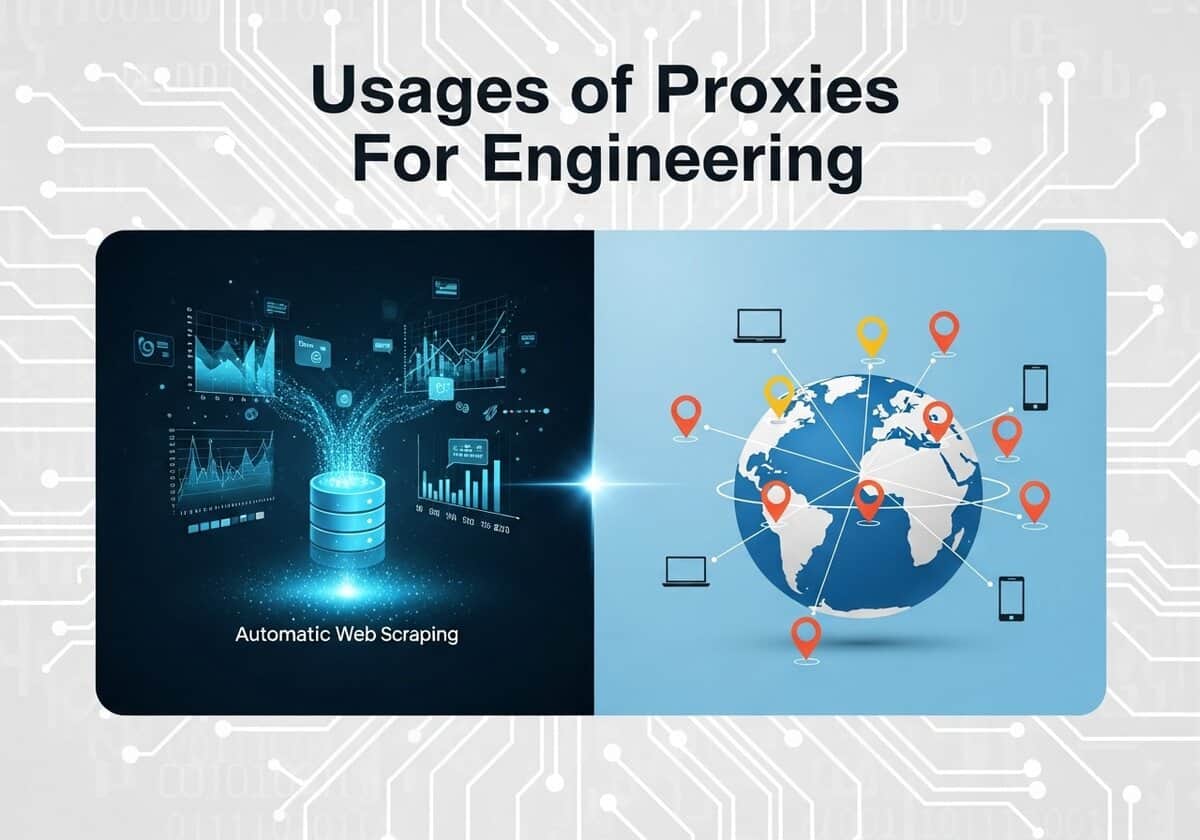
공학 및 과학 분야에서 발전은 이제 방대한 양의 데이터를 수집, 처리 및 분석하는 능력에 의해 좌우되는 경우가 많습니다. 프록시, 그리고 더 나아가 오픈 프록시는 자동화된 데이터 수집과 글로벌 규모의 테스트를 가능하게 함으로써 이러한 데이터 중심 활동에서 필수적인 도구 역할을 합니다. 과학자와 엔지니어는 연구를 위해 웹 소스에서 대규모 공개 데이터 세트를 수집해야 하는 경우가 많습니다. 예를 들어 정부 웹사이트에서 기후 데이터를 수집하거나, 온라인 포럼에서 언어 코퍼스를 구축하거나, 시장 데이터를 집계하여 경제 모델을 학습시키는 것 등이 있습니다. 단일 IP 주소에서 수천 건의 요청을 보내면 곧바로 차단되겠지만, 프록시 풀을 통해 트래픽을 라우팅하면 이러한 자동화 스크립트가 중단 없이 실행될 수 있습니다.

대리 지표의 유용성은 데이터 수집을 넘어 테스트의 중요한 단계까지 확장됩니다. 확인. 을 위한 소프트웨어 전 세계 사용자를 대상으로 애플리케이션을 개발하는 엔지니어에게 프록시는 서로 다른 지리적 위치에서의 사용자 경험을 시뮬레이션하는 데 필수적입니다. 예를 들어, 독일의 개발자는 일본에 위치한 프록시를 사용하여 웹사이트 현지화 테스트, 광고 배치 검증, 애플리케이션 성능 측정 등을 마치 현지 사용자처럼 수행할 수 있습니다. 마찬가지로, 네트워크 엔지니어는 외부 프록시를 활용하여 방화벽 구성의 안정성을 테스트할 수 있습니다.
이 글은 앞서 언급한 글의 보충 자료입니다. OSINT 기사:

독자 여러분은 저희가 무료로 지속적으로 업데이트하는 프록시 목록도 활용하실 수 있습니다.

프록시란 무엇인가요?
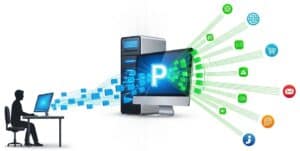
인터넷 프록시(종종 프록시 서버라고도 함)는 사용자와 인터넷 사이의 중간 관문 역할을 합니다. 사용자가 프록시를 통해 인터넷에 연결하면 웹 요청은 먼저 프록시 서버로 전송됩니다. 그러면 프록시 서버는 자신의 IP 주소를 사용하여 사용자를 대신해 해당 웹사이트 또는 온라인 리소스로 요청을 전달합니다. 이 과정은 사용자의 원래 IP 주소를 효과적으로 숨겨 익명성을 제공하고 마치 프록시 서버가 요청을 보내는 것처럼 보이게 합니다. 웹사이트는 요청된 정보를 다시 프록시로 보내고, 프록시는 이를 사용자에게 전달합니다. 제3자 서버를 통해 트래픽을 라우팅하는 이 기본적인 과정이 인터넷 프록시 작동 방식의 핵심입니다.
인터넷 프록시를 사용하면 보안, 개인 정보 보호 및 성능 측면에서 여러 가지 중요한 이점을 얻을 수 있습니다. 프록시는 사용자의 실제 IP 주소를 숨겨 온라인 개인 정보 보호를 강화하고 지역별 콘텐츠 제한을 우회하는 데 도움을 줄 수 있습니다. 기업이나 조직 환경에서 프록시는 인터넷 사용을 제어하고 악성 또는 부적절한 웹사이트에 대한 접근을 차단하는 방화벽 및 웹 필터로 자주 사용됩니다. 또한 자주 접속하는 웹 페이지를 캐싱(저장)하여 네트워크 성능을 향상시키고 이후 요청 시 더 빠른 접근을 가능하게 합니다. 전반적으로 프록시 서버는 중개자 역할을 함으로써 사용자와 조직에게 인터넷 트래픽에 대한 더 큰 제어권을 제공하고 보안 및 개인 정보 보호를 강화합니다.
오픈 프록시 '품질' 수준
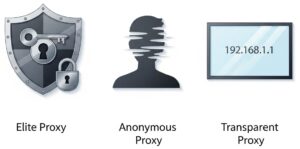
오픈 프록시는 사용자에게 제공하는 익명성 수준에 따라 여러 "품질" 등급으로 분류됩니다. 이러한 등급은 프록시 서버가 웹 서버로 요청을 전달할 때 클라이언트의 IP 주소 및 기타 식별 정보를 처리하는 방식에 따라 결정됩니다. 익명성 수준에 따라 구분되는 오픈 프록시의 세 가지 주요 등급은 엘리트 프록시, 익명 프록시, 투명 프록시입니다.
아래 설명된 내용은 일반적으로 정의되는 특징 및 동작임을 유의하십시오. (오류도 없고, 특별한 속임수도 없고, 악의적인 기능도 없는 경우).
1. 엘리트 프록시레벨 1 - 높은 익명성 엘리트 프록시는 높은 수준의 익명성을 제공하는 프록시로 널리 알려져 있으며, 최고 수준의 개인 정보 보호를 보장합니다. 엘리트 프록시를 사용하면 대상 서버는 프록시 사용 여부를 감지할 수 없습니다. 이러한 프록시는 사용자의 원래 IP 주소와 같이 사용자를 식별할 수 있는 정보를 전송하지 않습니다. 이를 위해 사용자의 요청에서 모든 식별 헤더를 제거합니다.
| 2. 익명 프록시레벨 2 - 중간 수준의 익명성 익명 프록시(또는 왜곡 프록시)는 적당한 수준의 익명성을 제공합니다. 대상 서버에서 사용자의 실제 IP 주소를 성공적으로 숨기지만, 요청이 프록시를 통해 이루어지고 있다는 사실은 드러냅니다. 이는 일반적으로 요청에 `Via` 헤더를 추가하거나 `X-Forwarded-For` 헤더에 프록시의 IP 주소를 전송함으로써 이루어집니다.
|
3. 투명 프록시레벨 3 - 익명성 없음 투명 프록시라고도 합니다.프록시 가로채기이러한 방식은 사용자에게 익명성을 제공하지 않습니다. 사용자의 실제 IP 주소를 그대로 전달합니다.X-전달됨-For` 헤더`를 포함하고 있으며, 또한 자신을 프록시 서버로 식별합니다. 이러한 프록시는 자주 방문하는 웹사이트에 대한 접근 속도를 높이기 위해 데이터를 캐싱하거나 조직에서 콘텐츠를 필터링하는 데 자주 사용됩니다.
| 위의 익명성 유형은 모두 공개 또는 비공개일 수 있습니다. 비교를 위해: 개인 프록시프라이빗 프록시는 일반적으로 단일 사용자 또는 소규모의 승인된 그룹에게만 할당되는 IP 주소입니다. 기본 기술은 다른 프록시와 동일하며, 익명 프록시 또는 엘리트 프록시로 구성할 수 있습니다. 차이점은 비즈니스 모델에 있는데, 사용자가 유일한 사용자이므로 해당 IP 주소를 통해 전송되는 트래픽을 완벽하게 제어할 수 있습니다(단, 서비스 및 제공업체 품질에 따라 다를 수 있습니다).
주요 사용 사례: 비즈니스에 매우 중요하고 위험 부담이 큰 업무. 여기에는 고부가가치 전자상거래 또는 소셜 미디어 계정 관리, 비즈니스 인텔리전스를 위한 대규모의 지속적인 데이터 스크래핑, 그리고 성능, 신뢰성 및 완벽한 지적 재산권 보호가 요구되는 모든 자동화 작업이 포함됩니다. 평판. |
프록시 프로토콜
익명성 수준(예: 엘리트)이나 접근 모델(예: 프라이빗)과는 별개로, 프록시 작동 방식을 정의하는 다양한 기술 프로토콜이 있습니다. 다음은 이러한 유형과 적용 사례에 대한 분석입니다.
HTTP/HTTPS 프록시웹 프록시는 웹 트래픽을 위해 특별히 설계된 가장 일반적인 유형의 프록시입니다. OSI 모델의 응용 계층(7계층)에서 작동하므로 HTTP 프로토콜을 이해합니다. '웹' 프록시는 HTTP/HTTPS 프록시를 나타내는 일반적인 용어이며, 'CONNECT'는 HTTPS 트래픽을 위한 보안 터널을 생성하는 데 사용하는 특정 명령어입니다. 웹 프록시: HTTP에서만 작동하고 HTTPS에서는 작동하지 않습니다.
CONNECT 프록시: 특히 HTTPS 트래픽의 터널링을 지원합니다. 터널이 설정되면 프록시는 클라이언트와 서버 간에 바이트를 검사하지 않고 전달하기만 합니다.
사용 사례: 일반 웹 브라우징, 웹 스크래핑, 콘텐츠 필터링 및 캐싱. 제한 사항: 웹 트래픽(HTTP, HTTPS, 경우에 따라 FTP)만 처리할 수 있습니다. 게임, 이메일 클라이언트 또는 대부분의 다른 애플리케이션의 트래픽은 처리할 수 없습니다. | 양말 프록시SOCKS(Socket Secure)는 HTTP보다 더 다재다능하고 하위 수준의 프로토콜입니다. OSI 모델의 세션 계층(5계층)에서 작동합니다. SOCKS는 '프로토콜에 독립적'이므로 통과하는 데이터의 내용을 이해하지 않고 단순히 회로를 생성하여 모든 유형의 인터넷 트래픽을 중계합니다. 양말4: 이것은 프로토콜의 이전 버전입니다.
양말5: 이것은 최신 버전이며, 더욱 안전하고 성능이 향상된 버전입니다. 선호되는 선택입니다..
|
투명 프록시기기에서 별도의 설정을 하지 않아도 연결을 가로채는 프록시입니다. 사용자는 자신이 프록시를 사용하고 있다는 사실조차 모를 수 있기 때문에 '투명'합니다. 이는 라우터 또는 방화벽을 통해 네트워크 수준에서 구현됩니다. 네트워크(예: 회사 사무실, 인터넷 회선)에서 발생하는 모든 트래픽은 차단됩니다. 학교(또는 공용 Wi-Fi 핫스팟)에 연결된 트래픽은 자동으로 해당 네트워크를 통해 라우팅됩니다.
| 리버스 프록시일반적인 ("포워드") 프록시와는 반대로, 리버스 프록시는 클라이언트(사용자)를 대신하여 작동하는 대신 서버 또는 서버 그룹을 대신하여 작동합니다. 리버스 프록시는 하나 이상의 웹 서버 앞에 위치합니다. 인터넷에서 들어오는 모든 요청은 먼저 리버스 프록시로 전송됩니다. 그런 다음 프록시는 어떤 백엔드 서버가 해당 요청을 처리해야 하는지 결정합니다. 외부에서는 서버가 하나만 있는 것처럼 보입니다.
|
| 프로토콜/레이어 | 주요 특징 | 일반적인 사용 사례 | |
| HTTP 프록시 | HTTP / 레이어 7 | 웹 트래픽을 이해하고 콘텐츠를 캐싱할 수 있습니다. | 기본 웹 브라우징 및 스크래핑. |
| HTTPS 프록시 | 연결 / 레이어 7 | HTTPS를 위한 안전하고 검사되지 않는 터널을 생성합니다. | 안전한 웹 브라우징. |
| SOCKS4 프록시 | 양말 / 5번째 레이어 | TCP 트래픽 릴레이, 인증 없음. | 기존 애플리케이션은 간단한 터널링을 지원합니다. |
| SOCKS5 프록시 | 양말 / 5번째 레이어 | TCP 및 UDP, 인증, 원격 DNS를 지원합니다. | 게임, 스트리밍, 토렌트 사용 등 높은 수준의 개인 정보 보호가 필요한 작업. |
| 투명 프록시 | 네트워크 레벨 | 사용자 설정 없이 자동으로 트래픽을 차단합니다. | 기업/학교 콘텐츠 필터링. |
| 리버스 프록시 | 서버 측 | 서버 요청을 관리합니다. | 로드 밸런싱, 보안, SSL 종료. |
'무료' 및 '오픈' 프록시에 대한 오해
조직들이 자발적으로 오픈 프록시를 호스팅하는 경우는 드뭅니다.
보안 및 법적 위험이 크기 때문에 대부분의 조직은 의도적으로 공개 프록시 서버를 제공하지 않습니다. 공개 프록시 서버는 인터넷상의 모든 사용자가 인증 절차 없이 트래픽을 전송할 수 있도록 허용하는 서버입니다. 사용자는 이를 통해 익명성을 확보하고 지역 제한을 우회할 수 있지만, 서버를 호스팅하는 조직에게는 심각한 위협이 됩니다.
조직 서버에서 개방형 프록시가 존재하는 대다수의 경우는 설정 오류로 인해 발생합니다. 내부용으로 설계된 프록시가 실수로 공용 인터넷에 노출되는 경우가 그 예입니다..
의도치 않게 개방된 서버는 악의적인 공격자에게 매력적인 표적이 됩니다. 이러한 서버는 사이버 공격의 발신지 은폐, 악성코드 배포, 스팸 발송, 피싱 캠페인 등 다양한 불법 활동에 악용될 수 있습니다. 서버가 이러한 목적으로 사용되는 조직은 IP 평판이 손상되어 다른 네트워크 및 서비스에서 정상적인 트래픽이 차단될 수 있습니다. 또한, 법적 책임을 져야 할 뿐만 아니라 자원의 무단 사용으로 인해 상당한 대역폭 비용을 부담하게 될 수도 있습니다.
극히 드물고 특정한 경우에 한해, 조직이 의도적으로 공개적으로 접근 가능한 프록시 서버를 운영할 수 있습니다. 대표적인 예로는 보안 연구가 있는데, 이 경우 공개 프록시 서버는 사이버 범죄자를 유인하고 그들의 행동을 연구하기 위한 '허니팟' 역할을 합니다. 과거에는 일부 학술 기관이나 비영리 단체가 인터넷 자유를 증진하고 사용자들이 검열을 우회할 수 있도록 돕기 위해 공개 프록시 서버를 운영하기도 했습니다. 그러나 악용 가능성이 높고 관련 위험이 크기 때문에 이러한 관행은 현재 거의 사라졌습니다.
결론적으로, 기업 서버에 오픈 프록시가 존재한다는 것은 의도적인 서비스 제공이라기보다는 보안 취약점을 나타내는 강력한 지표입니다. 익명의 잠재적으로 악의적인 트래픽 유입을 조장하는 위험성은 조직이 얻을 수 있는 이점보다 훨씬 큽니다.
Expert tip: 위에서 언급했듯이, 이는 설정 오류의 결과일 수 있습니다. 또한 유명한 사례를 기억해야 합니다. 마케팅 말해 보세요: “제품이 무료라면, 당신이 바로 그 제품입니다.익명성이 당신의 삶에 달려 있다면, 출처를 정확히 알지 못하는 한 프록시에 의존하지 마십시오 (그리고 최소한 다음 사항을 준수하십시오).엘리트(위에서 설명한 수준).
오픈 프록시 vs. VPN
언뜻 보면 오픈 프록시와 VPN(가상 사설 네트워크)은 모두 IP 주소를 숨기고 인터넷 트래픽을 우회한다는 점에서 비슷해 보일 수 있습니다. 그러나 두 서비스의 기술적 차이점으로 인해 보안, 개인 정보 보호 및 온라인 자유에 미치는 영향은 매우 다릅니다. 근본적인 차이점은 암호화 방식과 시스템 내에서 작동하는 암호화 수준에 있습니다.
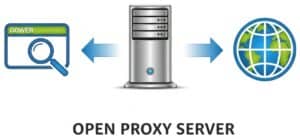
오픈 프록시는 웹 요청을 위한 간단한 중개자 역할을 하는 서버입니다. 브라우저나 다른 애플리케이션에서 프록시를 사용하도록 설정하면 해당 애플리케이션의 트래픽이 프록시 서버로 전송되고, 프록시 서버는 이를 인터넷상의 목적지로 전달합니다. 이 과정을 통해 방문하는 웹사이트에서 사용자의 실제 IP 주소를 숨길 수 있습니다. 그러나 대부분의 오픈 프록시는 암호화가 되지 않는다는 중요한 기술적 단점을 가지고 있습니다. 즉, 목적지 웹사이트에서는 IP 주소가 숨겨질 수 있지만, 주고받는 데이터는 프록시 서버 운영자나 사용자와 프록시 간의 트래픽을 모니터링하는 사람에 의해 가로채지고 읽힐 수 있습니다. 또한, 프록시는 일반적으로 OSI 모델의 애플리케이션 계층(7계층)에서 작동하므로, 프록시를 사용하도록 구성된 특정 애플리케이션의 트래픽만 처리하고 나머지 인터넷 트래픽은 노출된 상태로 유지합니다.
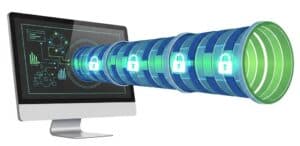
반면 VPN은 모든 인터넷 트래픽에 대해 암호화된 '터널'을 생성하여 훨씬 더 강력하고 안전한 솔루션을 제공합니다. VPN에 연결하면 특정 애플리케이션의 트래픽뿐만 아니라 기기에서 나가는 모든 데이터가 암호화됩니다. 암호화된 데이터는 VPN 서버로 전송되어 복호화된 후 최종 목적지로 전달됩니다. 이 과정을 통해 거의 모든 트래픽이 안전하게 보호됩니다. 엔드투엔드 암호화는 인터넷 서비스 제공업체(ISP), 네트워크 관리자 또는 악의적인 공격자가 사용자의 온라인 활동을 엿볼 수 없도록 보장합니다. 기술적으로 VPN은 OSI 모델의 하위 계층, 일반적으로 네트워크 계층(3계층) 또는 데이터 링크 계층(2계층)에서 작동합니다. 이를 통해 VPN은 사용자의 장치에서 발생하는 모든 네트워크 트래픽을 캡처하고 암호화하여 포괄적인 보안을 제공합니다.
위험과 이점을 비교 검토하기
오픈 프록시와 VPN 중 어떤 것을 선택할지는 비용, 편의성, 보안 사이의 절충안에 달려 있습니다.
| 오픈 프록시 | VPN | |
| 이익 | 가장 큰 장점이자 유일한 장점은 일반적으로 무료로 사용할 수 있다는 점입니다. 이를 통해 간단한 지역 제한을 우회하거나 민감하지 않은 웹 브라우징 시 IP 주소를 숨길 수 있습니다. | VPN의 가장 큰 장점은 강력한 암호화를 통한 보안입니다. 덕분에 공용 Wi-Fi를 안전하게 사용할 수 있고, 민감한 데이터가 감시당하는 것을 방지할 수 있습니다. VPN은 또한 IP 주소를 숨기고 인터넷 연결 전체를 암호화하여 높은 수준의 개인 정보 보호와 익명성을 제공합니다. 신뢰할 수 있는 VPN 서비스는 여러 국가에 서버를 두고 안정적인 연결을 제공하므로 검열과 지역 제한을 우회하는 데 더욱 효과적입니다. |
| 위험 | 이러한 프록시 사용에는 상당한 위험이 따릅니다. 누구나 접근할 수 있기 때문에 악의적인 목적으로 악용될 가능성이 높으며, 이로 인해 프록시의 IP 주소가 블랙리스트에 올라 많은 웹사이트에 접속할 수 없게 될 수 있습니다. 더욱 심각한 것은 암호화가 되어 있지 않아 비밀번호나 개인 정보 등 사용자의 데이터가 프록시 운영자 또는 동일 서버에 있는 다른 악의적인 사용자에게 쉽게 가로채이고 도난당할 수 있다는 점입니다. 많은 오픈 프록시 서버는 의도치 않게 잘못 구성되어 불안정하고 신뢰할 수 없는 경우가 많습니다. | VPN 사용 시 가장 큰 위험은 VPN 제공업체에 대한 신뢰도에 달려 있습니다. 정직하지 못한 VPN 제공업체는 사용자의 온라인 활동을 기록할 가능성이 있습니다. 따라서 엄격한 무로그 정책을 시행하는 평판이 좋은 VPN을 선택하는 것이 매우 중요합니다. 암호화 과정으로 인해 인터넷 속도가 약간 저하될 수 있지만, 프리미엄 VPN 서비스의 경우 이러한 속도 저하는 거의 무시할 수 있는 수준입니다. 마지막으로, 대부분의 오픈 프록시와 달리 고품질 VPN 서비스는 일반적으로 구독료를 지불해야 합니다. |
How to Configure and Use Proxies

Most of the applications below will use the same basic technical setup. First, you need to find a list of public open proxies online. These lists will provide an IP address and a port number (e.g., `198.51.100.1:8080`). It’s important to know the type you’re using. The vast majority of open proxies are HTTP/HTTPS proxies, which only handle web traffic. Less common are SOCKS proxies (usually SOCKS4 or SOCKS5), which can handle any kind of internet traffic (web, email, torrents, etc.).
The instructions below primarily focus on HTTP/HTTPS versions unless specified otherwise:
Case 1: System-Wide Configuration (Operating Systems)
Configuring the proxy at the operating system level attempts to route all applicable internet traffic from your computer through the proxy.
Windows 10 & 11This 방법 affects most applications that respect the system’s internet settings, including browsers like Edge and Chrome.
| macOSmacOS allows you to set proxy settings per network interface (e.g., separately for Wi-Fi and Ethernet).
|
Linux (GNOME Desktop – e.g., Ubuntu, Fedora)Most Linux desktop environments have a graphical interface for this.
| Linux (Command Line Environment)For server environments or for tools that run in the terminal, you can set environment variables. This is a powerful, session-specific method.
|
iOS (iPhone/iPad)Proxy settings on iOS are configured on a per-Wi-Fi-network basis.
| AndroidLike iOS, Android proxy settings are typically set for each individual Wi-Fi network.
|
Case 2: Application-Specific Configuration
Sometimes you only want a specific program to use a proxy.
Chrome

Configuring a proxy in Google Chrome is a straightforward process, but it’s important to understand that Chrome does not have its own independent proxy settings. Instead, it directs you to your computer’s operating system settings to make changes. This means that when you set a proxy through Chrome’s interface, the settings will apply system-wide, affecting other browsers and applications as well.
This initial process is the same for both Windows and macOS:
- Open Google Chrome.
- Click the three vertical dots (⋮) in the top-right corner of the browser window to open the menu.
- Select “Settings” from the dropdown menu.
- In the left-hand navigation menu, click on “System220.
- Click the option labeled “Open your computer’s proxy settings220.
From this point, Chrome will open your operating system’s native proxy configuration window. The steps will now differ depending on whether you are using Windows or macOS: you must refer to the two chapters above dedicated to either Windows 10 & 11 or macOS.
Alternative method: using Proxy Manager Extensions. If you need to switch between different proxies frequently or want proxy settings that only apply to Chrome, the best solution is to use a browser extension. Extensions like FoxyProxy or Oxy Proxy create a simplified interface within Chrome, allowing you to enable, disable, and switch between proxy profiles without altering your system-wide settings. This method offers more flexibility and is ideal for users who need to manage multiple proxy configurations.
Firefox

Firefox can maintain its own proxy settings, independent of the operating system.
- Click the menu button (three horizontal lines) and go to Settings.
- In the General panel, scroll down to the Network Settings section.
- Click the Settings… button.
- Select the Manual proxy configuration radio button.
- Enter the IP address and port for the HTTP 프록시.
- It’s recommended to also check the box for “Also use this proxy for HTTPS220.
- Alternatively, if you have a SOCKS proxy, you would enter its details in the SOCKS Host field.
- Click OK.
Scripts & Code: Python `requests` example
For automated tasks like web scraping, one option is to define the proxy directly in your 파이썬 code like this:
[dm_code_snippet background=”yes” background-mobile=”yes” slim=”no” line-numbers=”no” bg-color=”#abb8c3″ theme=”dark” language=”python” wrapped=”no” height=”700px” copy-text=”Copy Code” copy-confirmed=”Copied”]
import requests
# Define the proxy server's address and port
proxy_ip_port = '198.51.100.1:8080'
# Create a dictionary specifying the proxy for both HTTP and HTTPS traffic
proxies = {
'http': f'http://{proxy_ip_port}',
'https': f'https://{proxy_ip_port}',
}
try:
# The 'proxies' argument tells the requests library to send this specific request through the proxy
response = requests.get('https://api.ipify.org?format=json', proxies=proxies, timeout=10)
print("Request sent through proxy. My apparent IP is:", response.json()['ip'])
except requests.exceptions.ProxyError as e:
print(f"Failed to connect to the proxy: {e}")
except requests.exceptions.RequestException as e:
print(f"An error occurred: {e}")[/dm_code_snippet]
20 Proxy Applications
It is crucial to understand that while “open” proxies are often free, they come with significant risks, including slow speeds, unreliability, and potential exposure of your data to the unknown proxy operator. For any sensitive or commercial application, using a reputable private proxy service or a VPN is strongly recommended. However, for non-sensitive tasks, there are numerous legal applications for open proxies.
Data Collection & Market Intelligence

1. Price Comparison
To gather pricing information for a specific product from dozens of e-commerce websites automatically. Many large retail sites show different prices based on the user’s geographical location or block too many requests from a single IP address. Proxies allow you to circumvent these blocks and check regional pricing.
This is typically done using an automated script (a web scraper). The script is configured to rotate through a list of open proxies for each request or after a certain number of requests, making the traffic appear to come from many different users.
팁: to handle dynamic pricing on modern websites that use JavaScript, use a headless browser automation tool like Puppeteer or Selenium. Configure it to route its traffic through your proxy and add a random delay between requests. This more accurately mimics human behavior and is less likely to be detected and blocked by anti-scraping 기술.
2. Market Research

To collect publicly available data on market trends, competitor activities, and customer sentiment from forums, news sites, and social media. Using proxies from different regions can reveal location-specific trends or product availability.
Similar to price comparison, this involves web scraping. The script would target specific forums or websites and would need to handle proxy rotation to avoid being blocked during large-scale data collection.
팁: when scraping, rotate the `User-Agent` string in your HTTP headers in conjunction with your proxy rotation. Matching a common User-Agent (e.g., a recent Chrome browser on Windows 10) to the proxy’s geographical location (e.g., an American IP) creates a more believable request signature and reduces the chance of receiving a CAPTCHA or block.
3. SEO Auditing & Rank Tracking
Search Engine Optimization (SEO) professionals need to check how their websites and specific keywords rank on search engines from different parts of the world. A search for “best pizza” will yield different results in New York versus Naples. Proxies allow them to simulate searches from anywhere.
SEO tools (like Screaming Frog or custom scripts) can be configured with a list of proxies. Each proxy from a different country or city is used to send a query to the search engine, and the results page is saved for analysis.
팁: for high accuracy with search engines like Google, which are very aggressive at blocking data centers, prioritize “residential” open proxies if you can find them. These are IP addresses from real residential ISPs, making your requests appear as legitimate organic traffic and significantly reducing the likelihood of being blocked or served altered results.
4. Academic Research

Researchers in fields like social sciences or linguistics often need to collect large datasets from public web sources (e.g., public comments on news articles, forum discussions). Proxies are used to gather this data without being rate-limited or blocked by the source website.
A researcher would write a script (e.g., in Python with libraries like BeautifulSoup or Scrapy) and configure it to use a list of open proxies to distribute the requests over many IP addresses.
팁: always code your scraper to first check and respect the website’s `robots.txt` file (e.g., `http://example.com/robots.txt`), even when using proxies. For ethical research and data reproducibility, log which proxy was used for each request and implement a robust error-handling mechanism to retry failed requests with a different proxy.
5. Travel Fare Aggregation

To find the best deals on flights and hotels. Airline and travel websites are notorious for using dynamic pricing, showing different fares based on your location, browsing history, and demand. Proxies allow users to check prices from different countries, which can sometimes result in significant savings.
A scraping script or even a manual user can configure their browser with a proxy located in a different country to check for lower prices. The key is to clear cookies or use an incognito window for each new location check.
팁: to combat dynamic pricing effectively, manage sessions meticulously. Use a separate cookie jar for each proxy/region combination. This makes the server believe each search is from a new, independent user, preventing it from increasing the price based on your repeated queries from other IPs.
6. Public Data Aggregation
For collecting large amounts of publicly available data from government websites, financial portals, or weather services for analysis or to power an application. These portals may limit the number of API calls or requests from a single IP.
This requires an automated script that rotates through a pool of proxies to make many thousands of requests without hitting rate limits.
팁: create a tiered proxy management system. Test your list of open proxies in advance and classify them based on speed and reliability. Use your fastest, most reliable proxies for initial discovery and API calls, and relegate the slower, less stable proxies to downloading large, static files where speed is less critical.
Testing & Development
7. Ad Verification
Companies spend large sums on online advertising and need to verify that their ads are being displayed correctly to the target audience in the right geographical locations and are not being shown on inappropriate websites. Proxies allow them to view their ads as if they were a user in that target region.
Ad verification services use automated tools that cycle through proxies in various countries and cities. They visit websites where the ads are supposed to appear, take screenshots, and verify the ad’s display and landing page link.
팁: specifically seek out mobile proxies (IPs from 3G/4G/5G mobile carriers) for this task. Mobile ad targeting is often vastly different from desktop targeting, and using a mobile proxy is the only way to accurately verify how an ad campaign is being delivered to mobile device users.
8. Website Localization Testing

To ensure that a website displays the correct language, currency, content, and formatting for users in different countries. A developer in the US can use a proxy in Japan to see exactly what a Japanese user would see.
A Quality Assurance (QA) tester or developer manually configures their browser with a proxy from the target country. They then navigate the website to check for localization errors. This can also be automated with testing frameworks like Selenium.
팁: go beyond content verification. Use browser developer tools (like the Network tab) while connected through the proxy to analyze the performance of your Content Delivery Network (CDN). This allows you to confirm that assets like images and scripts are being served from the correct regional CDN edge node, ensuring a fast experience for global users.
9. Application Performance Testing
To simulate traffic from geographically diverse locations to see how a web application or website performs under a distributed load. This helps identify bottlenecks and ensures a good 사용자 경험 for a global audience.
Load testing tools (like JMeter or Gatling) can be configured to route their simulated user traffic through a list of different open proxies, creating a more realistic global load scenario.
팁: for advanced resilience testing, use a tool like `proxychains` on a Linux system to create multi-hop proxy chains. Routing traffic through several proxies in sequence simulates high-latency network paths, allowing you to test how your application performs for users on slow or unstable internet connections.

10. Mobile Application Testing
To test how a mobile app functions under different network conditions and from various geographic locations. This helps ensure the app’s APIs and content delivery networks are working correctly for a global user base.
A mobile device is configured to use a proxy. On both Android and iOS, you can go into the Wi-Fi settings for a specific network and manually configure an HTTP proxy by entering the IP and port of the open proxy server.
팁: instead of just using the mobile device, configure it to route traffic through a proxy-aware debugging tool like Charles Proxy or Fiddler running on your desktop. This man-in-the-middle setup allows you to inspect all incoming and outgoing API requests from the app in real-time, making it invaluable for debugging and security testing.
Security & Privacy
11. Cybersecurity Research (Honeypots)

Security researchers intentionally set up open proxies as “honeypots.” These servers attract malicious actors who use them to launch attacks. By logging all the traffic that passes through, researchers can study new attack methods and malware in a controlled way.
This is an advanced use case. A researcher would set up a server with proxy software and extensive logging. The server is intentionally left open and its IP is often published in public proxy lists to attract attackers.
팁: configure the server as a *transparent* proxy and integrate it with an Intrusion Detection System (IDS) like Snort or Suricata. A transparent proxy captures all traffic without requiring user configuration, and the IDS can automatically flag, categorize, and alert on malicious traffic patterns in real-time.

12. Bypassing Censorship for Information Access
For journalists, researchers, and individuals in regions with heavy internet censorship, an open proxy can be a lifeline to access blocked global news sites, social media, and other information resources.
A user would configure their web browser with the address of an open proxy located in a country with no such censorship. This allows them to bypass their local network’s filters.
팁: prioritize finding an open SOCKS5 proxy over a standard HTTP proxy. SOCKS5 operates at a lower level (Layer 5) than HTTP proxies (Layer 7), meaning it can handle any kind of traffic, including for messaging apps, email clients, and torrents, not just web browsing.
13. Brand Protection & Trademark Enforcement

To scan the internet, including online marketplaces and forums in different countries, for counterfeit goods, pirated content, or unauthorized use of a company’s 심벌 마크 and trademarks.
This involves automated web crawlers that are configured to use country-specific proxies to access local versions of popular e-commerce and auction sites to identify infringing listings.
팁: combine your proxy-powered crawler with Optical Character Recognition (OCR). After taking screenshots of potentially infringing pages, use an OCR library (like Tesseract) to scan the images for your brand name or logo. This helps detect trademark abuse even when the logo is embedded within an image and not mentioned in the text.
14. Penetration Testing Reconnaissance
In the initial, non-intrusive phase of a security audit (penetration test), a security professional might use open proxies to probe a client’s public-facing servers. This helps test the client’s detection and logging capabilities without revealing the tester’s own IP address.
Security tools used for reconnaissance can be configured to route their traffic through a chain of proxies. This is often done using a tool like `proxychains` on a Linux system.
팁: when building a proxy chain for maximum obfuscation, select proxies located in different, non-cooperative legal jurisdictions. Chaining a request through servers in countries with weak or conflicting data-sharing laws makes a forensic traceback by the target’s security team exponentially more difficult and time-consuming.
15. Testing Firewall Rules
A network administrator can use an external open proxy to test if their organization’s firewall is correctly configured. By attempting to access their own network from the proxy, they can verify that rules designed to block traffic from certain locations or of certain types are working as intended.
The administrator would configure a machine outside their network (e.g., a cloud server) to use an open proxy, then attempt to connect to services inside their network.
팁: don’t just test web traffic. Source a list of open proxies that support multiple protocols (e.g., FTP, SOCKS, SMTP) and attempt connections on those ports. This provides a more comprehensive test of your firewall’s rule-set beyond just blocking standard HTTP/HTTPS traffic.
Social Media & Content
16. Managing Multiple Social Media Accounts

Social media managers or marketing agencies that handle multiple accounts for different clients on platforms like Instagram or X (formerly Twitter) use proxies to avoid being flagged for suspicious activity. Logging into many accounts from one IP address can trigger a ban.
They use specialized social media management software that allows assigning a different proxy to each account. This makes it appear as though each account is being managed from a separate location.
팁: for each account, create a persistent “digital fingerprint” that is permanently tied to its assigned proxy. Use a tool like an anti-detect browser that allows you to save a unique profile for each account, including its own cookies, user-agent, screen resolution, and browser plugins. This consistency makes each account’s activity appear far more legitimate.
17. Accessing Geo-Restricted Content
To access streaming media, news articles, or videos that are legally free to watch but are restricted to a specific country. For example, watching a broadcast on the BBC iPlayer, which is only available to users in the UK.
A user outside the UK would find an open proxy located in the UK and configure their browser to use it, thereby making it appear to the BBC’s servers that they are in the correct location.
팁: before streaming, check for DNS leaks using a site like `dnsleaktest.com`. Even if your browser traffic is routed through the proxy, your operating system might still send DNS queries to your local ISP, revealing your true location. Use a browser extension or system setting that forces DNS resolution to also go through the proxy.
18. Online Review Monitoring

Businesses collect and analyze customer reviews from numerous websites (like Yelp, Google Maps, TripAdvisor) to gauge public opinion. Proxies help automate this process without the scraper’s IP getting blocked.
A script is used to visit a list of review pages. A new proxy is used for every few requests to avoid CAPTCHAs and IP blocks.
팁: instead of scraping the visible HTML, inspect the page’s source for structured data snippets (like JSON-LD or Schema.org markup). This data is intended for search engines and often contains all the review information (rating, author, date, text) in a clean, easy-to-parse format, making your scraper faster and less prone to breaking when the visual layout of the site changes.
19. Real Estate Listing Aggregation
To gather data on property listings from various real estate websites for market analysis, investment purposes, or to create a meta-search engine.
This is another web scraping application where rotating through a list of open proxies is essential to collect a large volume of listings without being blocked by the target real estate sites.
팁: monitor the website’s network traffic using your browser’s developer tools as you search for properties. Many modern real estate sites load listings dynamically via an internal API. Scraping this API directly (by mimicking the requests it sends) is far more efficient and reliable than parsing the full HTML of the page.
20. Bypassing Local Network Restrictions
Students or employees sometimes use open proxies to access websites (such as social media, news, or personal email) that are blocked on their school or corporate network. This usage must be in compliance with the organization’s acceptable use policy.
The user configures the proxy directly in their device’s operating system or browser settings to bypass the local network’s filtering system.
팁: find an open ones that supports SSL/HTTPS encryption and runs on port 443. Because port 443 is the standard port for all encrypted web traffic, it is almost never blocked by network firewalls. Routing your traffic through such a proxy makes it appear as standard, encrypted web activity, rendering it nearly invisible to basic network filters.
결론

Proxies provide a fundamental mechanism for decoupling a digital request from its physical origin, a capability that serves as a core enabler for modern, data-intensive engineering and science. This allows researchers and developers to systematically gather global information and validate distributed systems in a way that would otherwise be impractical or impossible.
The choice between using a volatile open proxy versus a managed private one is therefore a critical decision, governed by the same principles of risk assessment and resource allocation inherent to any scientific endeavor. While open versions offer a zero-cost entry point for exploratory or non-sensitive tasks, a more stable and secure proxy infrastructure becomes an essential investment for any project where the reliability of the process and the integrity of the results are non-negotiable.
관련 주제
- Network security protocols: understanding protocols like SSL/TLS for secure data transmission.
- Load balancing techniques: methods to distribute network traffic efficiently across multiple servers.
- Content Delivery Networks (CDNs): utilizing CDNs to enhance the speed and reliability of content delivery.
- Data encryption methods: techniques for encrypting data to protect sensitive information during transmission.
- Virtual Private Networks (VPNs): exploring the use of VPNs for secure remote access and data protection.
- Web scraping techniques: methods for extracting data from websites, often used in conjunction with proxies.
- Anonymization techniques: strategies for masking user identity and location online.
- Performance monitoring tools: tools and methods for tracking the performance of proxies and related services.
- Network topology design: designing efficient network structures to optimize data flow and reduce latency.
- Quality of Service (QoS): techniques for prioritizing certain types of network traffic to ensure performance.
- Distributed systems architecture: understanding the principles of building scalable and resilient distributed systems.
- Regulatory compliance in data handling: understanding laws and 규정 governing data privacy and usage.
External Links on
국제 표준
(링크 위에 마우스를 올려놓으면 콘텐츠에 대한 설명을 볼 수 있습니다.)
사용된 용어집
Application Programming Interface (API): 서로 다른 소프트웨어 애플리케이션이 통신하고 상호 작용할 수 있도록 하는 규칙 및 프로토콜 집합으로, 시스템 간 기능 통합 및 데이터 교환을 가능하게 합니다.
Computed Tomography (CT): X선과 컴퓨터 처리를 이용하여 인체의 단면 이미지를 생성하는 의료 영상 기술로, 내부 구조와 조직을 자세히 시각화할 수 있게 해줍니다. 2차원 데이터를 3차원 이미지로 표현함으로써 진단 능력을 향상시킵니다.
Conversion Rate (CR): 웹사이트 또는 랜딩 페이지 방문자 중 구매 또는 뉴스레터 구독과 같은 원하는 행동을 완료한 방문자의 비율로, 전환 수를 전체 방문자 수로 나누어 계산합니다.
Open Source Intelligence (OSINT): 공개적으로 이용 가능한 소스에서 정보를 수집하여 실행 가능한 인텔리전스를 생성하며, 이는 보안, 법 집행 및 비즈니스 분석에 자주 활용됩니다. 소스에는 웹사이트, 소셜 미디어, 출판물 및 데이터베이스가 포함되며, 이를 통해 은밀한 방법을 사용할 필요 없이 통찰력을 얻을 수 있습니다.
Point of Purchase (POP): 소비자가 구매 결정을 내리는 장소에 진열대, 간판 또는 판촉물을 배치하여 충동구매를 유도하고 소매점에서 제품 가시성을 높이는 것을 목표로 하는 마케팅 전략.
Surface-Mount Technology (SMT): 인쇄회로기판 표면에 전자 부품을 직접 조립하는 방식으로, 소자의 밀도를 높이고 크기를 줄일 수 있습니다. 솔더 페이스트와 리플로우 솔더링 기술을 사용하여 부품을 접착합니다. 고속 완전 자동화 기계 조립에 최적화되어 있지만, 수동 조립도 가능합니다.
Toyota Production System (TPS): 폐기물 감소, 지속적인 개선, 효율적인 생산 흐름을 강조하는 제조 방법론으로, 적시생산(Just-In-Time) 및 지도가(Jidoka)와 같은 기술을 활용하여 품질과 운영 효율성을 향상시킵니다.
User experience (UX): the overall satisfaction and perception of a user when interacting with a product, system, or service, encompassing usability, accessibility, design, and emotional response throughout the entire interaction process.
User Datagram Protocol (UDP): 연결을 설정하지 않고 데이터그램을 전송할 수 있는 연결 없는 전송 계층 프로토콜로, 최소한의 오류 복구 서비스만 제공합니다. 스트리밍이나 온라인 게임처럼 속도가 안정성보다 우선시되는 빠르고 효율적인 데이터 전송이 필요한 애플리케이션에 적합합니다.
Virtual Private Network (VPN): 인터넷 트래픽을 암호화하고 사용자의 IP 주소를 숨겨 개인 정보 및 데이터 무결성을 유지하면서 공용 네트워크를 통해 사설 네트워크에 원격으로 액세스할 수 있도록 하는 안전한 연결 방식입니다.
Voice Over IP (VoIP): 인터넷 프로토콜(IP) 네트워크를 통해 음성 통신 및 멀티미디어 세션을 가능하게 하는 기술로, 사용자가 기존 전화선 대신 광대역 인터넷을 사용하여 전화를 걸 수 있도록 합니다. 이 기술은 오디오 신호를 전송을 위한 디지털 데이터 패킷으로 변환합니다.