Online CSV Viewer and Checker compared with Microsoft Excel, Google Sheets and LibreOffice Calc| Online CSV Viewer and Checker | Microsoft Excel | Google Sheets | LibreOffice Calc |
|---|
| サイズ制限: The free plan on the vendor pricing page lists a 50 MB maximum file size and 100 records per file. Paid plans raise this to 200,000 and then 400,000 records per file. | サイズ制限: A worksheet holds 1,048,576 rows by 16,384 columns, and CSV import and export are limited to the same size. | サイズ制限: Files created in or converted to Google Sheets can hold up to 20 million cells or 100 MB. The Drive help page does not state a column limit. | |
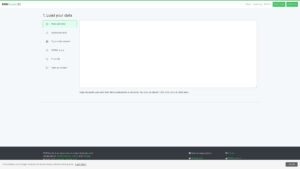
| Loading and parsing control: Data is loaded by file upload, paste or URL. The page also lists an Amazon S3 connector, with Google Drive, Dropbox and SFTP marked as coming soon. The stated purpose is to locate quote problems in a corrupted CSV without opening a heavier tool. | Loading and parsing control: Data > From Text/CSV opens Power Query with a delimiter picker and live preview. Opening a .csv directly applies default data formats, which can alter columns such as those with leading zeros. | Loading and parsing control: File > Import lets you pick the separator: detect automatically, tab, comma or a custom character. Six import modes decide whether the data replaces, appends or goes into a new sheet. | Loading and parsing control: The Text Import dialog sets the separators and the text delimiter to match the file quote character. Fields that contain a comma must be wrapped in quotes. |
| Formats handled: Besides CSV, the page lists Avro, Excel, JSON, Parquet, PDF, TSV and XML as source types. Export to other formats is the second stated use, and the exact list is not given on the viewer page. | Formats handled: Save As writes CSV (comma delimited) or tab-delimited text. Only the active worksheet is saved, and features specific to Excel are lost. | Formats handled: Import accepts .xls, .xlsx, .xlsm, .ods, .csv, .txt, .tsv and .tab files, among other spreadsheet types. | |
| プラットフォームとコスト: Runs in the browser. The vendor lists a free plan, a 3-day pass as a one-time purchase and a Professional subscription plan. | プラットフォームとコスト: The support page for this import procedure covers Windows-based Excel only. | | プラットフォームとコスト: Desktop builds are offered for Windows, macOS and Linux on the LibreOffice download page. The page does not state a price. |