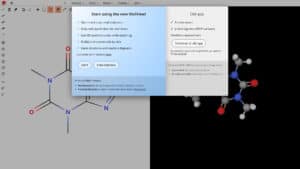
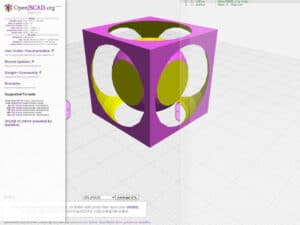
著名作品的在线分支版本 OpenSCAD 三维实体程序建模器。
完整的代码也可以在 GitHub 上找到,供您自行安装。
这是一个方便的在线版本,可用于初步测试 OpenSCAD(要获得完整功能,我们建议在本地安装最新版的 OpenSCAD,它具有 100% 的功能,并且也列在本目录中)。

著名作品的在线分支版本 OpenSCAD 三维实体程序建模器。
完整的代码也可以在 GitHub 上找到,供您自行安装。
这是一个方便的在线版本,可用于初步测试 OpenSCAD(要获得完整功能,我们建议在本地安装最新版的 OpenSCAD,它具有 100% 的功能,并且也列在本目录中)。
| 在线 OpenSCAD 游乐场 | Autodesk Fusion | SolidWorks | FreeCAD |
|---|---|---|---|
| Modelling approach: You write a .scad script and the tool renders it to a solid. Geometry comes from code, so every dimension is a variable that can be changed and re-rendered. The playground also offers a Customizer for adjusting parameters without editing code. | Modelling approach: Interactive modelling in a graphical interface, driven by sketches and features. The software is now marketed as Autodesk Fusion. Unlike the playground, no code is needed for ordinary parts. | Modelling approach: Interactive part and assembly modelling with 2D drawings, sold as 3DEXPERIENCE SOLIDWORKS. Design intent lives in a feature tree, not in a script as it does in the playground. | Modelling approach: Interactive parametric modelling, where all objects are natively parametric. It has workbenches for CSG, 2D drafting, NURBS surfaces, BIM, 3D printing, CNC and finite element analysis, plus Python scripting. |
| 平台和安装: Runs in the browser as a WebAssembly build of OpenSCAD with a Monaco code editor, so nothing is installed. It can also be installed as a PWA and is meant to work offline once cached. It is described as a limited port of the desktop program. | 平台和安装: Desktop application with commercial and personal use subscriptions. The playground needs no account or licence activation, which is the main practical difference. | 平台和安装: Installed locally on the computer and deployed from the cloud, with a Work Offline mode of up to 30 consecutive days. The licence is tied to a 3DEXPERIENCE ID. | 平台和安装: Desktop installers for Windows 10 or later, macOS 12 or later and Linux (x86_64 and aarch64 AppImage). Stable release listed on the project site: 1.1.4. |
| Inputs, outputs and formats: Reads .scad files. STL is the export format, and export to other formats is listed as a roadmap item. The default Manifold backend makes rendering fast, but local file imports are limited because the library path setup is not finished. | Inputs, outputs and formats: The free personal use plan has limited drawings, documentation and file import and export, and no commercial data translators. Exchange with other CAD systems is therefore narrower than with the commercial plan. | Inputs, outputs and formats: Supports dozens of formats, including STEP, IGES, STL, DXF and IFC, plus its native FCStd format. This is far wider exchange than the playground, which ends at STL meshes. | |
| 许可证和费用: Free to use in the browser. The source is on GitHub, and the licence terms are in the LICENSE files of the repository, which also cover Monaco and the STL viewer. | 许可证和费用: Free for personal, non-commercial projects with feature limits. Freelance, consulting and product sales require a commercial Autodesk Fusion subscription, whose price is on a separate Autodesk page. | 许可证和费用: Subscription only. The Standard plan is a per-seat licence on the vendor store, with Professional and Premium plans above it. | 许可证和费用: Free and open source, and the files you create belong to you. |
| Level of expertise required: Needs basic programming ideas (variables, modules, loops) and spatial reasoning. No CAD training is required. Well suited to a first test of OpenSCAD. | Level of expertise required: Standard CAD training is enough for common parts. Advanced CAM and simulation need more experience. | Level of expertise required: Typical professional CAD skills, including sketching constraints, assemblies and drawings. Premium adds simulation and routing, which need specialist knowledge. | Level of expertise required: CAD skills plus time to learn the workbench structure. Python scripting is optional but available for automation. |
| 何时选择它: Choose it to try OpenSCAD quickly, share a parametric part by link, or generate simple parts without installing anything. For complete features, the desktop OpenSCAD is the better base. | 何时选择它: Choose it for integrated design and CAM in one environment, or when a free hobby licence is enough. | 何时选择它: Choose it where a commercial, supported CAD with drawings and collaboration is required by the company or its customers. | 何时选择它: Choose it when you need a free, general parametric CAD with scripting and many workbenches, and can accept a steeper learning curve. |
涵盖的主题: OpenSCAD、3D建模、程序化建模、在线平台、GitHub、代码库、本地安装、用户界面、功能集、软件开发、测试环境、版本控制、ISO 10303、ISO 14739、ISO 19107、ISO 16739 和 ISO 13584。
只有注册会员才能免费获得 100% 的全尺寸图片和下载。.
> 登录 <