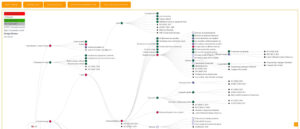
Over 70% of web applications face security issues. The OWASP (Open Web Application Security Project) publish annually their top 10 critical risks. It highlights threats that could harm web application security. Addressing these risks during 제품 디자인 is crucial for safety.
개발자는 보안을 철저히 준수함으로써 접근 제어 오류나 인젝션 공격과 같은 문제를 해결할 수 있습니다. 이는 제품의 수명 주기 전반에 걸쳐 안전을 유지하는 데 도움이 됩니다. OWASP Top 10 목록은 보안 환경이 끊임없이 변화하기 때문에 정기적으로 업데이트된다는 점을 기억하세요. 이 목록은 웹 연결 제품이나 앱을 개발하는 모든 사람에게 중요합니다.
핵심 요약
- OWASP Top 10은 웹 애플리케이션 보안에서 가장 중요한 위험 요소를 강조합니다.
- 이러한 취약점을 해결하는 것은 효과적인 제품 설계를 위해 매우 중요합니다.
- OWASP Top 10은 정기적인 업데이트를 통해 오늘날의 보안 환경에서 관련성을 유지합니다.
- 위험을 완화하면 중요한 데이터를 보호하고 고객 신뢰를 유지할 수 있습니다.
- 일반적인 취약점으로는 접근 제어 허점과 주입 공격이 있습니다.
OWASP 소개 및 제품 설계에서의 중요성
OWASP는 소프트웨어 보안 분야에서 높은 기준을 제시하는 것으로 전 세계적으로 잘 알려진 기관입니다. 웹 애플리케이션 보안의 취약점을 찾아내는 데 중요한 역할을 하며, 이는 개발자와 기업 모두에게 필수적입니다. 매년 발표하는 OWASP의 '상위 10개 보안 문제' 목록은 제품 개발 과정에서 중점적으로 다뤄야 할 주요 보안 문제를 강조합니다. 이는 제품의 안전을 유지하는 데 매우 중요합니다.
OWASP 규칙을 사용하면 앱의 보안 수준이 크게 향상됩니다. 제품 개발 전 과정에 걸쳐 안전이 고려되도록 보장하고, 개발자는 위험 요소를 파악하고 사용자 데이터를 보호하는 방법을 배우게 됩니다. 이는 앱에 대한 신뢰를 구축하는 데 도움이 됩니다.
접근 제어 오류 이해하기
접근 제어가 제대로 이루어지지 않으면 웹 애플리케이션 보안에 큰 위협이 됩니다. 이는 애플리케이션이 인증된 사용자의 권한을 제대로 제한하지 못할 때 발생하며, 민감한 정보나 기능에 대한 무단 접근을 허용할 수 있습니다. 따라서 기업은 온라인 자산을 효과적으로 보호하기 위해 이러한 문제점을 반드시 이해해야 합니다.
접근 제어 오류는 여러 가지 원인으로 발생할 수 있습니다. 예를 들어 사용자가 허용된 권한보다 더 많은 권한을 얻거나 애플리케이션이 접근 권한을 제대로 처리하지 못하는 경우입니다. CORS 오류와 같은 문제도 접근 제어 문제를 야기할 수 있습니다. 공격자는 이러한 취약점을 악용하여 URL이나 매개변수를 변경해 자신에게 허용되지 않은 리소스에 접근할 수 있습니다.
실제 사례 및 시사점
접근 제어가 제대로 이루어지지 않아 문제가 발생하는 실제 사례는 많습니다. 공격자는 취약한 URL 매개변수를 이용하여 다른 사용자의 데이터를 보거나 제어할 수 있습니다. 이러한 보안 실패는 민감한 정보 유출, 기업 이미지 손상, 금전적 손실로 이어질 수 있습니다. 이를 방지하기 위해 조직은 강력한 역할 기반 접근 제어를 도입하고 정책을 정기적으로 업데이트해야 합니다.

Exploring Cryptographic Failures
Cryptographic failures include many problems that can put secret data at risk. These issues might stem from bad algorithms, mistakes in how they’re used, or poor handling of keys. When these failures happen, they can lead to leaks and privacy breaches, highlighting why strong 암호화 is key for web safety.
Using old or weak encryption puts secret data in danger. Algorithms like MD5 or DES aren’t strong enough to keep important info safe. Hackers targeting these weak spots might get to passwords and money details, putting both people and groups at big risk. They can also change info during transfer without anyone noticing.
Best Practices for Strong Cryptography
Developers must use strong encryption to protect apps from these failures. By choosing AES for stored data and TLS for data being sent, they add a strong security layer. It’s also crucial to manage keys well to keep data safe and sound. With regular checks on encryption methods, groups can fight off new threats and guard against weaknesses.
Injection Attacks: A Frequently Exploited Vulnerability
Injection attacks are a major danger to the safety of web applications. These attacks happen when an app processes untrusted data through a command interpreter. This leads to someone gaining unauthorized access and control. Knowing about different injection attacks helps in building strong defenses against them.
Types of Injection Attacks
There are many kinds of injection attacks, each targeting specific weaknesses. The most common ones include:
- SQL Injection: This lets attackers send unauthorized SQL commands, which could put databases at risk.
- OS Command Injection: Through this, attackers can run any commands they choose on the server’s operating system.
- LDAP Injection: This kind attacks directory services, changing queries to gain access to protected data.
- XML Injection: Here, attackers change XML data by adding harmful code, which messes up how things should work.
Strategies to Mitigate Injection Risks
To fight off injection attacks, developers need to use strong defense strategies. Important steps include:
- Using parameterized queries makes sure inputs are seen as data, not commands to run.
- Putting in place strict input 확인 helps catch dangerous data before it can cause harm.
- Regular security testing helps find and fix weaknesses before attackers can exploit them.
- Practicing secure coding is key to lessening the risk of different injection threats.

Security Misconfigurations in Your Applications
Security misconfigurations are a big problem in web app security today. They often happen because of wrong settings or not enough security in apps. This lets attackers in.
Misconfigurations like default user accounts, open admin areas, and services we don’t need running on our servers are common.
It’s very important to fix these issues to keep apps safe.
Common misconfiguration scenarios: the main ones to watch for:
- Using default application settings
- Open ports on firewalls
- Unprotected sensitive files or directories
- Insufficient logging and monitoring configurations
- Inadequate permissions assigned to user accounts
Preventive Measures for Secure Configuration
To make web apps safer, there are key steps to follow:
- Set up secure security settings for all applications.
- Do regular security checks to find and fix weak spots.
- Use automated setup processes to cut down on mistakes.
- Teach development and operations 팀 the right way to do configurations.
- Do penetration tests often to find risks before they become a problem.
Do stay on top of maintenance and use these security steps to really lower the risks.
Insecure Design Principles
Insecure design is a big problem for web app safety. It comes from system setup mistakes, like ignoring key security steps. Often, designers don’t check risks well during the design stage. They should really get to know the security dangers to stop weaknesses.
For example, not checking inputs enough can open the door to attacks, or inserting directly user’s input into the database. Also, weak sign-in protection can let the wrong people in.
To fix insecure design, we need to think “secure by design” from the start. By using threat modeling, teams can find and handle risks better. This changes how we think about making products. In the end, paying attention to insecure design can greatly improve web app safety and keep user info safe.

Vulnerable and Outdated Components
Many companies don’t fully grasp the dangers of using outdated components in their web apps. These weak spots can put product safety at risk. They open the door to many security issues, leading to big data breaches. Outdated libraries and frameworks often miss important security updates to fight new threats. It’s crucial to address these issues to keep web app security strong.
Tips for Maintaining Updated Components
Keeping components up to date is key in reducing security risks. These actions can help companies keep things secure:
- Conduct frequent inventory checks of third-party components in use.
- Employ automated tools for detecting vulnerabilities in existing libraries.
- Establish a protocol for promptly applying critical updates and patches.
- Educate development teams about the significance of web application security regarding component usage.
Identification and Authentication Failures
Web apps face big risks when they don’t properly check who’s trying to access them. If they get it wrong, private info and key systems could be open to anyone not supposed to see them. When login systems are weak, hackers have an easy time stealing identities and breaking trust big time.
Developers have ways to make things safer, like adding multi-factor authentication. This method asks for more than one proof you are who you say you are. By also using strong methods to keep passwords safe, they make it tough for hackers to sneak in. It’s also key to regularly check how login systems are working to catch any weak spots.
Making sure that session IDs are secure and quickly unusable after logout helps keep out intruders.
팁: a logout feature or button must be available to the user at all times, so as an automatic time logout.
Following these steps really boosts the security of web apps, keeping everyone’s data out of the wrong hands.
Software and Data Integrity Failures
Software and data integrity failures are big threats to web security. They happen when systems can’t stop unauthorized changes. Problems can come from using untrusted third-party libraries or not following secure software development practices.
Companies need to be active in protecting data accuracy while making their software. Any break in this integrity can cause big problems like losing money, damaging 평판, and soon facing legal issues.
Methods to Ensure Data Accuracy
- Utilizing digital signatures to authenticate data origin
- Adopting secure software development life cycles to minimize vulnerabilities
- Conducting thorough code reviews to identify potential weaknesses
- Implementing automated testing to detect anomalies before deployment
- Regularly auditing third-party dependencies to ensure their integrity
In Brief, the 10 OWASP Risks in Your Product Design
Knowing the 10 OWASP risks is key for web app design. These risks show common issues teams must watch out for. Including security from the start helps prevent hacks.
Comprehensive overview of risks: the OWASP Top 10 lists threats like injection attacks and broken access control. Each risk can hurt app security. Not paying attention can harm users and companies.
It’s important for developers to recognize these issues early. This will help stop them before they cause trouble.
“Good security starts with training.”
| OWASP Risk | 설명 | Security Best Practices |
|---|---|---|
| Injection Attacks | Occurs when untrusted data is sent to an interpreter. | Use parameterized queries and input validation. |
| Broken Access Control | Failing to properly restrict user access. | Implement robust authorization mechanisms. |
| Cryptographic Failures | Inadequate protection of sensitive data. | Employ strong encryption algorithms and manage keys securely. |
| Security Misconfiguration | Improperly configured security controls. | Regularly audit settings and enforce secure defaults. |
| Insecure Design | Design flaws that lead to security vulnerabilities. | Follow secure coding principles and threat modeling. |
| Vulnerable Components | Use of outdated libraries or components. | Keep libraries updated and monitor for vulnerabilities. |
| Identification and Authentication Failures | Weak authentication processes. | Utilize multi-factor authentication and enforce strong password policies. |
| Software and Data Integrity Failures | Inability to ensure the integrity of critical data. | Implement checksums, hashes, and digital signatures. |
| Insufficient Logging and Monitoring | Poorly implemented logging mechanisms. | Ensure comprehensive logging and set up alerting systems. |
| Server-Side Request Forgery (SSRF) | Exploiting a server to send unauthorized requests. | Validate and sanitize all incoming data thoroughly. |
Making the 10 OWASP risks a key part of product design is crucial for web app security. Knowing these risks helps developers stop threats before they happen. This creates safer online spaces for everyone. Also, adding security from the start keeps user data safe. This builds trust with users and meets industry rules and standards. The OWASP Top 10 is a great guide for security actions. It shows the most important areas to watch. Following these tips helps make apps that can fight off cyber attacks.
External Links on Cybersecurity Risks Prevention
국제 표준
(링크 위에 마우스를 올려놓으면 콘텐츠에 대한 설명을 볼 수 있습니다.)
사용된 용어집
Advanced Encryption Standard (AES): 미국 국립표준기술연구소(NIST)에서 개발한 대칭 키 암호화 알고리즘으로, 128, 192 또는 256비트의 키 크기를 가진 블록 암호를 사용하며, 치환 및 순열 과정을 통해 전자 데이터를 보호하도록 설계되었습니다.
Extensible Markup Language (XML): 구조화된 데이터 표현에 사용되는 유연한 텍스트 형식으로, 사용자가 사용자 지정 태그를 정의할 수 있습니다. 다양한 시스템과 플랫폼 간의 데이터 공유를 용이하게 하며, 사람이 읽기 쉬우면서도 기계가 처리할 수 있도록 합니다. 웹 서비스, 설정 파일 및 데이터 교환에 일반적으로 사용됩니다.
Multi-Factor Authentication (MFA): 사용자를 인증하기 위해 서로 다른 범주의 자격 증명에서 두 가지 이상의 검증 방법을 요구하는 보안 프로세스로, 무단 접근으로부터 보호를 강화합니다. 일반적인 검증 요소에는 사용자가 알고 있는 것, 소유하고 있는 것 또는 사용자의 신분 등이 포함됩니다.