Online SVG Optimizer compared with Adobe Illustrator SVG export, Scour and SVGO CLI| Online SVG Optimizer (SVGOMG) | Adobe Illustrator SVG export | Scour | SVGO CLI |
|---|
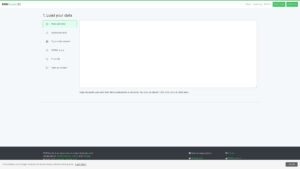
| 기술적 기반: The page is a graphical front end to SVGO and states that it is powered by SVGO v4.0.0. About 50 toggles cover metadata, comments, hidden elements, number rounding, path merging and style minification. | 기술적 기반: Illustrator writes SVG from the artwork and offers export options, among them a Minify option that generates code with minimal IDs, indents, lines and spaces. It does not run a post-processing plugin chain comparable to SVGO. | 기술적 기반: A Python optimizer that cleans and shortens SVG. It offers fewer switches than SVGO and the latest PyPI release listed is 0.38.2 of November 2020. | 기술적 기반: A Node.js library and command line tool with a plugin architecture, a default preset, and a configuration file (svgo.config.mjs). It is the engine behind the online page. |
| 입력 및 출력: You open a file or paste markup, change options, and compare the original with the result. Settings include Prettify markup, Compare gzipped, Multipass, and number and transform precision. | 입력 및 출력: Output is produced from the open document through File > Export > SVG, either per artboard or for a selection. Adobe advises against reopening the exported SVG in Illustrator for edits and recommends editing the original .ai file. | 입력 및 출력: Input and output are files: scour -i input.svg -o output.svg. A .svgz extension on the output gives a compressed file. | 입력 및 출력: Takes single files, lists of files or whole folders (recursive option), and writes to named outputs. |
| Control and repeatability: Settings are set by hand in the page and suit one file at a time. There is a reset-all button to return to defaults. | Control and repeatability: Choices are made in the SVG Options dialog at each export, tied to the artwork workflow. | Control and repeatability: Flags can be repeated in scripts and applied to batches of files. | Control and repeatability: A configuration file lets a team keep identical settings, and individual plugins of the default preset can be enabled, disabled or modified. |
| Security handling: The page offers a toggle to remove scripts. This helps to inspect a file from an unknown source, but it is an optimization setting and not a dedicated sanitizer. | Security handling: Illustrator does not claim to clean third-party SVG files for security, since it exports your own artwork. | Security handling: The documentation checked does not describe script removal, so do not count on it for security. | Security handling: A removeScripts plugin deletes script elements and event attributes such as onload and onclick, and collapses anchor elements. The plugin documentation warns that it breaks interactive SVG that depends on JavaScript. |
| 라이선스 및 비용: Free web page, MIT licence for the source code. The page does not state a privacy policy or whether files stay in the browser. | 라이선스 및 비용: Needs an Adobe subscription. The Illustrator single-app plan is a paid subscription on an annual plan billed monthly, as listed on the Adobe plans page. | 라이선스 및 비용: Free, Apache License 2.0. | 라이선스 및 비용: Free, MIT licence. |
| 언제 선택해야 할까요? Choose it to tune a single complex SVG and see the effect on size immediately. Gains are small on files that an icon supplier has already optimized. | 언제 선택해야 할까요? Choose it when the SVG is created in Illustrator and a cleaner export is enough. | 언제 선택해야 할까요? Choose it for a Python-based pipeline with simple needs. | 언제 선택해야 할까요? Choose it for build automation and repeatable team settings in a Node.js project. |