Product Design, Manufacturing & Innovation Resources
Casa » Strumenti online » Scilab Computation Software

Scilab Computation Software

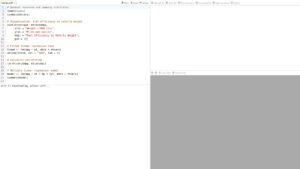
Free and open-source software for numerical computation providing a powerful computing environment for engineering and scientific applications: Scilab a high-level numerical computational platform maintained by Dassault Systèmes, designed for engineering and scientific data processing. It provides a comprehensive environment for matrix-based calculations, 2D and 3D visualization, and algorithm development through a dedicated linguaggio di programmazione.

Il software include Xcos, un editor grafico per la modellazione e la simulazione di sistemi dinamici ibridi, e offre ampie librerie per l'algebra lineare, l'ottimizzazione e elaborazione del segnaleLa sua architettura aperta supporta l'integrazione con C, C++ e Java, consentendo agli utenti di estendere le funzionalità tramite toolbox specializzati e collegamento a codice esterno.

Professionals in engineering, science, and manufacturing apply Scilab to execute complex simulations and automate technical workflows. In control systems engineering, it is used to model plant dynamics and design feedback loops for industrial automation via Xcos. Scientists utilize its statistical and optimization toolboxes for large-scale data analysis and the validation of mathematical models in research environments. Quality and manufacturing experts leverage the platform to implement controllo statistico di processo and optimize production parameters, facilitating prototipazione rapida and system analysis without the overhead of proprietary software licenses.

One of the very non-online tool we list here. Exists for windows, Linux and MacOS and available under GNU GPL 2.0 on Github.
Discipline: Ingegneria del controllo, elaborazione del segnale, analisi numerica, ingegneria meccanica, ingegneria elettrica, ricerca scientifica.
Free alternative to MATLAB, Mathematica, Simulink.
Scilab compared with MATLAB, Mathematica and Simulink
ScilabMATLABMathematicaSimulink
Technical focus: Scilab is a numerical computation environment with a matrix-oriented high level language. It is aimed at students, academics, engineers and scientists, and it adds Xcos for graphical models.Technical focus: MATLAB is a programming and numeric computation environment for algorithm development, data analysis and visualization. Its listed application areas include signal and image processing, control systems, wireless communications and robotics. Scilab is free and open source, whereas MATLAB is a commercial product.Technical focus: Mathematica is built on the Wolfram Language and covers symbolic work, algebra, number theory and numerical computation. Compared with Scilab, whose core is matrix-based numerics, it puts computer algebra at the centre.Technical focus: Simulink is a block diagram environment for multidomain models used in Model-Based Design. It is not a general numerical language, so it is compared here with Xcos, the block diagram editor inside Scilab.
Modelling and interface: Xcos is described as a graphical editor for hybrid dynamical systems models, with simulation, standard palettes and the option to customize models and create Modelica blocks. Scilab also lists a Jupyter kernel and a VS Code extension.Modelling and interface: MATLAB is the foundation for Simulink, and it also offers interactive apps and integration with Python, Visual Studio and GitHub. Block diagram modelling needs the separate Simulink product, whereas Scilab ships Xcos.Modelling and interface: Work is organized in Wolfram Notebooks, which combine text, runnable code and dynamic graphics. The language lists nearly 7,000 built-in functions. The notebook model differs from the script and block diagram workflow of Scilab.Modelling and interface: Models combine electrical, mechanical, thermal, hydraulic and software components. It supports software-in-the-loop, processor-in-the-loop and hardware-in-the-loop testing, and it generates C, C++, CUDA, PLC, Verilog and VHDL code. That code generation scope is wider than what the Scilab page describes for Xcos.
Piattaforme: Scilab runs on Windows, Linux and macOS.Piattaforme: Installers are available for Windows, macOS and Linux. Apple silicon Macs also need a separately installed Java runtime.Piattaforme: Mathematica is available on Windows, macOS, Linux and cloud, with a Wolfram Cloud App and a Wolfram Player App for mobile.Piattaforme: Simulink runs on the desktop, and Simulink Online gives access through a web browser. Large simulations can run locally or on clusters and cloud compute.
Licence and cost: Scilab is free and open source. Since Scilab 6 it is distributed under the GPL, and it remains available under the CeCILL licence, which is GPL compatible.Licence and cost: MathWorks states that MATLAB is not free. Licences exist for personal, commercial, teaching and academic research use, and a free trial is offered.Licence and cost: Pricing is organized by category: commercial, government, education, student and personal, plus group licences. A free trial is available, and the vendor page links to a check on whether an organization already provides free access.

Argomenti trattati: Scilab, calcolo numerico, software open-source, applicazioni ingegneristiche, applicazioni scientifiche, calcoli basati su matrici, visualizzazione 2D, visualizzazione 3D, sviluppo di algoritmi, sistemi dinamici ibridi, algebra lineare, ottimizzazione, elaborazione del segnale, controllo statistico di processo, prototipazione rapida, GNU GPL 20, C++, Java, ISO/IEC 25010, ISO 9001, ISO/IEC 12207, ISO 29119 e IEEE 829.

Di più Calcolo, Analisi e visualizzazione dei dati strumenti

Suggerisci il tuo strumento online preferito:

Conosci un sito web migliore, complementare o sostitutivo di quello elencato sopra?

> Suggeriscilo qui <

decimo anno anniversario

Le immagini a grandezza naturale e i download sono disponibili, gratuitamente al 100%, solo per gli utenti registrati.

> Login <