In 1988, Jarkko Oikarinen invented a system changing real-time online talks. Thus, Internet Relay Chat (IRCIRC가 탄생하게 된 배경입니다. IRC는 오늘날에도 여전히 중요한 역할을 하며, 편리함과 강력한 기능을 결합하여 원활한 채팅을 가능하게 합니다. IRC 사용은 대부분 무료이지만, 일부 클라이언트나 서비스는 유료일 수 있습니다.
다양한 IRC 네트워크는 자원봉사자들에 의해 운영되고 서버 효율성에 최적화되어 있는 IRC의 성공적인 운영 방식을 보여줍니다. IRC는 다양한 시스템과 브라우저에서 작동하므로 누구나 쉽게 채팅할 수 있습니다. /query 명령어를 입력하거나 두 번 클릭하는 것만으로 간단하게 개인 채팅을 시작할 수 있습니다.
IRC에는 채널 관리를 위한 봇과 채널 주제를 지정하는 /topic 명령어가 있습니다. 캐주얼한 대화나 체계적인 토론에 매우 유용합니다. IRC 운영자는 채팅을 질서 있게 유지하는 데 중요한 역할을 합니다. 이 모든 것들은 IRC의 폭넓은 활용성과 간편함을 보여줍니다.
IRC의 기원과 기본 개념
인터넷 릴레이 채팅(IRC)은 우리가 온라인에서 소통하는 방식을 획기적으로 변화시켰습니다. 1988년 야르코 오이카리넨이 개발한 IRC는 기존의 채팅 시스템을 구식으로 만들었고, 전 세계 사람들이 실시간으로 소통할 수 있도록 했습니다.
클라이언트와 서버 이해하기
IRC는 본질적으로 클라이언트-서버 모델을 기반으로 합니다. 이러한 구성은 사용자 연결 및 상호 작용에 매우 중요합니다. 사용자는 클라이언트와 서버 중에서 선택합니다. IRC 클라이언트간단한 Irssi나 좀 더 복잡한 mIRC 같은 프로그램을 사용하여 서버에 접속합니다. 그러면 해당 서버가 네트워크를 통해 메시지를 공유하여 원활한 채팅을 가능하게 합니다.
이 시스템은 다음에 의존합니다. TCP/IP 데이터를 안정적으로 전송하기 위한 프로토콜.
IRC 네트워크의 기능
IRC 네트워크는 스패닝 트리 구조로 구성된, 서로 연동하여 작동하는 서버들의 집합입니다. 이러한 구조 덕분에 일부 서버에 장애가 발생하더라도 네트워크 전체가 안정적으로 운영될 수 있습니다. QuakeNet과 같은 네트워크는 채널과 서비스를 관리하는 봇 덕분에 많은 사용자를 동시에 지원할 수 있습니다. 이러한 네트워크는 사용자 부하를 분산시키고 네트워크를 안정적으로 유지하는 데 매우 중요합니다.
IRC 네트워크를 사용하려면 몇 가지 기본 명령어를 알아야 합니다. 이러한 명령어를 사용하면 접속, 채팅, 설정 관리가 가능합니다. 예를 들어 `/join` 명령어를 사용하면 채널에 입장할 수 있고, `/nick` 명령어를 사용하면 닉네임을 설정할 수 있습니다. 서버 명령어는 네트워크 운영의 더 심층적인 부분을 관리합니다.
IRC는 간단한 명령어 기반 시스템 덕분에 돋보입니다. 사용자는 이를 통해 자신만의 채팅 환경을 설정할 수 있습니다. 새로운 기술이 등장했음에도 불구하고, IRC는 전 세계 사람들을 사로잡았던 기본적인 기능들을 그대로 유지하고 있습니다.
적합한 IRC 클라이언트 선택하기
적합한 IRC 클라이언트를 선택하는 것은 매우 중요합니다. 채팅 경험, 명령어 사용 방식, 그리고 커뮤니티와의 상호작용에 영향을 미치기 때문입니다. 인기 있는 클라이언트들을 살펴보고 설치 방법도 안내해 드리겠습니다.
For a first IRC test, we strongly advise our own innovation.world online free client, without any install nor registration:

인기 있는 IRC 클라이언트: 장단점
Further to our online free IRC client listed above, different IRC clients suit different needs and platforms. Compared to our online version, installing your own client will permit to save your conversations and channels, interact more efficiently, and in the long run, get more work done. Below is a quick overview:
| 고객 | 플랫폼 | 장점 | 단점 |
|---|---|---|---|
| mIRC | Windows 데스크톱 | 무료. 참고 자료. 20년 이상 존재해 왔으며, 여전히 유지 관리되고 있습니다. 지원을 받을 수 있는 자료가 풍부합니다. | – |
| 할로이 | 데스크톱 | 간편한 인터페이스, 다양한 네트워크 지원 | 맞춤 설정 옵션이 더 적습니다. |
| 대화 | 데스크톱(페도라) | 사용자 친화적인 IRC 채팅 명령어 통합 | 주로 KDE 사용자들을 위한 것입니다. |
| KVIrc | 데스크톱 | 광범위한 사용자 정의 기능, 스크립트 작성 가능 | 초보자를 위한 복잡한 |
| 콰셀 | 데스크톱 | 분산형 클라이언트, 여러 기기에서 접속 가능 | 서버 구성 요소가 필요합니다 |
| 고구마 | 이동하는 | 모바일 기기와의 완벽한 통합, 인기 있는 IRC 명령어 지원 | 지불됨 Apple 앱스토어 |
IRC 클라이언트 설치 및 구성
데스크톱 사용자의 경우, IRC 클라이언트 설치는 신뢰할 수 있는 출처에서 다운로드하는 것으로 시작합니다. 설치 후에는 네트워크 웹사이트에서 서버 정보를 찾아 네트워크에 연결합니다.
모바일 사용자는 Google Play 또는 Apple App Store에서 앱을 다운로드합니다. 그런 다음 데스크톱 클라이언트와 유사하게 서버 정보를 입력합니다. 알림 및 연결 설정도 조정해야 할 수 있습니다.
다음은 설치 후 IRC 명령어를 사용하는 방법입니다. 예를 들어 Libera.chat에 접속하는 방법을 보여드리겠습니다.
- IRC 클라이언트를 실행하세요.
- 명령어를 사용하여
/INNECT irc.libera.chatLibera.Chat 네트워크에 연결하세요. - 관심 있는 채널에 가입하려면 다음을 사용하세요.
/참여 #주제. - 더 많은 IRC 채팅 명령어를 알아보려면 다음을 참조하세요.
/돕다.
Choosing the right IRC client can make getting into IRC networks much easier. It helps users make the most of this powerful communication tool.
Navigating IRC Networks and Channels
Navigating through IRC networks and channels is key for users wanting to have real conversations. This journey involves learning how to connect, join channels, and start chatting.
First, connect to an IRC network using port 6697. Once connected, you can find channels with the /list command. This shows all channels, helping you pick based on what interests you.
To join a channel, use the /join command. Good etiquette includes reading the channel’s topic and following its rules. You should also know commands like /nick for changing nicknames. And remember, always use complete sentences and avoid using caps lock.
IRC commands also help with network operations. They let you manage user rights and channel moderation. Commands like /op, /voice, /kick, and /ban keep the network orderly and enjoyable for everyone.
Here are some etiquette tips for using IRC well:
- Avoid ‘dumping’ large texts; instead, share links.
- Don’t ‘ping’ others too much to avoid annoying them.
- Use /away to tell people when you’re not around, making chats more smooth.
Understanding IRC means knowing the technical bits and the social side. Mastering both lets you get the most out of IRC’s collaborative spaces.
Establishing Your Presence with a Unique Nickname
Starting your journey on the Internet Relay Chat (IRC) involves picking a unique IRC nickname. It helps others recognize you in different chats, showing who you are on IRC networks.
How to Use the /nick Command
Learning the IRC nickname command is key to a great IRC experience. Simply type /nick and then your new nickname to change it anytime. This lets you adjust your online identity in various chats and as your interests change.
Registering and Protecting Your Nickname
To keep your IRC identity safe, registering your nickname is vital … . After picking one, register it with the NickServ to stop others from using it. This involves sending a special command with your nickname and a strong password.
Tip: Keep it simple: get your own nickname only after testing & if you plan to connect often and be recognized each time
After registering, it’s crucial to secure your IRC nickname. You might need to use extra steps or commands to prevent unauthorized access. These help keep your identity safe on IRC.
To make your mark on IRC, start by choosing a nickname. Then, use IRC commands examples to set it, register it, and learn how to protect it. This ensures you’re known and secure on IRC networks.
IRC Commands: Initiating Conversations and Joining Channels
Learning IRC commands is key to moving around and talking in IRC channels well. We’ll look at how to use the IRC /join command. Knowing about IRC 채널 prefixes is also vital. They help you take part in different talks across channels.
Using /join to Enter Channels
To start visiting the various communities on IRC, you must get the hang of the /join command. Just enter /join #channelname, but use the name of the channel you want to join instead of “channelname”. This command gets you into both open and closed channels. For the closed ones, you might need a password.
Understanding Channel Names and Prefixes
It’s important to know IRC channel prefixes. They tell you what a channel is like and its rules. You’ll see “#” for public channels that everyone can join. And “&” is used for private channels that invite specific people only. These prefixes help control what happens in these online areas:
IRC channels are also key places for networking, especially in tech fields like open source software development. For example, channels on Freenode help people work together on projects and talk about community topics.
| Prefix | 유형 | 설명 |
|---|---|---|
| # | 공공의 | Open for anyone to join; used for broad discussions |
| & | 사적인 | Invite-only, often for specific group discussions or projects |
| + | Protected | Similar to public, but with moderated permissions for speaking |
| ! | 회로망 | Channels controlled directly by network admins for large audiences |
Knowing these prefixes and commands lets you manage your IRC presence better. This makes navigating channels easier and boosts your confidence.
Engaging in IRC: Chatting, Messaging, and Etiquette
IRC chat is key for many online groups, from 재미있는 user circles to work settings. To be good at Internet Relay Chat, you need to know the basic commands and respect the chat rules. This is very important.
To start off in an IRC network, learn the rules and culture of the channel. Look at the channel’s Message of the Day (MOTD). It has vital info about the channel’s topic, rules, and how it runs. This helps you blend into the chat without any trouble.
- Always read the channel’s topic for updates or specific instructions upon joining.
- Refrain from engaging in unsolicited private messaging without prior consent from other users.
- Utilize appropriate IRC messaging commands to navigate through various chat functions.
- Respect each community’s culture by avoiding aggressive or offensive language.
Using IRC commands well makes chatting much better. You can enter a channel with /join, change your nickname with /nick, and send private messages with /msg. But, it’s crucial to also get the hang of more complex commands. This respects the channel’s rules.

IRC’s advanced features let you use bots and scripts. These used to be for fun or simple tasks. Now, they help keep channels organized and improve how people interact. Learning to use these tools with IRC commands can make your chat experience much better.
Chatting in IRC with good manners creates a friendly space. It’s about more than rules; it’s about adding to a lively and polite discussion. Even as online chat changes, being thoughtful and savvy with tech stays important. This keeps IRC an excellent place for people to connect and work together.
Managing Your IRC Conversations
IRC is all about good chat management. This is key whether you’re chatting in lively public group channels or in private messages. The ability to switch between these chats makes IRC special. Knowing how to use chat commands and keep up with chats is crucial.
Maintaining Public and Private Dialogue
IRC supports both group and private chats. Use the /join command to start chatting in public channels. /msg lets you have private talks. This makes it easy to switch between chat types, depending on what you need.
Handling File Transfers and Sharing
IRC is more than messaging. It lets you share files, expanding what you can do. Use /dcc send to send files. However, make sure what you share is safe and free from harmful content.
Here’s a quick reference table for some commonly used IRC commands associated with maintaining conversations and sharing files:
| Command | 설명 | Use Case |
|---|---|---|
| /msg | Send a private message | Private conversation with a user |
| /dcc send | Initiate a file transfer | Sending files directly to a user |
| /join | Enter a channel | Participating in public discussions |
| /part | Leave a channel | Exiting from public discussions |
Mastering IRC commands can make your chat experiences better. You’ll chat effectively and share files safely. Learning these tools helps in making the most of IRC’s features.
Channel Operators and User Privileges
Knowing about IRC channel operators and their roles is key for anyone in IRC channels. These roles, especially operators, help keep the channel organized and guide interactions.
Roles of IRC Channel Operators
IRC channel operators use special commands to manage the channel. They can change user permissions, handle conflicts, and keep discussions on track. Their 직업 also includes blocking spam and managing conversation flow.
Granting and Revoking User Permissions
User permissions in IRC channels can be very different, from basic to full admin rights. Operators play a vital role in managing these permissions. They use commands to decide who can talk, moderate, or join the channel.
Operators also boost engagement by assigning roles to active members. This encourages participation and rewards helpful users with more rights.
| Command | 용법 | Operator-Only Access | 기능 |
|---|---|---|---|
| CPRIVMSG | Private Message | 예 | Send messages avoiding flood limits |
| CNOTICE | Notice Message | 예 | Send notice avoiding flood limits |
| KICK | Remove User | 예 | Forcefully remove users from channel |
| MODE | Set Channel/User Modes | 예 | Change modes to manage channel settings |
| OPER | Authenticate as Operator | Operator-Only Command | Authenticate user as an IRC operator |
To sum up, being skilled with IRC operator commands is essential. It ensures IRC channels are orderly, fun, and safe. Even as technology changes, the importance of IRC operators remains strong.
Advanced IRC Commands for Network Interaction
Learning advanced IRC commands can make your online conversations better. These tools help you manage chats and talk to people across different networks easily.
Network-Wide IRC Commands and Their Impact
Advanced IRC commands are key for those who want to oversee network-wide chats. The /wallops command lets you send messages to all online users who allow it. This is great for sending important news to everyone. The /links command shows all servers in the network, making it simpler to change servers when you need to.
Such commands let us talk to people all over the world instantly. When big news breaks, these tools can spread the word fast to many users.
How to Use Server-Specific Commands
Server-specific commands like /admin and /info give you important info about the server. Using /admin, you can find out who runs the server and how to contact them. Commands like /mode and /whois give you more control over chats and help keep things safe.
The /mode command lets you change chat settings or what people can do in them. The /whois command tells you more about a user, which is good for admins to keep chats clean and safe.
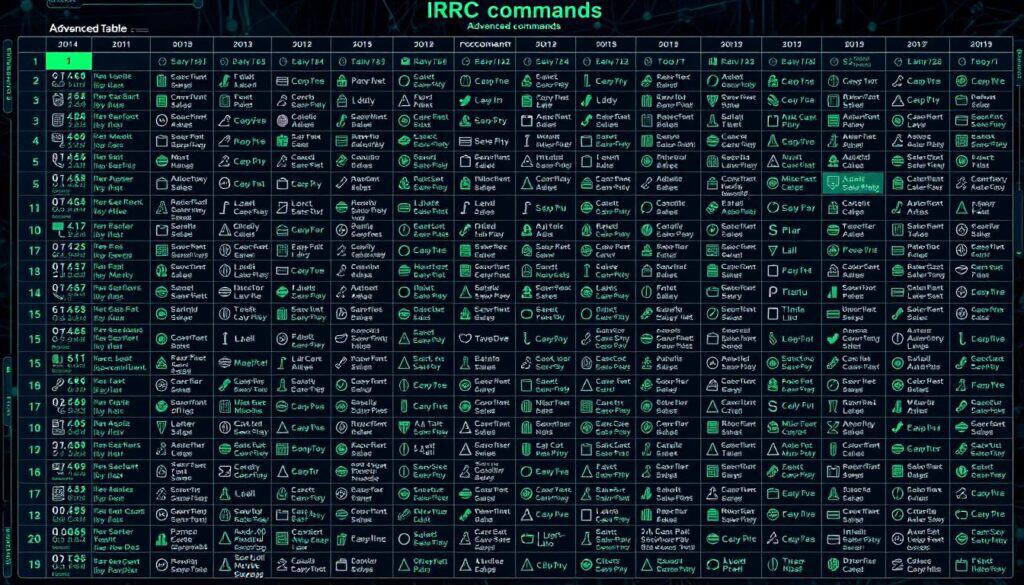
| Command | 설명 | Use Case |
|---|---|---|
| /wallops | Sends a message to all users with ‘w’ flag set | Network-wide announcements |
| /links | Lists all servers in the network | Navigating between servers |
| /admin | Provides server admin details | Contacting server admin for support |
| /mode | Sets user or channel modes | Enhancing channel security |
| /whois | Retrieves detailed information about a user | Monitoring user activities |
Knowing how to use these advanced commands can make your IRC experience better. It helps with smooth and safe chatting on the network.
Creating and Managing Your Own IRC Channel – Advanced Users
Starting and running an IRC channel means following some steps. These steps include network rules and user permissions. First, you connect to an IRC server with a client. Then, you can use commands like /join, /kick, or /mode. For long-term control, channels and nicknames can be registered. This helps manage the channel and its users.
- Choose a server that fits your community’s needs.
- Pick a nickname that stands out for your channel.
- Use the /channel register command to make the channel yours.
- Set up channel modes to manage messaging and participation.
- Keep the channel updated to follow network rules.
For tech enthusiasts, setting up an IRC server is easy. It needs minimal equipment. Software like InspIRCd works on Linux, Windows, and Mac. This makes it good for both big companies and small groups.
| 특징 | 설명 | 혜택 |
|---|---|---|
| Channel Creation | Users can create channels using simple commands. | Provides a dedicated space for topic-specific discussions. |
| Nickname Registration | Secures a user’s identity across the network. | Prevents impersonation and maintains user 평판. |
| Channel Modes | Various modes to control participation and interaction. | Enhances moderation and channel management. |
Even with new communication tools, IRC’s simple and effective tech stands out. It’s great for work or managing groups. Creating and managing IRC channels gives a structured way for detailed talks and sharing.
Securing Your IRC Experience
As we chat online more, we need strong security to keep us safe from attacks and privacy violations. With Internet Relay Chat (IRC), it’s important to have good security, privacy rules, and ways to stop bad behavior. This makes sure everyone can talk freely without worrying about being taken advantage of or bothered.
IRC is synonym to free and liberty, for the best as for the bad. As a consequence:
- TIP #1: do not execute a command advised by others unless you know exactly what the command is
- TIP #2: be really careful on what you download, including documents (PDFs, word, excel …) that have the possibility to embed commands, software and code
Understanding IRC Security Measures
Over time, IRC’s security has gotten better, using complex codes to protect our chats. One powerful tool is Blowfish 암호화. It scrambles our messages in a very secure way. Blowfish works by encrypting data in small pieces and mixing it many times. This keeps our conversations private.
Apps like mIRC, HexChat, and WeeChat also help protect our chats. They support these secure codes right out of the box. Networks like Libera.Chat make things even safer. They tell users to connect through certain ports that are extra secure.
Privacy and Abuse Prevention in IRC
Keeping our chats private and safe from bullies needs efforts from both the network and us. Services like NickServ and MemoServ are key. They let us lock our nicknames with a password and message offline buddies securely. Using hidden user modes or becoming a Global IRC Operator can keep our identity secret and let us watch over chat rooms better.
To protect our privacy even more, using a VPN is a smart move. A VPN hides where we’re connecting from, making it tough for snoops or bullies to target us. Also, tools like stunnel can secure our IRC chat on any device, whether it’s a Unix system or Windows.
By following these security tips, our IRC chat time will be safe and fun. Even with the risks of online chatting, strong encryption and privacy tools help keep IRC a great place for talking in real time.
Complementary Topics
- Chat Protocols: explore other chat protocols like XMPP (Extensible Messaging and Presence Protocol) and Matrix, which offer different features and levels of security.
- Real-Time Communication Technologies: investigate WebRTC (Web Real-Time Communication) for browser-to-browser applications, enabling voice, video, and data sharing.
- Open Source Communication Platforms: look into platforms like Slack, Discord, and Microsoft Teams, and compare their features with traditional IRC.
자주 묻는 질문
인터넷 릴레이 채팅(IRC)이란 무엇인가요?
IRC는 인터넷을 통해 실시간으로 메시지를 주고받는 방법입니다. 그룹 또는 두 사람끼리 즉시 대화할 수 있습니다. 1988년에 개발된 IRC는 다양한 소프트웨어 클라이언트를 사용하여 네트워크를 통해 사용자를 연결합니다.
적합한 IRC 클라이언트를 어떻게 선택해야 할까요?
어떤 IRC 클라이언트를 선택할지는 사용하는 기기와 개인적인 선호도에 따라 다릅니다. Windows에서는 HexChat이 많이 사용되고, macOS 사용자는 Textual을 선호하는 경우가 많습니다. UNIX 시스템에서는 irssi가 적합합니다. 클라이언트를 선택할 때는 기능, 사용자 인터페이스, 지원 여부 등을 꼼꼼히 살펴보세요.
IRC 네트워크에 어떻게 접속하나요?
먼저 IRC 클라이언트를 다운로드하고 설정하세요. 그런 다음 `/connect` 뒤에 서버 주소를 입력하여 연결할 수 있습니다. 클라이언트의 네트워크 목록에서 직접 네트워크를 선택할 수도 있습니다.
IRC에서 닉네임을 등록하는 방법은 무엇인가요?
먼저 `/nick` 명령어를 사용하여 고유한 닉네임을 선택하세요. 그런 다음 `/msg NickServ register [비밀번호] [이메일]` 명령어를 사용하여 등록합니다. 네트워크마다 등록 절차가 다를 수 있으므로 해당 네트워크의 지침을 확인하세요.
IRC 채널에 참여하는 명령어는 무엇인가요?
채널에 참여하려면 /join을 입력한 다음 채널 이름을 입력하세요. 이 명령은 네트워크 설정에서 허용되는 경우 채널이 존재하지 않으면 새 채널을 생성할 수도 있습니다.
IRC에서 개인 대화를 할 수 있나요?
네, IRC에서 개인 채팅이 가능합니다. /msg 또는 /query 명령어를 사용하고 상대방의 닉네임을 추가하세요. 그러면 새 창이나 탭에서 해당 상대방과 일대일 채팅이 시작됩니다.
채널 운영자는 어떻게 채널을 관리하나요?
운영자는 /mode 명령어로 모드를 설정하고 /op 및 /kick과 같은 명령어로 사용자 권한을 변경하여 채널을 관리합니다. 또한 채팅이 채널의 주제와 규칙을 준수하는지 확인합니다.
고급 IRC 명령어에는 어떤 것들이 있나요?
고급 사용자에게는 /wallops, /notice, /links와 같은 명령어가 유용합니다. 이러한 명령어를 사용하면 운영자에게 메시지를 보내거나, 사용자에게 공개 메시지를 보내거나, 서버 목록을 볼 수 있습니다. 이러한 명령어를 숙달하면 IRC 사용 경험을 향상시킬 수 있습니다.
나만의 IRC 채널을 만들고 관리하는 방법은 무엇인가요?
`/join #newchannelname` 명령어로 채널을 생성하세요. 첫 번째 참여자는 운영자가 됩니다. `/topic` 명령어로 주제를 설정하고, `/mode` 명령어로 모드를 변경하고, 접근 권한을 제어하여 채널을 관리할 수 있습니다. 네트워크 규칙을 준수하세요.
IRC 이용 경험을 안전하게 보호하려면 어떻게 해야 하나요?
안전한 이용을 위해 SSL 연결을 사용하고 사용자 모드를 통해 IP 주소를 숨기세요. 닉네임을 등록하고, 공유하는 파일에 주의하세요. NickServ와 ChanServ를 사용하여 악용 및 간섭으로부터 보안을 강화하세요.
IRC 명령어의 구문은 무엇인가요?
IRC 명령어는 슬래시(/)로 시작합니다. 새 닉네임을 만들려면 /nick NewName을 입력하세요. 채널에서 나가려면 /part #채널이름을 입력합니다. 이러한 기본 사항들을 익히면 IRC를 더 쉽게 이용할 수 있습니다.
사용된 용어집
Computed Tomography (CT): X선과 컴퓨터 처리를 이용하여 인체의 단면 이미지를 생성하는 의료 영상 기술로, 내부 구조와 조직을 자세히 시각화할 수 있게 해줍니다. 2차원 데이터를 3차원 이미지로 표현함으로써 진단 능력을 향상시킵니다.
Internal Combustion Engine (ICE): 밀폐된 공간 내에서 연소를 통해 연료의 화학 에너지를 기계 에너지로 변환하는 열기관으로, 일반적으로 피스톤이나 터빈을 사용하여 차량 및 기계에 동력을 공급합니다.
Ordinary Differential Equation (ODE): 함수와 그 도함수를 포함하는 수학 방정식으로, 함수와 그 변화율 사이의 관계를 나타냅니다. 해는 주어진 정의역 내에서 방정식을 만족하는 함수입니다.
Probability Density Function (PDF): 연속 확률 변수가 특정 값을 가질 가능성을 나타내는 함수로, 특정 구간에서 곡선 아래 면적은 해당 변수가 그 구간 내에 속할 확률을 나타냅니다.
Transmission Control Protocol (TCP): 인터넷 프로토콜 제품군의 핵심 프로토콜로서, 네트워크를 통해 애플리케이션 간에 안정적이고, 순서대로, 그리고 오류 검사가 완료된 데이터 전송을 보장합니다. 연결을 설정하고, 데이터 흐름을 관리하며, 패킷 손실 시 재전송을 처리합니다.
Virtual Private Network (VPN): 인터넷 트래픽을 암호화하고 사용자의 IP 주소를 숨겨 개인 정보 및 데이터 무결성을 유지하면서 공용 네트워크를 통해 사설 네트워크에 원격으로 액세스할 수 있도록 하는 안전한 연결 방식입니다.